Last updated: August 8, 2026
A Hyundai Sonata key fob can lock and unlock the doors, open the trunk, trigger the panic alarm, and—on equipped models—remote-start the car. The exact buttons and sequences depend on model year, trim, and market. On a 2026 U.S. Sonata, key-fob remote start is intended for roughly 32 ft (10 m), not hundreds of feet. Battery type also changes by year: 2023 Sonata manuals list a CR2032, while 2024–2026 Sonata smart-key manuals list a CR2450. Some versions also support remote window control or Remote Smart Parking Assist (RSPA).
Source note: This guide is based on Hyundai owner-manual instructions and current Hyundai feature listings; it does not claim hands-on testing. For your exact vehicle, confirm the year, trim, and market in the Hyundai Digital Owner’s Manual.
Quick Overview: Sonata Key Fob Buttons and Meanings
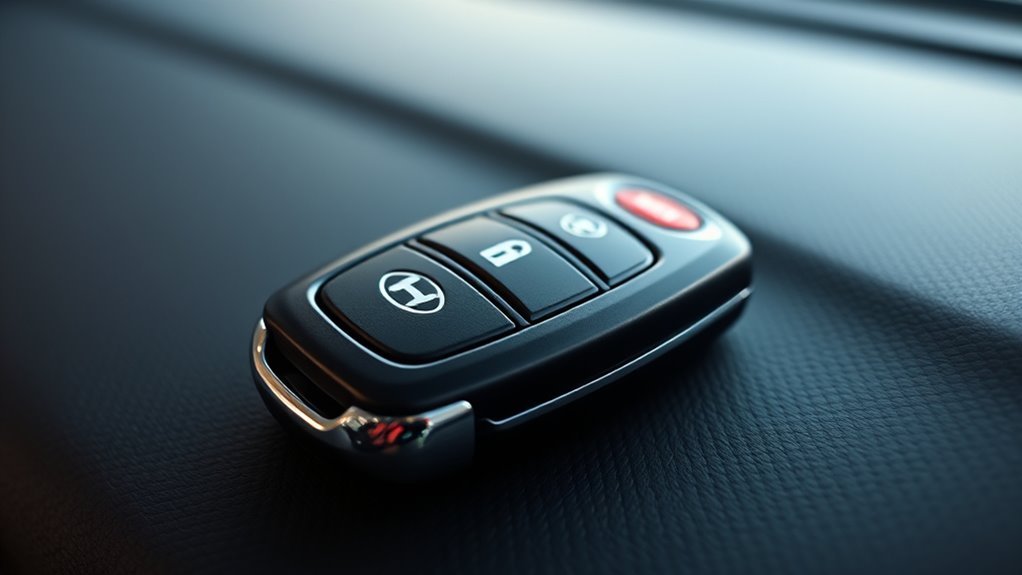
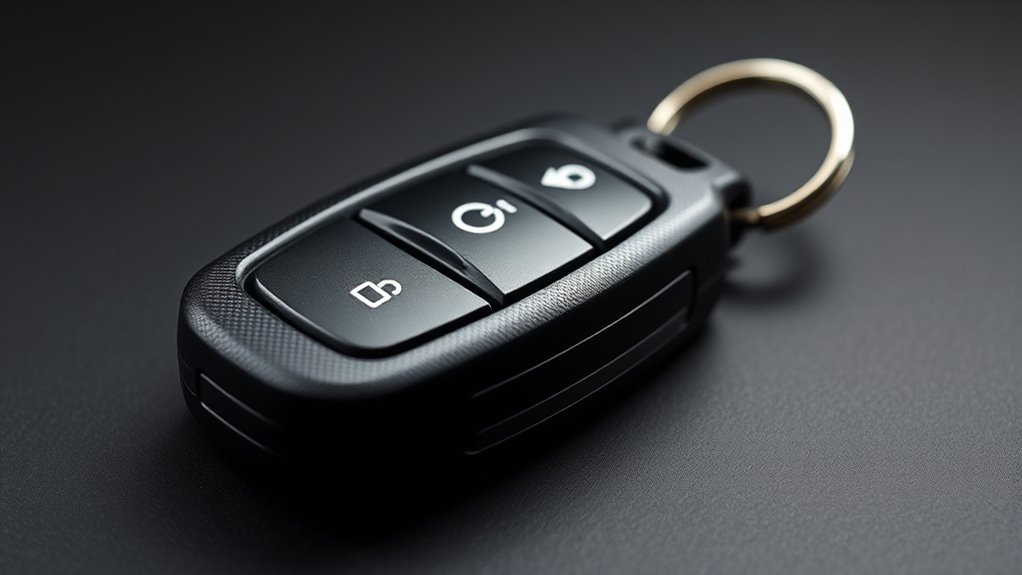
The symbols on a Sonata smart key are more useful than the word “HOLD” printed beneath some buttons. HOLD means that button must be held to activate its function; it is not one universal command. A trunk icon, circular-arrow remote-start icon, panic symbol, or RSPA arrow therefore does something different even when “HOLD” appears below it.
| Button / symbol | Typical function | Important note |
|---|---|---|
| Lock | Locks the doors | Used first in the key-fob remote-start sequence |
| Unlock | Unlocks the doors | One-press/two-press behavior can be changed on some models |
| Trunk | Releases or operates the trunk | Usually requires a press-and-hold; power closing depends on equipment |
| Panic | Sounds the horn and flashes the hazards | On current Sonata smart keys, hold for more than one second |
| Remote Start | Starts the engine remotely | Equipped models only; exact timing differs by model year/market |
| Forward / Reverse | Remote Smart Parking Assist | Select trims only; not present on every Sonata key |
If your fob does not match this table, use the icon on your key and the manual for your exact model year rather than assuming another Sonata’s instructions apply.
How to Lock and Unlock the Sonata Key Fob
Press the Lock button to secure the doors and Unlock to release them. On smart-key-equipped cars, the exterior door-handle sensor or button can also work when the key is close to the vehicle—Hyundai commonly specifies about 1 m (40 in) for this proximity function. That 1 m figure applies to proximity access; it is not the general operating range for every key-fob command.
- Press Lock after all doors are closed. The vehicle gives a visual or audible confirmation when locking succeeds.
- Press Unlock to enter. Depending on the configured two-press unlock setting, the first press may unlock only the driver’s door and the second press the remaining doors.
- If you unlock the vehicle but do not open a door, the Sonata can automatically re-lock after about 30 seconds.
- If the exterior-handle sensor does not respond, move the smart key away from your phone or other radio devices and try the fob button directly.
If your smart key battery is depleted, the mechanical key provides a backup way to unlock the driver’s door. The dead-fob starting method is covered in the troubleshooting section below.
How to Use Remote Start and When It Helps
Remote start is useful for beginning cabin heating or cooling before you enter, but the sequence must match the exact Sonata generation. For a 2026 U.S. Sonata, Hyundai’s current instructions place the smart key within about 32 ft (10 m): press Lock, then use the Remote Start button immediately—within about two seconds. The vehicle must be in Park, and conditions such as an open hood or trunk can prevent remote start.
- Make sure the Sonata is in Park and the doors, hood, and trunk are closed.
- Stand within the specified smart-key range and press Lock.
- Within about two seconds on a 2026 U.S. model, press the Remote Start button.
- Confirm the vehicle responds. If you do not enter the vehicle, the remotely started engine shuts off automatically after about 10 minutes.
- To cancel remote start from the fob, use the Remote Start button again as described in your model-year manual.
Model-year note: Hyundai manuals for some earlier years and other markets specify a slightly different hold time or timing window. Do not use the old “press Lock twice, then hold Start” rule as a universal Sonata instruction. If remote start fails, check the exact manual before assuming the fob is defective.
Remote start can help clear a cold windshield or cool a hot cabin, but climate behavior depends on the car’s stored settings and equipment. For related climate-system details, see the Sonata defroster and auto-defogging guide.
[Products Worth Considering]

This keyless entry remote replacement is designed for a wide range of Toyota, Scion, and Lexus-compatible vehicles, offering a convenient way to restore remote locking and unlocking functions. Each fob is pre-tested, comes with the battery and electronics already installed, and is ready to be programmed for supported standard-key vehicles. It is a practical replacement choice for drivers who need a reliable, compatible remote for everyday use.

Replace worn or damaged key fob buttons with this rubber keypad insert designed for compatible Hyundai remote key cases. It restores the look and feel of your car key, offering a simple installation and a snug fit for supported Santa Fe and Sonata models. The set includes two replacement pads and a mini screwdriver for convenience.
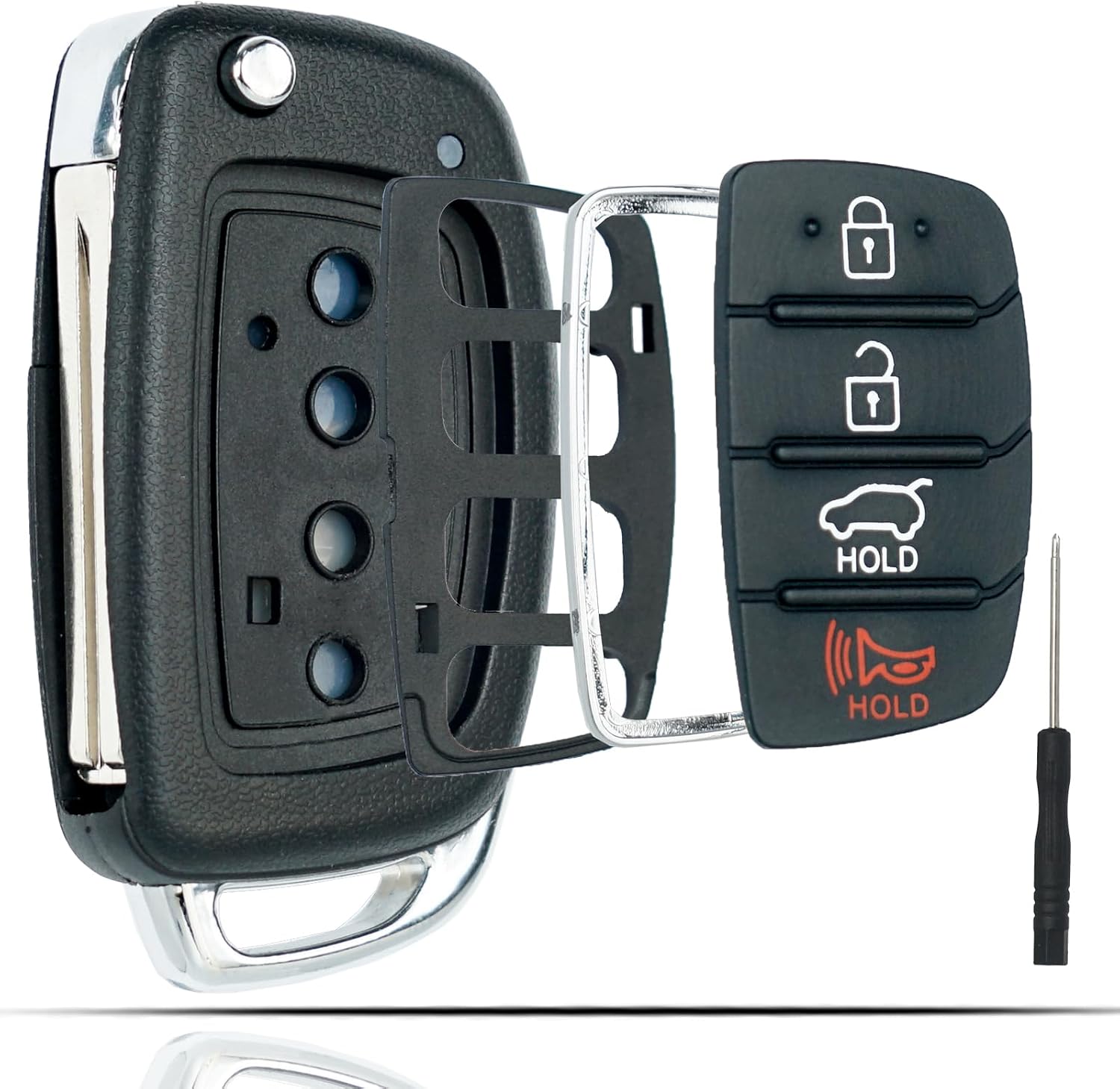
This flip key fob shell is a replacement case designed for compatible Hyundai Sonata and Santa Fe models, helping restore a worn or broken remote housing without replacing the electronics. It includes a 4-button layout and is made for easy transfer of your original internal components, with no reprogramming required. The durable metal and plastic construction makes it a practical fix for damaged key fobs, and the replacement blade must be cut by a locksmith or hardware store.
Trunk: Manual, Power, and Smart-Key Release
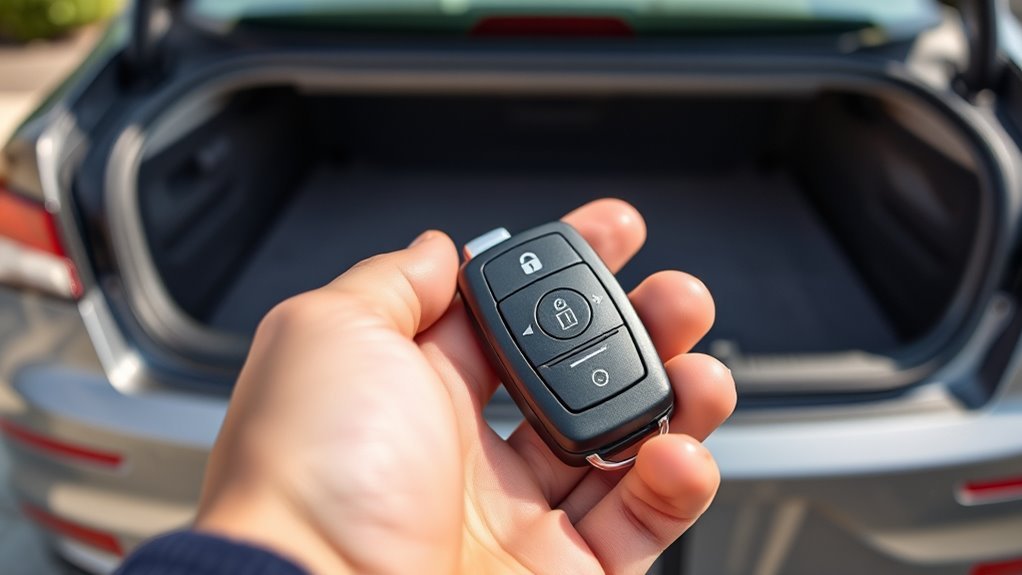
The Sonata is a sedan, so Hyundai refers to its rear cargo opening as the trunk (or “boot” in some markets), not a tailgate. On current smart keys, holding the trunk button for more than one second releases or operates the trunk. A proximity trunk-release switch can also work when the smart key is within roughly 1 m of the rear of the car.
Trunk Release With the Smart Key
To release the trunk from the key fob, press and hold the trunk button for more than one second. The exact response depends on equipment: a conventional trunk may pop open, while a power-trunk system in a market or trim that offers one can perform additional powered movement.
- Use the trunk icon—not a generic “Hold” interpretation—to identify the correct button.
- A nearby exterior trunk-release switch may require the smart key to be within about 1 m.
- Keep the area above and behind the trunk clear before opening it.
- If the trunk command becomes intermittent, check the smart-key battery and radio interference before assuming the latch has failed.
Power Trunk Operation (If Equipped)
Do not assume every Sonata has a power tailgate or power-closing trunk. Hyundai’s equipment differs by model year and market. Where a power trunk is fitted, holding the trunk Open/Close button can operate it according to that vehicle’s manual. Many U.S.-market Sonatas instead advertise a hands-free smart trunk release, which is a different feature from an SUV-style powered liftgate.
If your trunk only pops the latch when you hold the key-fob button, that behavior can be normal. Check the feature list for your exact trim before troubleshooting it as a power-trunk fault.
Smart-Key Trunk Access
Smart-key trunk access uses proximity for the exterior release switch and, on equipped cars, for hands-free smart-trunk functions. Keep the key with you rather than storing it close to the parked vehicle for long periods; Hyundai warns that leaving a smart key near the vehicle can contribute to battery drain or unintended smart-key detection.
- Fob release: hold the trunk button for more than one second.
- Exterior release: use the trunk switch with the smart key nearby.
- Hands-free smart trunk: availability and activation settings vary by year and trim.
- Power closing: only expect it if your specific Sonata is equipped with a power-trunk system.
Remote Window Control With the Sonata Key Fob
Some Sonata configurations support Remote Window Opening/Closing from the smart key. Hyundai’s current DN8 instructions for equipped vehicles use a long press of more than three seconds: holding Lock raises the front power window or windows, while holding Unlock lowers the front windows. Release the button to stop movement.
This is not a universal all-Sonata, all-window function. Availability and the number of windows controlled vary by market, model year, trim, and safety-power-window equipment. Verify the function in your own manual before relying on it in rain or other time-sensitive situations.
Remote Window Activation
On a Sonata that supports the feature, stand close enough to monitor the windows and hold Lock for more than three seconds to close the supported front window or windows. Hold Unlock for more than three seconds to lower them. Window movement stops when you release the key-fob button.
- Watch the windows during remote closing; do not operate them where hands, children, pets, or objects could be trapped.
- If one window stops because it detects resistance, inspect the opening before trying again.
- Do not assume the rear windows will move just because the front windows do.
- If nothing happens, first confirm that your exact Sonata supports remote window control.
Safety Power Windows
Remote window control is tied to the vehicle’s safety power-window system. Anti-pinch protection can stop or reverse window movement when resistance is detected, but it is not a substitute for watching the window path. Keep people and objects clear whenever you close windows remotely.
If a window has lost automatic-up/down operation after a 12-volt battery issue or service, the power-window system may need to be reset before remote behavior returns. Follow the reset procedure in the owner’s manual for your model year.
Model Compatibility
Compatibility is the key limitation. A button sequence found online may describe another Sonata year or another market. Before using remote window control, check the Power Windows section of your exact owner’s manual and confirm that Remote Window Opening/Closing is listed.
- Confirm the model year, trim, and market.
- Check whether safety power windows are installed on the relevant doors.
- Test the feature while standing beside the car before depending on it.
- Do not use another Hyundai model’s behavior as proof that your Sonata has the same function.
Using the Panic Button: When and How
On current Sonata smart keys, press and hold the Panic button for more than one second to trigger the horn and hazard lights. Hyundai’s current instructions state that the alarm runs for about 30 seconds. Pressing any smart-key button stops it.
Use the panic alarm when you need to draw attention or locate the car in an appropriate setting. Avoid unnecessary activation in quiet areas or where local rules restrict nuisance horn use.
What Your Sonata Key Does During Calls, Texts, and Navigation
The Sonata key fob does not control calls, texts, or navigation. The relevant connection is interference: Hyundai warns that an active mobile phone can interfere with smart-key communication when the phone and key are stored together. If the vehicle intermittently fails to detect the smart key while you are calling, texting, or using mobile data, separate the phone and fob and try again.
- Do not stack the phone and smart key together in the same tight pocket or compartment when troubleshooting detection problems.
- Move away from strong radio transmitters or other electronics if key-fob range suddenly drops.
- Metallic window film can also reduce smart-key operating range.
- If infotainment or phone-integration behavior is the problem—not vehicle access—troubleshoot that system separately. The Sonata infotainment software-version guide can help identify the installed software version.
Replace the Sonata Key Fob Battery (CR2450 on 2024–2026 Smart Keys): Step-by-Step
Do not buy a replacement coin cell from the article title alone. Battery type varies by Sonata model year and key design. Hyundai’s 2023 Sonata manual lists a CR2032 for the smart key, while 2024 and 2026 Sonata manuals list a CR2450. Check the marking on the old cell or your exact owner’s manual before installing a new battery.
| Sonata model year | Manual-listed smart-key battery | What to do |
|---|---|---|
| 2023 | CR2032 | Confirm against your exact key before purchase |
| 2024 | CR2450 | Match polarity and key design |
| 2026 | CR2450 | Match polarity and key design |
- Remove the mechanical key if your fob design requires it.
- Use a slim, non-damaging tool at the case seam and gently separate the smart-key cover. Do not force or twist the electronics.
- Note the old battery’s type and polarity before removal.
- Install a new battery of the same specified type and orientation without bending the contacts.
- Snap the case closed securely, reinstall the mechanical key, and test Lock, Unlock, Trunk, Panic, and Remote Start if equipped.
If the buttons still work only at very short range after a correct battery replacement, inspect for damaged contacts or interference. A damaged or water-exposed fob should be inspected rather than repeatedly pried apart.
[Products Worth Considering]

This replacement flip folding key fob case is designed for compatible Hyundai models, giving your worn or broken remote a fresh outer shell without needing reprogramming. Made for easy transfer of your existing circuit board and chip, it includes a mini screwdriver and sticker for convenient assembly. It is an ideal solution for restoring the look and function of your key fob while keeping your original electronics intact.

This soft TPU key fob cover is designed to fit select Hyundai smart keys and helps protect against scratches, dust, and everyday wear while preserving signal performance. Its full-coverage design, stylish gold-rimmed look, and included leather keychain make it a practical and attractive upgrade for compatible Hyundai models.

This key fob case is a practical replacement for damaged or worn Hyundai flip key shells, helping restore your remote’s appearance and usability. It fits select Hyundai Sonata and Santa Fe models and includes an uncut blade, replacement button pad, and basic tools for easy shell transfer. No electronics are included, so you can reuse your existing internals and have the blade cut to match your vehicle.
Troubleshooting Common Sonata Key Fob Problems and Fixes
Use the symptom to narrow the fault. The fastest checks are the battery, interference, vehicle conditions, and the correct model-year sequence.
| Symptom | Check first | Next step |
|---|---|---|
| Buttons work only very close to car | Weak fob battery; phone/radio interference | Replace the correct cell and separate the fob from electronics |
| Doors unlock but remote start fails | Wrong button sequence; hood/trunk open; vehicle not in Park | Use the exact model-year remote-start sequence |
| Car says key is not detected | Weak/dead fob battery | On recent Sonatas, press the Engine Start/Stop button directly with the smart key |
| Fob will not unlock the car | Dead battery or interference | Use the mechanical key for the driver’s door, then diagnose the fob |
| Remote windows do nothing | Feature not equipped or not supported in that market | Check the Power Windows section of the exact owner’s manual |
- Battery: verify the correct CR2032/CR2450 type for your year and install it with correct polarity.
- Interference: separate the fob from an active phone, radio transmitter, or metal objects.
- Dead-fob start: if the vehicle cannot detect the key, current Hyundai guidance allows the smart key itself to be used against the Engine Start/Stop button on equipped push-button-start models.
- Mechanical backup: use the mechanical key to unlock the driver’s door when electronic unlocking is unavailable.
- Persistent fault: if a known-good battery and the correct procedure do not restore operation, have the key and vehicle receiver diagnosed by an authorized Hyundai dealer or qualified automotive locksmith.
[Products Worth Considering]

This leather key fob cover helps protect your Toyota remote from scratches, wear, dust, and everyday damage while keeping the buttons easy to use. Its snug fit preserves sensor access and gives your key a distinctive look that is easy to identify in a bag or on a keychain. Designed for compatible Toyota smart key models, it is a practical accessory for added protection and style.

This soft TPU key fob cover is designed to help protect compatible Toyota flip smart keys from everyday wear, including scratches, drops, bumps, and dust. It offers a comfortable grip, easy installation, and a snug fit for selected 4-button Toyota remote fobs, making it a practical accessory and a thoughtful gift for Toyota drivers.

This TPU key fob cover is designed to help protect compatible Toyota smart keys from scratches, drops, dust, and daily wear while keeping a slim, comfortable feel. It features precise button and port cutouts for full remote functionality, easy tool-free installation, and a stylish pink finish with included keychain accessories for added convenience.
Safety, Medical-Device Cautions, Warranty, and Dealer Support
A Sonata smart key is both a radio device and a credential that can unlock and start the vehicle. Protect it from water, heat, impact, unauthorized modification, and access by children. Keep replacement coin-cell batteries securely stored, and follow local rules for battery disposal.
Medical Device Interference
Hyundai warns that the smart-key system can affect implanted medical devices such as pacemakers and cardiac defibrillators. Do not carry the smart key next to your heart or implanted device. If you use an implanted electronic medical device, follow the device manufacturer’s instructions and ask your clinician about appropriate separation for your specific device rather than relying on a generic distance.
- Avoid carrying the smart key in a chest pocket over an implanted device.
- Follow the medical-device manufacturer’s electromagnetic-interference guidance.
- Do not modify the vehicle’s smart-key antennas or transmitter system.
- If you notice symptoms or device alerts around the vehicle, move away and seek medical guidance appropriate to your device.
Battery Safety Warnings
CR2032 and CR2450 cells are button/coin batteries. Swallowing or inserting one can cause severe internal injury very quickly. Keep new and used cells away from children and pets, and seek immediate medical care if a battery may have been swallowed or inserted.
| Hazard | Action | Why |
|---|---|---|
| Swallowed/inserted battery | Get immediate medical care | Coin cells can cause rapid internal burns |
| Wrong battery/polarity | Match the manual and old-cell orientation | Prevents damage or no-operation faults |
| Loose battery or damaged case | Stop using and repair/replace the fob | Reduces exposure and electrical risk |
| Used battery | Dispose of it under local requirements | Keeps loose coin cells out of reach |
Dealer Service And Warranty
A battery replacement is routine, but programming, damaged circuit boards, receiver faults, and smart-key antenna problems are different. Hyundai warns against unauthorized smart-key system modifications; damage or malfunction caused by modifications may not be covered.
- Use an authorized Hyundai dealer or a qualified automotive locksmith for key registration/programming when needed.
- Bring all available keys if the service procedure requires re-registration.
- Do not attempt to alter transmitter frequency, immobilizer components, or smart-key antennas.
- If only one function fails while the other buttons work, verify trim compatibility and settings before replacing the entire fob.
Frequently Asked Questions
What Does the Hold Button Do on a Hyundai Key Fob?
“HOLD” is an instruction, not one specific function. It tells you to press and hold the button above it. On a Sonata, that button may be for the trunk, panic alarm, remote start, or an RSPA movement command depending on the icon and model year.
How Do I Remote-Start a Hyundai Sonata With the Key Fob?
On a 2026 U.S. Sonata, press Lock and then use the Remote Start button within about two seconds while you are within roughly 32 ft (10 m). The car must be in Park and required closures such as the hood and trunk must be shut. Earlier years and other markets can use different timing, so check the exact manual.
What Battery Does a Hyundai Sonata Key Fob Use?
It depends on model year and key design. Hyundai’s 2023 Sonata manual lists CR2032, while 2024 and 2026 Sonata smart-key manuals list CR2450. Confirm the marking on your old battery or the owner’s manual before buying a replacement.
Can I Start a Hyundai Sonata With a Dead Key-Fob Battery?
On recent push-button-start Sonatas, yes. If the vehicle does not detect the smart key, use the smart key itself to press the Engine Start/Stop button while applying the brake as required for normal starting. Use the mechanical key to unlock the driver’s door if electronic unlocking is unavailable.
Can the Sonata Key Fob Open or Close the Windows?
Some Sonata configurations support remote window opening/closing. On equipped DN8 models, holding Unlock for more than three seconds can lower the front windows and holding Lock for more than three seconds can raise the supported front window or windows. Availability varies by model year, trim, and market.
What Do the Forward and Reverse Buttons on Some Sonata Keys Do?
Those buttons are associated with Remote Smart Parking Assist (RSPA) on equipped models. Hyundai lists RSPA on the 2026 Sonata Limited Hybrid. The feature can move the vehicle forward or backward remotely in supported parking situations; follow the on-screen and owner-manual safety instructions before using it. See Hyundai USA’s Sonata feature page for current trim availability.
Conclusion
The key to using a Sonata fob correctly is matching the instruction to the exact model year, trim, and market. Current Sonata smart keys cover door access, trunk release, panic alarm, and—when equipped—remote start; selected versions add remote windows, hands-free smart-trunk features, or RSPA. The two biggest traps are assuming every Sonata uses the same battery and copying a remote-start sequence from another year. Verify the battery marking, use the correct button timing, and use Hyundai’s owner manual when a feature does not behave as expected.