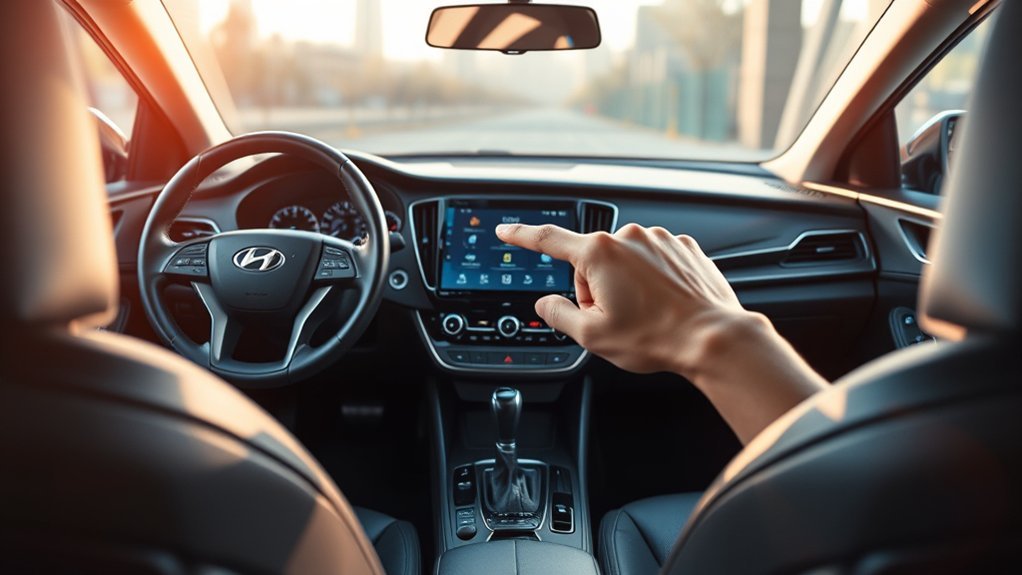

The Hyundai Sonata’s Blind-Spot Collision-Avoidance Assist uses advanced sensors to monitor blind spots, alerting you with amber indicators on the side mirrors. When you signal for a lane change and a vehicle is detected, it activates flashing lights and sounds. You can customize alerts and settings based on your preferences. This system works alongside other safety features for an all-encompassing driving experience, enhancing your awareness and confidence on the road. Discover more about optimizing these features to suit your needs.
What Is Blind-Spot Collision-Avoidance Assist in the Hyundai Sonata?

When you’re driving the Hyundai Sonata, the Blind-Spot Collision-Avoidance Assistrear bumper sensors to detect vehicles lurking in your blind spots. This advanced system enhances your safety through effective blind spot detection, providing passive warnings via amber indicators on the side mirrors. If you signal toward a detected vehicle, you’ll receive active alerts: a blinking mirror light, an audible warning, and steering-wheel vibration.
On the 2026 Sonata you turn it on or off in the touchscreen menu under Setup > Vehicle > Driver Assistance > Driving Safety > Blind-Spot Safety. Integrated within Hyundai’s SmartSense suite, this technology exemplifies a commitment to safety integration, ensuring thorough protection while you navigate the roads.
How Does Blind-Spot Safety Work When Changing Lanes?
Changing lanes can be a risky maneuver, but the Hyundai Sonata’s Blind-Spot Safety system greatly mitigates that risk. Utilizing advanced sensor technology, this system detects vehicles in adjacent lanes, guaranteeing your lane change scenarios are safer.
The Hyundai Sonata’s Blind-Spot Safety system enhances lane change safety with advanced sensors, ensuring confident driving.
Here’s how it works:
- Sensors in the rear bumper monitor blind spots.
- Amber indicators on the side mirrors provide passive warnings.
- Flashing indicators and audible tones serve as active alerts.
- If you signal for a lane change while a vehicle is detected, the system activates warnings.
- You can customize warning methods and sensitivity through vehicle settings.
Regularly checking your Blind-Spot Safety settings guarantees peak functionality. Embracing this tech not only enhances your driving experienceWith the Sonata, you’re not just changing lanes—you’re doing so with confidence.
Alerts and Warnings From Blind-Spot Assist
The Hyundai Sonata’s Blind-Spot Assist isn’t just about detecting vehicles; it’s about ensuring you’re fully aware of your surroundings. Utilizing advanced sensor functionality in the rear bumper, this system tracks nearby vehicles and alerts you when something enters your blind spot. You’ll notice passive warnings through amber lights on the side mirrors, while more urgent situations trigger active warnings—flashing indicators, audible tones, or even vibrations in the steering wheel. These alerts enhance driver responsiveness, allowing you to make informed decisions quickly. When reversing, the system goes a step further, warning you of approaching vehicles to safeguard your maneuvers. Remember, if you turn off the Blind-Spot Safety feature, the collision avoidance assist is disabled, emphasizing the need to stay vigilant.
Customize Your Blind-Spot Assist Settings
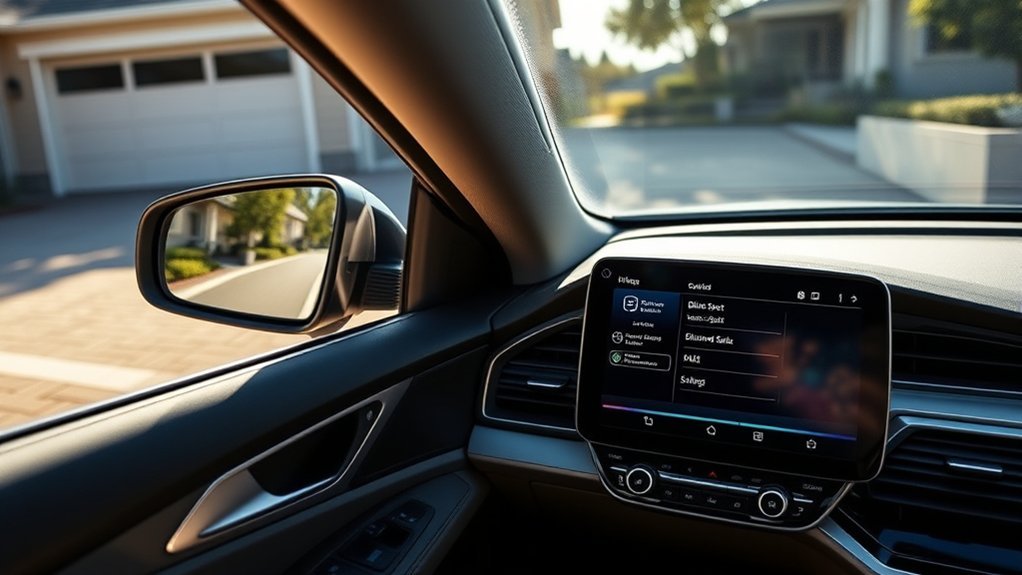
Customizing your Blind-Spot Assist settings in the Hyundai Sonata can enhance your driving experience. Simply navigate to Settings > Vehicle > Driver assistance > Warning methods to adjust audio volumes and haptic feedback. Regularly reviewing these settings guarantees they align with your safety preferences, keeping you alert and focused on the road.
Accessing Customization Options
To tailor your Hyundai Sonata’s Blind-Spot Assist settings to better suit your needs, start by ensuring the vehicle is on and navigate to the Settings menu. Here, you’ll find a range of customization options to align with your user preferences:
- Access the menu via Settings > Vehicle > Driver assistance > Warning methods.
- Adjust the warning volume, noting it won’t go below “1” even if “0” is selected.
- Turn Blind-Spot Safety on or off under Setup > Vehicle > Driver Assistance > Driving Safety (2026 Sonata menu path).
- Enable “Blind-spot safety” for collision warnings based on detected risk levels.
- Regularly review and adjust settings to optimize safety and reflect your driving habits.
driving experience.
Adjusting Warning Preferences
Having tailored your Blind-Spot Assist settings, it’s time to refine your warning preferences for an even more personalized experience. Navigate to Settings > Vehicle > Driver assistance > Warning methods to adjust the warning volume. Remember, the minimum volume is “1,” even if you select “0.” You can also modify haptic feedback settings, enhancing your alertness without relying solely on audio cues. If you prioritize driving safety, selecting “Driving safety priority” will lower all audio volumes during warnings, ensuring you stay focused. Regularly reviewing and adjusting these preferences is essential for maintaining ideal safety based on your driving style.
How Other Safety Features Support Your Drive

The Hyundai Sonata’s safety features work hand in hand to enhance your driving experience. With technologies like Lane Keeping Assist and Forward Collision-Avoidance Assist, you gain an extra layer of protection that actively supports your awareness on the road. These integrated systems not only alert you to potential hazards but also help you respond effectively, making every journey safer.
Integrated Safety Technologies
While maneuvering through the complexities of modern driving, integrated safety technologies in the Hyundai Sonata greatly enhance your overall experience. This safety technology integration provides a robust framework to keep you secure on the road. Here’s how:
- Blind-Spot Collision Warning (BCW) alerts you to vehicles in your blind spots.
- Lane Keeping Assist (LKA) offers corrective steering to prevent unintentional lane drift.
- Forward Collision-Avoidance Assist (FCA) detects potential collisions and can apply brakes if needed.
- Rear Cross-Traffic Collision Warning (RCCW) warns you of approaching vehicles while reversing.
- Driver Attention Warning (DAW) monitors your driving patterns for fatigue.
Enhanced Driver Awareness
As you navigate the roads, enhanced driver awareness becomes essential for your safety and that of others. The Hyundai Sonata is equipped with advanced safety features that markedly boost your safety awareness and driver perception. For instance, Lane Keeping Assist (LKA) helps maintain your lane, while Forward Collision-Avoidance Assist (FCA) detects potential hazards, automatically applying brakes when needed.
| Safety Feature | Functionality |
|---|---|
| Rear Cross-Traffic Collision Warning (RCCW) | Alerts you of oncoming vehicles while reversing. |
| Driver Attention Warning (DAW) | Monitors your behavior and warns against fatigue or distraction. |
| Blind-Spot Collision Warning (BCW) | Notifies you of vehicles in blind spots for safer lane changes. |
These features collectively empower you to drive with greater confidence and awareness.
Why Blind-Spot Safety Boosts Your Confidence
Confidence on the road often hinges on your awareness of surroundings, and Hyundai Sonata’s Blind-Spot Safety feature elevates that sense of security. This innovative system isn’t just about technology; it’s a confidence-building tool that enhances your driving experience through various safety enhancements.
- Sensors in the rear bumper detect nearby vehicles, boosting your awareness while changing lanes.
- Amber indicators on side mirrors provide passive alerts, keeping you informed of potential hazards.
- Active warnings, a blinking mirror light with a chime and steering-wheel vibration, come on when you signal toward a detected vehicle. Cross-traffic warnings while reversing come from a separate system, Rear Cross-Traffic Collision-Avoidance Assist.
- Customizable settings let you tailor the system to your preferences, enhancing comfort.
With these features, you can drive with the assurance that you’re well-equipped to navigate your surroundings, allowing you to enjoy your journey with greater peace of mind.
How to Activate and Monitor Your Blind-Spot Safety System?
Activating and monitoring the Blind-Spot Safety system in your Hyundai Sonata is straightforward and enhances your driving experience. To initiate blind spot activation, turn on your vehicle and navigate to Settings > Vehicle > Driver Assistance > Driving Safety. Here, you can enable the safety system, which alerts you to potential collisions with visual indicators on your side mirrors and audible warnings based on risk levels.
If you restart your vehicle with the system off, a message will remind you that the “Blind-Spot Safety System is Off,” but your previous settings remain intact. For a more personalized approach, access Settings > Vehicle > Driver Assistance > Warning Methods to adjust volume and haptic feedback settings. Regularly reviewing these settings guarantees they match your safety preferences, empowering you to drive with confidence and awareness on the road.
Benefits of Hyundai’s Advanced Safety Technologies
Hyundai’s advanced safety technologies offer considerable advantages that enhance your driving experience and assurance on the road. These innovations focus on driver convenience and safety assurance, allowing you to feel more confident behind the wheel. Here are some key benefits:
- Blind-Spot Assist: Monitors surrounding vehicles, providing alerts to improve awareness.
- Lane Keeping Assist: Helps maintain your lane, reducing unintended drifting.
- Forward Collision-Avoidance Assist: Detects potential collisions, applying brakes when necessary.
- Customizable Settings: Tailor alert preferences for Blind-Spot Assist to suit your driving style.
- Comprehensive Safety System: Integrates various features to considerably reduce accident risks.
2026 Sonata Blind-Spot Collision-Avoidance Assist: Operating Speeds and Limits
Hyundai’s 2026 Sonata owner’s manual gives specific thresholds. Vehicle detection, the steady light on the side mirror, works when your Sonata is above about 12 mph (20 km/h) and the other vehicle is above about 7 mph (10 km/h). The collision warning, a blinking mirror light with a chime and steering-wheel vibration, operates above about 25 mph (40 km/h) when you switch on the turn signal toward a detected vehicle, and it cancels when the signal goes off. With the hazard flashers on, the turn-signal warning does not operate. When pulling out of a parking space, the system can apply emergency braking if your speed is below about 2 mph (3 km/h) and a vehicle in the blind-spot area is moving above about 3 mph (5 km/h).
The manual also explains a common surprise: the rear corner radar is calibrated to a standard road width, so on a narrow road it may warn about a car two lanes over, and on a very wide road it may miss a car in the next lane. If you install a trailer, bike carrier, or other attachment, Hyundai says to turn the system off while fitting it and back on when finished, because an attachment can block the sensors.
Frequently Asked Questions
Can Blind-Spot Collision Warning Be Manually Turned Off?
Yes, you can manually turn off the blind-spot collision warning in your vehicle’s driver settings. However, make sure the sensor calibration remains accurate to maintain peak safety. Always prioritize awareness while driving for a safer experience.
Does the System Work in All Weather Conditions?
No. Hyundai’s 2026 manual lists heavy rain and heavy snow, and a radar covered with snow, rain, or dirt, among the conditions that can reduce or temporarily disable the system.
How Often Should the Sensors Be Cleaned?
Keep the rear bumper around the corner radar sensors clear. Hyundai’s 2026 manual says snow, rain, dirt, or a trailer or carrier covering that area can limit or disable the system until it is cleared and the car is restarted.
Is Blind-Spot Assist Available on All Sonata Models?
Blind-spot assist isn’t available on all Sonata models, like a safety net that varies in strength. While some feature blind spot technology, others lack these essential safety features, so check specific trims for availability.
What Happens if the System Malfunctions?
If the system malfunctions, you’ll get alerts indicating a sensor calibration issue.
Conclusion
Incorporating blind-spot safetyThis advanced technology not only enhances your awareness but also instills confidence as you navigate through traffic. By understanding how to activate and customize these features, you’re not just driving; you’re embracing a safer journey. With Hyundai’s commitment to safety, each drive transforms into a more secure experience, allowing you to focus on the road ahead.
Sources
- Hyundai 2026 Sonata Owner’s Manual (online edition, ownersmanual.hyundai.com) — Blind-Spot Collision-Avoidance Assist settings, operation (speed thresholds, parking-exit braking), malfunction and limitations (weather, road width, trailers).