Inflate all tires to the manufacturer’s cold PSI and park level; check for visible damage. For 2006–2021 Tundras, turn the ignition to “arm” and hold the TPMS reset button until the light blinks three times. For 2022–2025 models, go to Gear → TPWS in vehicle settings and hold “OK” on the pressure menu to update. Drive 10–15 minutes for sensors to relearn; if the light stays on, further troubleshooting steps will help.
Quick Fix : Reset the TPMS Light on a Tundra
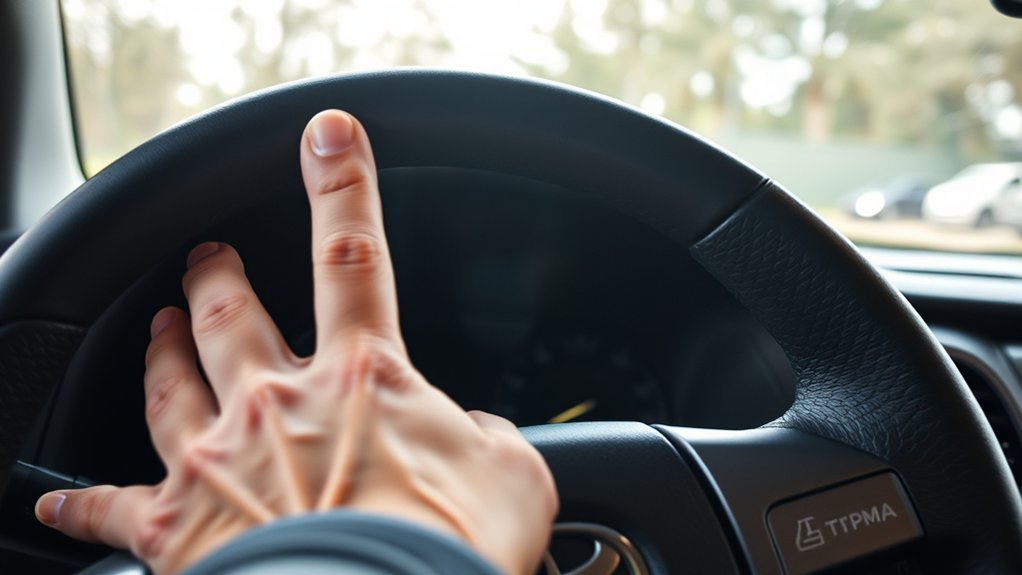
Start by checking and inflating all tires to the recommended cold pressure, then turn the ignition to the “arm” position—this guarantees the system can relearn accurate readings. You’ll confirm no visible tire damage and that the vehicle sits level. For 2006–2021 Tundras, locate the tire reset button beneath the steering wheel and press until the TPMS indicator blinks slowly three times; that signals a successful reset. For 2022–2025 models, start the vehicle, go to the Gear tab, open vehicle settings, and execute the TPMS reset from the menu. After resetting, drive briefly to let sensors recalibrate and verify the light remains off. Prioritize tire maintenance to prevent uneven wear and maintain fuel efficiency—this simple action protects your autonomy on the road. Follow these safety tips: inspect tires regularly, keep pressures correct, and address damage immediately. Resetting the TPMS is a quick, authoritative step toward reliable, liberated driving.
Check Tire Pressure (Cold) : Recommended PSI for Your Tundra
Tire pressure matters—check your Tundra’s cold PSI before driving to ascertain safety and efficiency; most models call for 32–36 PSI, but you should confirm the exact number on the tire information label on the driver’s door jamb. You’ll check when tires are cold—before you’ve driven or after the vehicle’s been parked for several hours—because heat raises pressure and skews readings. Use a reliable gauge, compare each tire to the specified PSI, and adjust air accordingly. Proper pressure supports safe handling, better fuel economy, and longer tire life, so you’ll avoid being tethered by preventable issues. Make monthly checks part of your routine and always verify before long trips. This disciplined approach complements tire pressure monitoring systems by ensuring the sensors reflect true conditions rather than compensating for under- or over-inflation. Take control: perform ideal tire care, correct deviations promptly, and you’ll maintain performance, safety, and freedom on the road.
Reset 2006–2021 Tundra TPMS (Button Method)
Locate the under‑dash reset button and, with all four tires inflated to the recommended cold pressure, turn the ignition to the “arm” (accessory) position without starting the engine. Find the tire reset button beneath the steering wheel, press and hold it until the TPMS warning light blinks slowly three times. That blink sequence tells you the system is ready to relearn the current tire inflation.
Release the button and wait several minutes while the TPMS records the pressures. Stay near the vehicle and avoid disturbing the tires or ignition during this time. When the indicator stops blinking and the TPMS warning light turns off, the reset is complete and the system will monitor pressures from this new baseline.
If the light stays on, recheck cold tire inflation and repeat the procedure. This button method gives you direct control — assertive, efficient, and designed to free you from persistent alerts once pressure is correct.
Reset 2022–2025 Tundra TPMS (Menu Method)

Before you start, make sure each tire is inflated to the cold pressure shown on the driver’s door jamb. Turn the vehicle to accessory mode, use the navigation button to open the Gear tab, then enter Vehicle Settings and select TPWS. Highlight the setting pressure menu and hold “OK” until the system updates the tire pressure readings.
Prepare Tire Pressures
Start by inflating all four tires to the manufacturer’s recommended cold pressure, then turn the vehicle on to power the electronic systems needed for the TPMS reset. You’ll free yourself from false warnings by confirming each tire reaches the specified PSI with a reliable gauge. Work methodically: check front and rear, left and right, and adjust until readings match the placard. Allow a few minutes for pressure to stabilize after inflation, then recheck. With correct tire pressure across all wheels, the tire pressure monitoring system can accurately learn the new baseline when you proceed. This disciplined preparation prevents repeated alerts, protects handling and fuel economy, and lets you confidently continue to the vehicle settings step.
Access Vehicle Settings
Once your tires are at the correct cold pressures and the vehicle is on, use the dashboard navigation buttons to open the Gear tab menu and access Vehicle Settings. In Vehicle Settings select TPWS, highlight the setting pressure menu, then press and hold “OK” to let the system record new pressures. This quick menu method puts control in your hands—clear, direct vehicle diagnostics and tire maintenance steps that free you from the shop.
| Step | Menu Path | Action |
|---|---|---|
| 1 | Gear tab > Vehicle Settings | Open menu |
| 2 | Vehicle Settings > TPWS | Select TPWS |
| 3 | TPWS > Set Pressure | Highlight pressure |
| 4 | Set Pressure > OK (hold) | Confirm reset |
Follow prompts; the dash will update when complete.
Hold TPWS Reset
With your tires set to the recommended cold pressures and the vehicle powered on (engine off), navigate to the Gear tab, open Vehicle Settings, select TPWS, highlight Set Pressure, then press and hold the OK button to record the new values and clear the TPMS warning. Hold the OK button until the display confirms the reset; the system will register your tire inflation baselines and extinguish the TPMS warning if pressures are correct. You’re taking control—don’t accept a persistent light as fate. If the light stays on after a successful reset, recheck each tire’s cold pressure, inspect for slow leaks, and repeat the procedure. When pressures are stable and recorded, the system liberates you from false alerts and restores accurate monitoring.
How Long TPMS Takes to Relearn (And What the Light Will Do)
Although the TPMS can relearn tire pressures in about 20 minutes of driving at 30 mph or more, you’ll often see the warning light blink for a few minutes first as the system actively scans sensors. You should drive steadily at highway speed so TPMS functionality completes its cycle; sporadic stops or slow speeds delay relearning. Before you reset, confirm all tires meet the recommended pressures — incorrect settings will skew readings and prolong the process.
Expect the light to blink while the system identifies each sensor, then extinguish once it confirms consistent pressures. If the light stays on after the 20-minute window, don’t ignore it: persistent illumination can signal a slow leak, temperature-driven pressure changes, or a failed sensor. Address underlying tire pressure effects like ambient temperature shifts and repair leaks before attempting another reset. That disciplined approach frees you from repeated alerts and restores reliable monitoring.
Troubleshooting: TPMS Light Won’t Reset
If the TPMS light doesn’t go out after the system finishes relearning, you’ll need to troubleshoot systematically rather than retrying resets blindly. Start with the basics: confirm all tires are inflated to the recommended pressure and the vehicle sits on a level surface. TPMS troubleshooting tips include visually inspecting each tire for punctures, cuts, or sidewall damage that would prevent proper sensor readings. If pressures and condition check out, try disconnecting and reconnecting the vehicle battery to power-cycle the system; that can clear glitches in some Tundra models. Refer to your owner’s manual next—different years have unique procedures and sequence requirements. These steps target the most common TPMS issues: low pressure, uneven stance, sensor communication faults, or simple electronic hangs. Work methodically, document what you’ve tried, and resist repeating resets without addressing root causes. That disciplined approach frees you from recurring warnings and restores reliable TPMS operation.
When to Replace Tundra TPMS Sensors or Visit a Shop
When your Tundra’s TPMS light stays on after routine checks and resets, it’s likely time to contemplate sensor replacement or professional help. Start by inspecting tires for visible damage or leaks—sometimes the issue isn’t the sensor. If tires are sound and the light persists, factor in sensor lifespan: most TPMS units last about 5–10 years. If your sensors approach or exceed that range, replacement is sensible.
You’ll need sensors correctly programmed to your Tundra to restore reliable readings; improper coding causes repeated warnings. If you can’t confirm sensor age, can’t program replacements, or suspect intermittent faults, get professional diagnostics. A shop will run targeted tests, verify valve integrity, and program new sensors if required. Choosing decisive action frees you from recurring alerts and unsafe driving. Don’t tolerate uncertainty—replace aging sensors or enlist expert diagnostics to regain control and confidence on the road.
Prevent TPMS Warnings: 6 Tire Maintenance Tips
Keep your Tundra’s TPMS quiet by checking tire pressure at least once a month and inflating to the manufacturer’s recommended psi on the driver’s door jamb. Inspect each tire for cuts, cracks, bulges, or other damage that can cause air loss. Rotate your tires every 5,000–7,500 miles to guarantee even wear and consistent pressure across all four tires.
Check Tire Pressure Regularly
Although it’s easy to overlook, you should check your tire pressure at least once a month and before long trips to guarantee safety and peak performance. Embrace tire maintenance as an act of control: use a reliable pressure monitoring gauge when tires are cold to get accurate readings, since driving heats air and raises pressure. Match inflation to the manufacturer’s recommendation on the driver’s door jamb; over- or under-inflation compromises handling, economy, and your freedom on the road. Rotate tires every 5,000–7,500 miles to promote even wear and steadier pressures across all corners. If TPMS warnings persist after accurate checks and proper inflation, address sensor issues or leaks promptly so you’re not tethered by avoidable alerts.
Inspect Tires For Damage
After you’ve confirmed pressures, inspect each tire for visible damage like cuts, bulges, or embedded objects that can cause slow leaks and light up the TPMS. You’ll check tread for uneven tire wear, run your hand (carefully) over the surface, and scan sidewalls for bubbles or splits. Verify valve integrity by applying soapy water around stems to spot leaks. Include the spare in every inspection. If you find punctures, large cuts, or sidewall bulges, replace the tire—don’t patch unsafe damage. Record findings and act immediately to preserve control and freedom on the road. Routine vigilance defeats sudden alerts and keeps you empowered behind the wheel.
| Check | Cause | Action |
|---|---|---|
| Cuts/punctures | Embedded object | Repair/replace |
| Bulges | Sidewall failure | Replace |
| Valve integrity | Slow leak | Replace/ tighten |
Maintain Proper Tire Rotation
Rotate your tires every 5,000–7,500 miles to promote even wear, preserve recommended pressures, and reduce the chance of TPMS warnings. You’ll follow a strict rotation schedule to balance load and extend tread life, cutting the risk of pressure loss that triggers the light. At each rotation, check pressures before and after and set them to the manufacturer’s specs on the driver’s door sticker. Have alignment and balancing verified during rotations to prevent uneven tire wear and to keep handling sharp. Inspect for cuts, bulges, or abnormal tread depth that signal imminent failure. A disciplined rotation routine frees you from unexpected TPMS alerts, saves money on premature replacements, and keeps your Tundra safe and efficient.
Safety Checklist Before and After Resetting TPMS
Before you reset the TPMS, make sure all four tires are inflated to the manufacturer’s recommended pressure, the vehicle is parked on level ground, and each tire shows no visible damage like cuts or bulges. You’ll confirm tire safety by checking pressures with a gauge, scanning sidewalls for damage, and verifying the spare if it’s sensor-equipped. Park on flat ground to prevent skewed TPMS calibration and follow any model-specific steps in your owner’s manual. When you perform the reset, keep doors closed and accessories off so the system reads correctly. After resetting, drive calmly for 10–15 minutes to let the sensors relearn and stabilize; monitor the dash for lingering warnings. If a light returns or a sensor fails to register, don’t ignore it—inspect tires again and consult a technician. These checks protect you and liberate you from avoidable roadside risks by ensuring the TPMS gives trustworthy, actionable data.
Frequently Asked Questions
Can I Reset TPMS After Rotating Tires Without Relearn Procedure?
Yes—you can often reset TPMS after tire rotation without a relearn procedure by driving; tire rotation and sensor calibration sometimes auto-adjust as sensors recalibrate during driving, but confirm pressures and monitor the indicator to guarantee liberation.
Will Aftermarket Wheels Affect TPMS Functionality?
Yes — aftermarket wheels can affect TPMS sensors; check aftermarket compatibility, wheel size, and sensor accuracy. You’ll want compatible wheels and proper sensor fitment so your TPMS remains reliable and you stay confidently free on the road.
Does TPMS Light Come on for Spare Tire Issues?
Yes — your TPMS warning can trigger from a spare tire if it has a sensor (or lacks one when the system expects it). Check spare tire pressure and sensor compatibility so you’re not held back by avoidable alerts.
Can Cold Weather Cause False TPMS Warnings?
Yes — cold weather effects can lower tire pressure and reduce TPMS accuracy, so the system can trigger false warnings; you’ll check pressures, warm tires, and recalibrate sensors to reclaim reliable, autonomous driving confidence.
Is Driving at Highway Speed Required for Sensor Relearn?
Once and for all, you don’t strictly need highway speeds for sensor calibration; steady moderate driving often does the trick. Keep tire inflation correct, drive a continuous stretch, and you’ll free yourself from lingering TPMS alerts.
Conclusion
You’ve learned how to check pressures, reset both older and newer Tundra TPMS systems, and troubleshoot persistent warnings—so what will you do next to keep driving safely? Don’t ignore low pressure or a stubborn light: address leaks, replace faulty sensors when needed, and follow the relearn timing. Maintain correct PSI, rotate and inspect tires, and visit a shop if the warning persists. Stay proactive—your safety and fuel economy depend on it.