You can reset your Toyota Tundra’s MAINT REQD light in a few minutes after the required service is complete. The exact steps depend on the model year: older trucks use the odometer/trip button, while newer trucks use the multi-information display. Use the model-year guide below so you do not waste time trying the wrong reset method.
Quick Answer
To reset a Toyota Tundra maintenance light, complete the oil change or required service first. For 2000–2006 models, use the main odometer reset method. For 2007–2017 models, use Trip A. For 2018 and newer models, use the display menu: Settings or Vehicle Settings → Maintenance Reset → YES.
Key Takeaways
- Reset the MAINT REQD light only after completing the scheduled service, usually an oil change and inspection.
- The correct reset method changes by model year, so choose the right procedure before starting.
- A maintenance reminder is not the same as a Check Engine light. If other warning lights are on, diagnose those separately.
- If the light will not clear, recheck the odometer display, ignition mode, menu path, and service status before disconnecting the battery.
At a Glance
| Time Required | 2–5 minutes |
| Difficulty | Easy |
| Tools Needed | Vehicle key or Smart Key; no scan tool needed for the normal reset |
| Cost | Free |
Warning: Do not reset the maintenance reminder just to turn the light off. Reset it only after the required maintenance has been completed so the next mileage countdown stays accurate.

What the MAINT REQD Light Means
The MAINT REQD light is a scheduled-maintenance reminder, not an emergency warning light. On many Toyota Tundra models, it appears after a mileage interval to remind you that routine service is due. Toyota directs owners to the vehicle’s Owner’s Manual for exact reset instructions, because the procedure changes by year and display type.
In normal use, this reminder is most often tied to the oil-change and inspection interval. Some Tundra manuals show a “maintenance required soon” message before the main reminder, followed by a stronger maintenance-required message around the service interval. After the service is performed, resetting the reminder restarts the counter.
| Dashboard Light or Message | What It Usually Means | What to Do |
|---|---|---|
| MAINT REQD | Scheduled maintenance is due or near due. | Complete the service, then reset the reminder. |
| Check Engine | The engine or emissions system may have a fault. | Read diagnostic codes and repair the cause; do not treat it as a maintenance reset. |
| Oil pressure / battery / brake warning | A system may need immediate attention. | Stop and inspect the vehicle safely or contact a professional. |
Note: Menu labels can vary slightly by trim, display, market, and software version. If your screen wording does not match exactly, look for “Settings,” “Vehicle Settings,” “Maintenance Reset,” or a similar maintenance reminder option.
Before You Reset the Tundra Maintenance Light
Before starting the reset, confirm three things: the maintenance has been performed, the truck is safely parked, and you know the model year. For push-button-start models, “ignition ON” usually means pressing the Start button without pressing the brake pedal so the electronics turn on without starting the engine.
| Preparation Step | Why It Matters |
|---|---|
| Finish the oil change or scheduled service | The reset starts a new maintenance interval. |
| Park safely and set the parking brake | You will be using buttons and menus with the engine off. |
| Check the model year | The reset method changes by generation and display type. |
| Use the correct odometer display | Older reset procedures depend on ODO or Trip A being selected first. |
Choose the Correct Reset Method by Model Year
Use this table first. It prevents the most common mistake: trying a newer menu reset on an older truck, or using the Trip A reset on a model that needs the settings menu.
| Toyota Tundra Model Year | Reset Method | Display to Select First |
|---|---|---|
| 2000–2006 | Odometer/trip button reset | Main odometer reading |
| 2007–2017 | Trip A button reset | Trip A |
| 2018–2021 | Multi-information display menu | Vehicle Settings → Maintenance Reset |
| 2022–present | Multi-information display menu | Settings → Maintenance Reset |
[Products Worth Considering]

The ANCEL AD310 is a compact, easy-to-use OBD II code reader designed to help drivers quickly identify check engine light causes, read and clear fault codes, and review key vehicle data. It supports major OBD2 protocols and works with many 1996-and-newer cars, light trucks, SUVs, and other OBD2 vehicles. Built for fast diagnostics at home or on the go, it runs directly from the vehicle and provides clear results on a large screen.

This GM TPMS relearn tool helps reset tire sensors, clear warning lights, and match tire positions after rotation quickly at home. Designed for Chevrolet, GMC, Cadillac, and Buick vehicles, it offers one-button operation, fast activation, and broad compatibility with many GM models. It is best suited for OE/OEM sensors and includes paper instructions plus video guidance for easier DIY use.

This TPMS sensor training tool is designed for Ford, Lincoln, and Mercury vehicles with compatible tire pressure sensors, helping activate sensors after tire rotations or sensor replacement. It supports relearning and warning light reset workflows with a simple one-button operation, making tire pressure maintenance easier and faster. Built for reliable use and broad vehicle compatibility, it is a practical accessory for TPMS service and sensor activation.
Reset Maintenance Light on 2000–2006 Toyota Tundra
Use this method for early Tundra models with the odometer/trip button reset procedure. The key detail is to start from the main odometer, not Trip A or Trip B.
- Turn the ignition to ON, but do not start the engine.
- Press the odometer/trip button until the main odometer reading is displayed.
- Turn the ignition OFF.
- Press and hold the odometer/trip button.
- While holding the button, turn the ignition back to ON.
- Keep holding the button until the display counts down, shows zeros, or the maintenance light goes off.
- Release the button, turn the ignition off, then start the truck to confirm the light is cleared.
Pro Tip: If nothing happens, repeat the process more slowly. Most failed resets happen because the display was on the wrong odometer screen or the button was released too early.

Reset Maintenance Light on 2007–2017 Toyota Tundra
Most 2007–2017 Tundra models use the same basic button-reset style, but the display should be set to Trip A before you begin.
- Turn the ignition to ON without starting the engine.
- Press the odometer/trip button until Trip A appears.
- Turn the ignition OFF.
- Press and hold the odometer/trip button.
- Keep holding the button while turning the ignition back to ON.
- Continue holding until the display counts down or shows zeros.
- Release the button and confirm the MAINT REQD light is off.
Reset Maintenance Light on 2018–2021 Toyota Tundra
For 2018–2021 Tundra models with the multi-information display, the reset is done through the steering-wheel controls instead of the odometer button.
- Turn the ignition to ON without starting the engine.
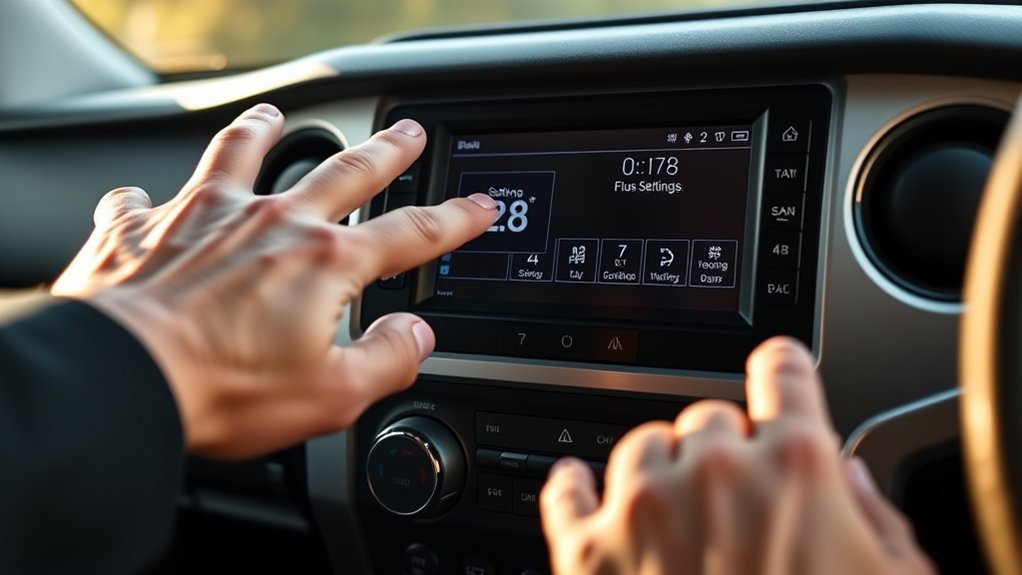
- Use the steering-wheel arrows to open the multi-information display settings menu.
- Select Vehicle Settings.
- Select Maintenance Reset.
- Choose YES to confirm.
- Start the vehicle and confirm the reminder is cleared.
Reset Maintenance Light on 2022–Present Toyota Tundra
Newer Tundra models use the digital display settings menu. The wording may be slightly different depending on trim and display configuration, but the reset path is usually under Settings and Maintenance Reset.
- Turn the truck to ON mode without starting the engine.
- Use the steering-wheel controls to open the settings screen on the multi-information display.
- Select Settings.
- Select Maintenance Reset.
- When the confirmation message appears, select YES.
- Start the truck and check that the maintenance reminder is gone.
Note: If your Tundra has a different display layout, check the Toyota owner’s manual for your exact year and trim. Toyota keeps owner manuals and warranty guides available through its official owners website.
Troubleshooting When MAINT REQD Won’t Clear
If the maintenance light stays on, do not keep repeating random steps. Work through the common causes in order.
| Problem | Likely Cause | Fix |
|---|---|---|
| The reset does nothing | Wrong display selected | Use main odometer for 2000–2006 or Trip A for 2007–2017. |
| The menu option is missing | You are in the wrong settings screen | Look for Settings, Vehicle Settings, or Maintenance Reset. |
| The light returns immediately | The reset was not confirmed | Repeat the procedure and choose YES when prompted. |
| Another warning light is on | There may be a separate vehicle issue | Diagnose the warning light instead of treating it as a maintenance reminder. |
| The reminder keeps coming back after service | The wrong model-year procedure may be used | Check the year table and your owner’s manual. |
[Products Worth Considering]

This EL-50448 TPMS relearn tool helps quickly activate and reset tire pressure sensors so your vehicle’s monitoring system stays accurate after tire rotations, sensor replacement, or seasonal tire changes. Designed for many GM-related vehicles and compatible with common 315 and 433 MHz TPMS systems, it offers simple one-button operation and reliable performance for clearing warning lights and relearning sensor positions.

This Yuirote universal car motor diagnostic tool helps drivers quickly detect engine fault codes and identify system issues for routine inspections and maintenance. It also supports electronic parking brake reset and emergency release functions, making it useful for handling EPB-related problems without a repair shop visit. Its compact, ergonomic design and broad vehicle compatibility make it a practical choice for car owners and DIY repair enthusiasts.

The ANCEL AD410 PRO combines engine diagnostics and 12V battery testing in one easy-to-use tool, helping you read and clear check engine codes while checking battery health, cranking, and charging performance. It also provides live data, freeze frame details, and I/M readiness checks to help you diagnose issues faster and prepare for emissions testing. With plug-and-play operation, a clear screen, and broad vehicle compatibility, it is a practical solution for home mechanics and everyday drivers.
Check the Odometer or Display Setting
For button-reset models, the odometer screen matters. A 2000–2006 Tundra should generally be on the main odometer reading. A 2007–2017 Tundra should generally be on Trip A. If the wrong screen is selected before you turn the ignition off, the reset may fail.
Check Ignition Mode
The reset usually requires the ignition to be on while the engine is off. On keyed models, turn the key to ON without starting the truck. On push-button models, turn the electronics on without pressing the brake pedal.
Confirm the Service Was Actually Completed
The reset does not change the condition of the oil, filters, tires, brakes, or fluids. If the truck is due for service, complete the maintenance first, then reset the reminder.
Should You Use an OBD-II Scanner or Disconnect the Battery?
For a normal MAINT REQD reset, you should not need an OBD-II scanner or a battery disconnect. The maintenance reminder is designed to be reset through the odometer button or the vehicle settings menu.
An OBD-II scanner can be useful if a Check Engine light or diagnostic trouble code is present, but it is not the first tool for a routine maintenance reminder. Disconnecting the battery should also be a last resort because it can erase clock settings, radio presets, and learned vehicle settings. Battery work can also be unsafe if done incorrectly.
Warning: Do not disconnect the battery unless you are comfortable working around vehicle electrical systems and have checked your owner’s manual. If you are unsure, use the correct reset procedure again or contact a Toyota dealer or qualified technician.
[Products Worth Considering]

Turn your iPhone, Android device, or Windows PC into a professional-grade diagnostic scan tool with this Bluetooth OBD2 adapter. It is designed for broad vehicle compatibility and supports popular apps for deeper diagnostics, live data, and code clearing. Built-in protections and firmware updates help keep your vehicle and scanner safe while delivering reliable performance.

This flexible oil funnel is designed to make fluid changes cleaner and easier by guiding oil around obstacles like skid plates and crossmembers. Its shape-retaining core and silicone body can be molded for custom positioning, while the heat-resistant, leak-proof design helps prevent spills during draining and filter removal. Reusable and easy to clean, it works well for cars, trucks, motorcycles, and other hard-to-reach fluid fill or drain applications.

This plug-and-play OBD2 scanner helps drivers quickly read and clear engine error codes while providing live data, freeze frame information, I/M readiness, and MIL status for more confident troubleshooting. It adds a built-in voltage test and clear status indicators to support electrical checks and faster diagnostics, making it a practical choice for home users, car enthusiasts, and repair professionals. Compatible with most OBDII vehicles since 1996 and designed with an easy-to-use interface, it offers broad coverage and simple operation in one compact tool.
When to Contact a Dealer or Professional
Contact a Toyota dealer or qualified technician if the maintenance light will not clear after you have completed the service and tried the correct model-year procedure several times. You should also get help if the truck has other warning lights, unusual noises, leaks, low oil pressure, brake warnings, or charging-system warnings.
Professional help is especially smart when the vehicle is under warranty. Keep receipts and repair orders for oil changes, inspections, and repairs so you can document that the truck was maintained on schedule.
Preventing Surprise Maintenance Lights
The easiest way to avoid surprise reminders is to keep a simple service log. Record the date, mileage, oil type, filter, tire rotation, inspection notes, and where the work was done. You can keep the log in the owner’s manual, a notebook, a spreadsheet, or a maintenance app.
| Service Log Item | Example Entry |
|---|---|
| Date | June 17, 2026 |
| Mileage | 52,410 miles |
| Service performed | Oil and filter change, tire rotation, fluid check |
| Next reminder | About 5,000 miles later or per owner’s manual |
Pro Tip: Take a photo of the odometer after each service. It gives you an easy mileage record if you sell the truck or need warranty documentation later.
Frequently Asked Questions
Will resetting the MAINT REQD light affect my warranty?
Resetting the reminder by itself should not affect your warranty. The important part is completing the required maintenance on time and keeping records. If warranty coverage is ever questioned, receipts and repair orders are more useful than the dashboard reminder status.
Does resetting the maintenance light erase oil life history from the ECU?
The reset clears or restarts the maintenance reminder counter. It does not replace your service records, and it does not fix diagnostic trouble codes or mechanical problems. Keep your own maintenance log even after the light is reset.
Can I reset the Tundra maintenance light with a smartphone app?
Usually, no. The normal Toyota Tundra maintenance-light reset is done from the vehicle using the odometer button or the multi-information display. If an app, connected service, or aftermarket system claims to support a reset, verify it with your owner’s manual or Toyota dealer before relying on it.
Is it safe to drive long distances right after resetting the light?
Yes, if the required service was completed and no other warning lights or safety issues are present. Before a long trip, check oil level, coolant, tires, brakes, lights, and fluid leaks. Do not use the reset to ignore overdue maintenance.
Will an aftermarket oil filter trigger the MAINT REQD light?
An aftermarket oil filter normally does not trigger the MAINT REQD light because the reminder is based on the maintenance interval, not a filter sensor. Use a quality filter that meets the correct specification for your engine, and reset the reminder after the service.
Why did the light come back after I reset it?
The reset may not have completed, the wrong display may have been selected, or the wrong model-year procedure may have been used. Repeat the correct steps slowly. If it still returns, check the owner’s manual or have the truck inspected.
Is MAINT REQD the same as the Check Engine light?
No. MAINT REQD is a scheduled-service reminder. The Check Engine light points to a possible engine, emissions, or electronic control issue. If the Check Engine light is on, read the diagnostic codes and fix the cause.
Conclusion
Resetting the Toyota Tundra maintenance light is simple once you match the procedure to the correct model year. Use the main odometer method for many 2000–2006 trucks, Trip A for many 2007–2017 trucks, and the settings-menu reset for 2018 and newer models. Most importantly, reset the light only after the service is complete so your next maintenance reminder stays useful and accurate.
Sources
- Toyota Support: Maintenance Required Light Reset — confirms Toyota directs owners to the Owner’s Manual for exact reset instructions.
- Toyota Owners: 2018 Tundra Manuals and Warranty — official manual source for 2018 Tundra maintenance and reset information.
- Toyota Owners: 2022 Tundra Manuals and Warranty — official manual source for newer Tundra display-menu reset information.
- Toyota Owners: 2025 Tundra Manuals and Warranty — official source for current-generation Tundra owner documentation.
- Toyota App and Connected Services — reference for connected-service features; maintenance-light reset should still be verified in the owner’s manual.