You can reset your Toyota Tundra’s MAINT REQD light quickly after completing service. For 2000–2017 models, turn the ignition to ON (engine off), select Trip A, hold the trip button and release when zeros flash; for 2018+ go to Vehicle Settings → Maintenance Reset and confirm YES. If it won’t clear try a battery disconnect or an OBD‑II reset and verify the odometer display. Follow the correct year procedure below to learn more.
Quick Answer: Reset the Tundra Maintenance Light

Resetting your Tundra’s maintenance light is straightforward: with the ignition in the “On” position (engine off) set the odometer to “Trip A” (or “Trip” as required), then follow the procedure for your model year—2000–2006 and 2007–2017 require holding the trip button while switching the ignition to “On” until zeros appear, while 2018 and newer use the multi-information display under Vehicle Settings → Maintenance Reset → YES. You’ll act deliberately: verify Trip A/Trip, then apply the correct reset method for your year. For 2000–2006 and 2007–2017, turn the vehicle off, hold the trip button, switch ignition to On, and release when zeros show. For 2018+, open Vehicle Settings, choose Maintenance Reset, and confirm YES. These maintenance light reset methods restore the indicator; they don’t substitute for actual service. Consult your owner’s manual to verify the procedure matches your exact model. Execute the reset confidently, reclaiming control of your vehicle’s maintenance cues.
What MAINT REQD Means and When to Reset It
The MAINT REQD light tells you the Maintenance Minder has reached its service interval—usually about every 5,000 miles—to prompt routine work like an oil change. You should reset it only after the required service is completed so the system can restart the mileage countdown. Remember this is a reminder, not an immediate warning light; if other warning indicators appear, address those issues separately and promptly.
Meaning Of MAINT REQD
When your Tundra displays MAINT REQD, it’s telling you that scheduled service—most often an oil change after roughly every 5,000 miles—is due based on the Maintenance Minder’s mileage tracking. You should view this as a structured prompt: the system monitors miles since the last reset and alerts you when service intervals arrive. Heed it to preserve maintenance importance and protect vehicle longevity; delaying service compromises performance and increases long‑term costs. After you perform the required work, reset the indicator so the Minder can restart its countdown accurately. Reset procedures vary by model year but are straightforward to execute manually. Treat the light as a tool for control—respond promptly, reset correctly, and keep your Tundra reliable and free to roam.
When To Reset It
If your Tundra displays MAINT REQD, it’s signaling that scheduled service—most commonly an oil change at roughly 5,000‑mile intervals—is due and you should reset the reminder immediately after completing that service so the system can restart its mileage countdown. You’ll reset only after performing the required maintenance per your maintenance schedules and service intervals; don’t reset to silence a pending task. The reminder preserves engine health and liberation from avoidable repairs by enforcing timely oil changes. Consult the owner’s manual for model‑specific intervals and the correct reset procedure. Below is a concise visual summary to guide your decisions.
| Action | Timing | Outcome |
|---|---|---|
| Perform oil change | ~5,000 miles | Restore performance |
| Check manual | As recommended | Correct interval |
| Reset light | After service | Restart countdown |
Reset Versus Warning Light
After you’ve completed the service and reset the reminder as described above, you should understand how MAINT REQD differs from a warning light so you can respond appropriately. MAINT REQD is an amber maintenance reminder that tells you scheduled service—typically every 5,000 miles—is due; it tracks mileage since the last reset. The Check Engine light signals potential engine or system faults and demands diagnostic attention. You should reset the maintenance indicator after an oil change to preserve accurate tracking; that’s the reset importance. If you don’t, the light stays on and you’ll lose reliable scheduling. Distinguish these light differences decisively: treat MAINT REQD as a routine prompt you reset after service, and treat warning lights as immediate issues requiring diagnosis and action.
Before You Start: Tools and Preparation
Before you begin, gather the vehicle key or remote, the owner’s manual, and any tools you might need so you won’t be interrupted during the reset. You’ll act deliberately: confirm the oil change or required maintenance is complete, know your Tundra’s model year, and set the display to the correct trip/odometer (often Trip A for older models). Use a concise tools checklist and follow clear preparation steps to guarantee success.
| Item | Purpose |
|---|---|
| Vehicle key/remote | Access ignition and multi-info display |
| Owner’s manual | Model-specific reset instructions |
| Basic tools (if needed) | Access panels or switches |
| Trip/odometer set | Guarantees correct display for reset |
Stay empowered: knowing these preparation steps frees you from guesswork. Familiarize yourself with year-specific differences before proceeding. When everything’s confirmed, you’ll move to the reset with authority and precision.
Reset Maintenance Light (2000–2013 Tundra)

Now that you’ve confirmed the oil change and set Trip A, you’re ready to reset the maintenance light on 2000–2013 Tundra models. Start by turning the ignition key to the On position without starting the engine so dashboard indicators power up. Press the odometer/trip meter button until Trip A appears. Turn the key fully Off, then press and hold the trip meter button firmly. While you keep holding it, turn the ignition back to On; watch Trip A—when it counts to zeros, the maintenance reminder will clear. Release the trip button and confirm that the maintenance light is off and no maintenance reminder icons remain illuminated. If the indicator persists, repeat the sequence precisely; a steady routine guarantees system acknowledgement. You’re reclaiming control of vehicle alerts with a simple, reliable procedure—methodical, direct, and freeing you from unnecessary warning clutter so you can move forward with confidence.
Reset Maintenance Light (2014–2018 Tundra)
To reset the maintenance light on 2014–2018 Tundras, turn the ignition to “On” and use the steering wheel buttons to access Vehicle Settings on the multi-information display. Select Maintenance Reset from the menu and follow the prompts. Confirm the reset by pressing “YES” and the maintenance light will turn off, restarting the 5,000-mile countdown.
Access Vehicle Settings
When the ignition is in the “On” position without starting the engine, use the multi-information display controls to open the Vehicle Settings menu. You’re accessing settings deliberately: grip the controls, press the directional buttons to reach the menu, and confirm selection with the center button. Stay focused while maneuvering through menus—move stepwise, don’t skip options. Locate “Vehicle Settings” and enter it; you’ll see a clear list including “Maintenance Reset.” This process puts you in control of your vehicle’s service cues. You’ll verify you’re in the correct submenu before proceeding further. Keep movements deliberate and decisions intentional so the display reflects your choices. This disciplined approach guarantees you can proceed to reset calmly and reclaim autonomy over maintenance alerts.
Confirm Maintenance Reset
Before you confirm the Maintenance Reset, make sure the ignition is in the “On” position (engine off) and the display is showing the Maintenance Reset prompt. You’ll see a clear option labeled “YES” or similar; this is the decisive step. Using the steering wheel controls, highlight “YES” and press to confirm. The system will immediately turn off the maintenance light and restart the interval counter. This completes maintenance light troubleshooting for the current cycle and empowers you to move forward without dependence on reminders. Note the reset restarts the countdown for the next 5,000 miles, so record the mileage if you track service manually. These reset confirmation tips keep you in control of upkeep and free to manage maintenance on your terms.
Reset Maintenance Light (2019–2024 Tundra)
Start by turning the ignition to the “On” position without starting the engine, then use the steering-wheel controls to open the multi-information display and select “Vehicle Settings.” Navigate to “Maintenance Reset,” choose it, and press “YES” to clear the maintenance light and restart the 5,000-mile countdown. You’ll confirm the reset by verifying the maintenance light is off after starting the vehicle; this keeps your maintenance schedule intact and dashboard indicators accurate.
| Step | Action |
|---|---|
| 1 | Ignition: On (do not start) |
| 2 | Use steering-wheel controls |
| 3 | Open Vehicle Settings |
| 4 | Select Maintenance Reset |
| 5 | Press YES to confirm |
You control your Tundra’s service cadence: follow the steps precisely, and the vehicle will reset its reminder. This procedure liberates you from guesswork and enforces a clear routine. If the light’s gone, your reset succeeded and the 5,000-mile counter is active; keep tracking service to retain reliability.
Troubleshooting When MAINT REQD Won’t Clear
If the MAINT REQD light won’t clear, first confirm you’re using the correct reset procedure for your Tundra’s model year. Next check the digital odometer is set to display the odometer reading, since an incorrect display can block the reset. If those steps fail, perform a power reset by disconnecting the battery for a few minutes or consult the owner’s manual and dealer for further diagnostics.
Confirm Reset Procedure
When the MAINT REQD light won’t clear, first make sure your odometer display is set to the main odometer (not Trip A or B) and then follow the exact reset steps for your Tundra’s model year, as procedures differ across 2000–2024 models; confirm you’re using the right reset methods and apply troubleshooting tips precisely. If it still shows, try disconnecting the battery for a few minutes to force a computer reset, then reconnect and repeat the correct sequence. Consult the owner’s manual and community forums for liberation through shared solutions. Follow this checklist:
- Verify odometer view and execute the model-year specific reset sequence exactly.
- Disconnect battery briefly, reconnect, retry reset methods.
- Reference owner’s manual and community troubleshooting tips for stubborn cases.
Check Display Settings
1 clear display setting is often the simplest fix: make sure your instrument cluster is showing the main odometer (not Trip A or B) before you attempt any reset sequence, because the reset will fail or behave differently if the wrong readout is active. Check your display settings deliberately: switch the digital odometer to the full odometer view, not any trip meter, and confirm the reading is steady. For 2007–2017 models, note the exception—switch to Trip A before turning off the ignition per that year’s procedure. If MAINT REQD stays lit after correct steps, reverify you followed the model-specific reset procedure. If it still won’t clear, consult the owner’s manual for targeted troubleshooting and next steps.
Perform Power Reset
Try a power reset by disconnecting your Tundra’s battery for about 10 minutes to clear the vehicle’s internal computer and force the MAINT REQD indicator to reset. Before you begin, set the digital odometer to display the odometer reading. Perform a controlled battery disconnect, wait ten minutes, then reconnect and start the engine to verify the light is off.
- Confirm odometer display, then safely perform the battery disconnect and wait ~10 minutes.
- Reconnect battery, start vehicle, and check MAINT REQD; if it’s off, the power reset worked.
- If the light persists, retry the model-specific reset in the owner’s manual; if still lit, consult your Toyota dealer.
This method frees you from persistent warnings when no fault exists.
Use an OBD‑II Scanner or Battery Disconnect to Force a Reset
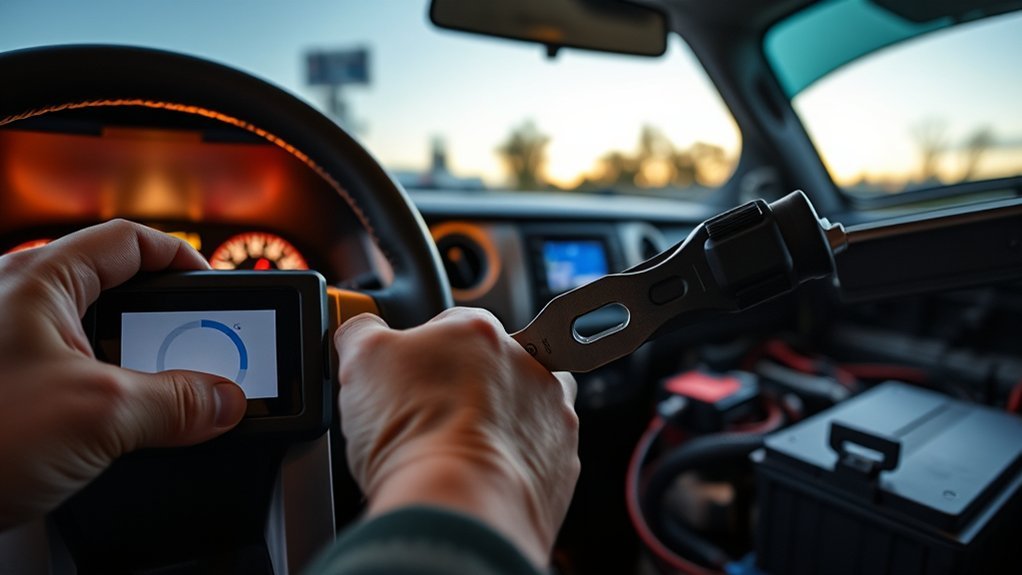
Use an OBD‑II scanner or momentarily disconnect the battery to force a maintenance light reset on your Tundra, but confirm compatibility with your model year in the owner’s manual first. You’ll leverage OBD II functionality by plugging a compatible scanner into the vehicle’s diagnostic port, powering the scanner, and selecting the maintenance or reset function in the menu; follow prompts to clear the light. Alternatively, perform a controlled battery disconnection: turn the ignition off, disconnect the negative terminal for several minutes, then reconnect to allow the vehicle’s computer to reboot. Both methods reset stored indicators when they’re supported by your model. After reconnecting the battery or completing the scanner procedure, start the truck and verify the maintenance light is off. If it remains illuminated, don’t repeat attempts blindfolded; consult documentation for model-specific steps. These techniques put control back in your hands while respecting safety and manufacturer guidance.
When to Contact a Dealer or Professional
If the maintenance light stays on after you’ve tried the standard reset steps multiple times, contact a dealer or certified technician—this persistent indication often signals an underlying fault that needs professional diagnosis rather than repeated resets. You shouldn’t ignore a recurring indicator; seeking dealer assistance or certified professional diagnosis protects your vehicle and your rights, especially under warranty.
- If a recent service didn’t clear the light, contact dealer assistance to verify the reset and check service records for missed steps or special procedures.
- If repeated reset attempts fail, get a professional diagnosis; a technician will read codes, test sensors, and identify mechanical or electrical faults beyond simple resets.
- If you lack tools, time, or confidence—or if the truck is under warranty—seek dealer assistance to guarantee accurate repair, access to recalls or service bulletins, and documented work that preserves warranty protection.
Act decisively: professional diagnosis restores control and prevents escalating problems.
Preventing Surprise Maintenance Lights and Keeping a Service Log
Although maintenance lights can pop up unexpectedly, you can largely prevent surprises by following Toyota’s service intervals—typically every 5,000 miles—keeping a clear service log, and setting reminders for routine tasks like oil changes. You’ll stay in control when you log each service entry—date, mileage, service performed—and keep maintenance logs in the owner’s manual or a dedicated notebook. Use phone-based service reminders for oil changes, tire rotations, and inspections so appointments don’t slip past you. Pair that with periodic OBD-II scans to catch latent faults before the dash warns you. Check the dashboard habitually; a quick glance verifies the maintenance light status and reinforces discipline. This methodical approach reduces uncertainty, preserves vehicle value, and gives you freedom from unexpected downtime. Keep records accessible, back them up digitally, and review them before long trips or resale. Precise logs plus disciplined reminders equal fewer surprise maintenance lights and greater autonomy over your Tundra’s care.
Frequently Asked Questions
Will Resetting Affect My Vehicle’s Warranty Status?
Resetting alone won’t void warranty; you must still follow the maintenance schedule and document service. You’re free to reset, but warranty implications arise if you skip required maintenance or fail to keep records proving compliance with factory intervals and repairs.
Does Resetting Erase Oil Life History From the ECU?
No — resetting the maintenance light doesn’t erase detailed oil life management logs from the ECU; it only clears maintenance reminders and resets displayed oil life percentages, letting you reclaim control while the vehicle retains deeper service data.
Can I Reset the Light Remotely via a Smartphone App?
Like flipping a distant switch, yes—you can often reset it remotely if your truck supports smartphone compatibility and remote features; check your Toyota app or aftermarket system, follow its precise steps, and you’ll reclaim control instantly.
Is It Safe to Drive Long Distances Immediately After Reset?
Yes — you can drive long distance travel after reset, provided you’ve addressed actual issues and confirmed fluids, tires, brakes, and lights. Don’t ignore maintenance reminders; perform essential checks first so you stay liberated and safely mobile.
Will Aftermarket Oil Filters Trigger the MAINT REQD Light?
No, aftermarket oil filters typically won’t trigger the maintenance light; you’ll rely on aftermarket filter performance and the maintenance light explanation. You should choose quality filters, monitor performance, and reset or service per specified intervals to stay liberated.
Conclusion
Picture your Tundra parked under a wide sky, its dash dark except for a single light that’s gone out—because you followed the steps, found the cause, and reset MAINT REQD with care. You handled prep, tools, and the right reset method for your year, troubleshooting stubborn glitches and knowing when to call a pro. Keep clear records and routine checks, and that little light will stay quiet, signaling reliable, predictable service.