
Last updated: July 7, 2026
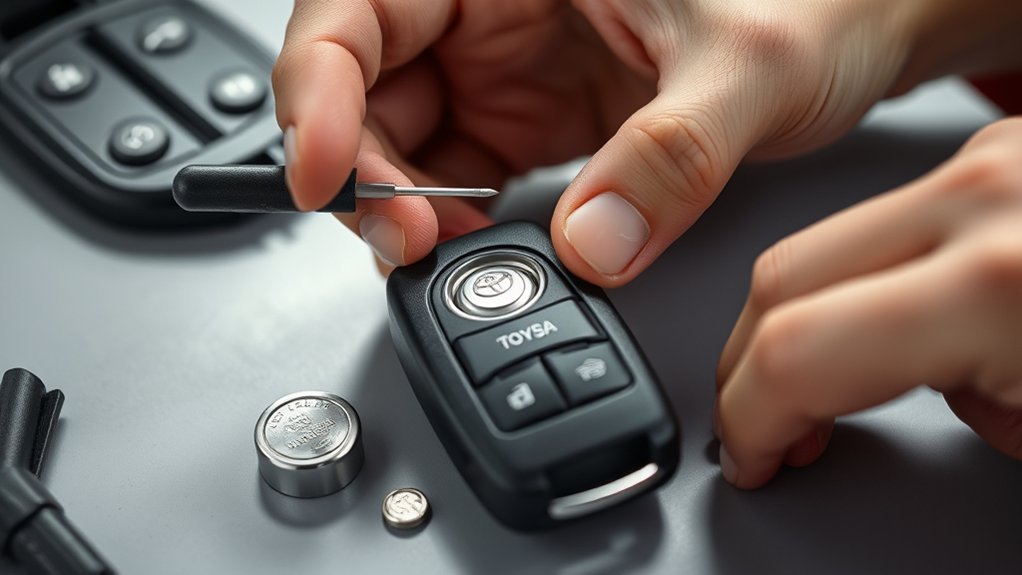
You can replace a late-model Toyota Tundra key fob battery at home in about 2 to 5 minutes if your Smart Key uses a CR2450 3V lithium coin cell. Remove the mechanical key, open the fob at the case slot, lift out the old battery, install the new cell with the positive (+) side facing up, snap the case closed, and test the lock, unlock, panic, tailgate, and remote-start buttons if equipped.
Before you begin, confirm the battery number printed on the old cell. Current Toyota Tundra electronic-key instructions list a CR2450, but older Tundra remotes and replacement fobs may use a different coin cell. Matching the removed battery is the safest way to avoid poor contact, case damage, or a fob that still will not respond.
Quick Answer
For most current Toyota Tundra Smart Key fobs, remove the mechanical key, use it or a small flathead screwdriver to open the case, replace the old cell with a CR2450 battery positive side up, then snap the case shut and test lock, unlock, and range. Older Tundra fobs may use a different battery, so always match the removed cell.
Key Takeaways
- Current Toyota Tundra electronic keys list a CR2450 lithium battery, but the safest rule is to match the battery already inside your fob.
- A CR2450 is a 3V lithium coin cell with a 24.5 mm diameter and 5.0 mm height, so thinner CR2032 or CR2025 cells are not proper substitutes.
- Work with dry hands, avoid bending the battery terminals, and do not touch the circuit board or other internal parts.
- A battery swap normally does not erase the fob’s pairing; if the fob still fails, check polarity, seating, contacts, battery freshness, and interference first.
- Keep new and used coin batteries away from children, tape the removed cell’s terminals, and recycle it at a battery drop-off or household hazardous waste site when available.
At a Glance
| Time Required | 2–5 minutes |
| Difficulty | Easy DIY |
| Common Battery | CR2450 3V lithium coin cell for current Tundra Smart Keys; verify against the old cell |
| Tools Needed | Mechanical key, small flathead screwdriver or plastic pry tool, clean cloth |
| Best First Check | Read the battery number on the old cell before installing the replacement |
| Cost | Usually the cost of one CR2450 coin cell |
Warning: CR2450 batteries are coin cells. Keep new and used batteries away from children and pets. After removing the old cell, cover the terminals with non-conductive tape and take it to a battery collection point when available. If a battery is swallowed or placed inside the body, seek emergency medical care immediately and call the National Battery Ingestion Hotline at 800-498-8666 or Poison Help at 800-222-1222.
How Do You Replace a Tundra Key Fob Battery?
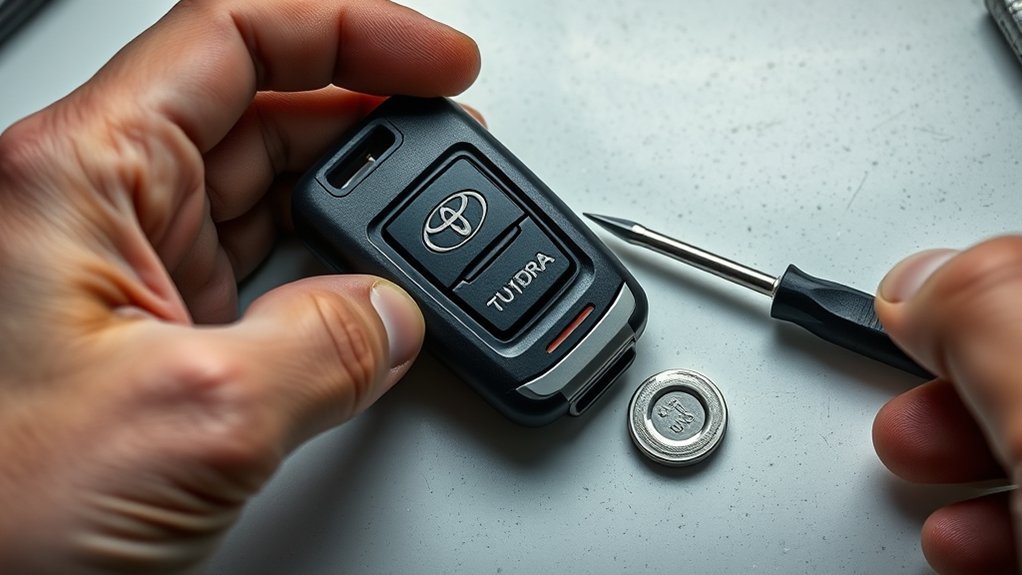
Start by confirming that your fob uses a CR2450. Current Toyota Tundra electronic-key instructions list a CR2450 lithium battery, but some older Tundra remotes use a different coin cell. The best check is simple: read the number printed on the old battery before you buy or install the replacement.
- Press the release latch on the back of the fob and slide out the mechanical key.
- Insert the mechanical key or a small flathead screwdriver into the case slot.
- Twist gently to separate the fob halves. Do not force the plastic tabs.
- Lift the old coin cell straight out and note which side faces up.
- Install the new CR2450 3V lithium battery with the positive (+) side facing up.
- Align the fob halves and press around the seam until the case clicks closed.
- Reinsert the mechanical key, then test lock, unlock, panic, tailgate, and remote-start functions if your truck is equipped with them.
Pro Tip: Wrap the tip of a flathead screwdriver with a small piece of tape if you are worried about marking the plastic shell. A plastic pry tool is even better if you have one.
[Products Worth Considering]

This leather key fob cover helps protect your Toyota remote from scratches, wear, dust, and everyday damage while keeping the buttons easy to use. Its snug fit preserves sensor access and gives your key a distinctive look that is easy to identify in a bag or on a keychain. Designed for compatible Toyota smart key models, it is a practical accessory for added protection and style.

Replace worn or damaged key fob buttons with this rubber keypad insert designed for compatible Hyundai remote key cases. It restores the look and feel of your car key, offering a simple installation and a snug fit for supported Santa Fe and Sonata models. The set includes two replacement pads and a mini screwdriver for convenience.

This mech-style heavy metal key fob cover is designed to protect compatible Toyota E-style smart keys with a precise 1:1 fit. Built with a durable zinc alloy frame and soft silicone buttons, it helps guard against daily wear while keeping full access to key functions. The set includes a metal keychain and screwdriver for easy installation, making it a practical upgrade for select Toyota models.
Which Battery and Tools Do You Need?
Gather everything first so the fob stays open for as little time as possible. Work on a clean table with dry hands, keep the battery away from children, and avoid touching the circuit board, rubber buttons, or metal terminals inside the remote.
| Item | Purpose |
|---|---|
| CR2450 3V lithium coin cell | Replacement battery for current Tundra electronic keys; verify against the old cell or owner’s manual |
| CR2450 size check | A CR2450 measures about 24.5 mm wide and 5.0 mm tall, so thinner coin cells can fit poorly or fail to touch the contacts |
| Mechanical key | Slides out of the fob and can help open the case |
| Small flathead screwdriver or plastic pry tool | Helps separate the fob halves without bending the cover |
| Clean cloth | Keeps the fob from sliding and protects the plastic shell from scratches |
| Battery recycling plan | Tape the removed coin cell’s terminals, then take it to a battery recycling or household hazardous waste point when available |
Note: The number on a coin-cell battery matters. A CR2032, CR2025, or CR2016 is not an acceptable substitute for a fob designed for CR2450, even though all are 3V coin cells. Different thickness and diameter can cause poor contact or case damage.
[Products Worth Considering]
This mech-style metal key fob cover adds a sleek armored look while helping protect your Toyota key from scratches, drops, and everyday wear. Designed for compatible 4-button Toyota smart keys, it preserves full remote functionality with no signal interference and includes glow-in-the-dark buttons for easier nighttime use.

This replacement key fob shell is designed to refresh worn or broken Toyota remote cases without changing the electronics inside. It fits select Toyota models and provides a simple, no-reprogramming solution for restoring your key’s appearance and function. The durable mixed metal and plastic construction helps protect your original internal components while the blank key can be cut by a locksmith or hardware store.

This keyless entry remote replacement is designed for a wide range of Toyota, Scion, and Lexus-compatible vehicles, offering a convenient way to restore remote locking and unlocking functions. Each fob is pre-tested, comes with the battery and electronics already installed, and is ready to be programmed for supported standard-key vehicles. It is a practical replacement choice for drivers who need a reliable, compatible remote for everyday use.
How Do You Open the Tundra Key Fob Safely?
Hold the fob over the cloth with the buttons facing down or sideways so loose pieces do not fall far. Find the latch on the back, press it, and slide the mechanical key out. Place the key into the small slot at the edge of the fob and twist slowly until the case begins to separate.
- Use steady pressure. A gentle twist is safer than prying hard. Excess force can crack the shell or deform the cover.
- Lift the old cell straight up. Use the edge of the key or tool only on the battery, not on the circuit board.
- Check the cavity. Look for corrosion, moisture, dirt, a loose rubber button pad, or bent contacts.
- Confirm the battery number. If the old cell is not marked CR2450, stop and match the installed battery type instead of guessing.
If you see white or green corrosion, do not scrape aggressively. A small amount can sometimes be cleaned from the metal contact with a cotton swab lightly dampened with high-percentage isopropyl alcohol, but a soaked, corroded, or damaged fob may need professional repair or replacement.
How Do You Install the CR2450 and Reassemble the Fob?
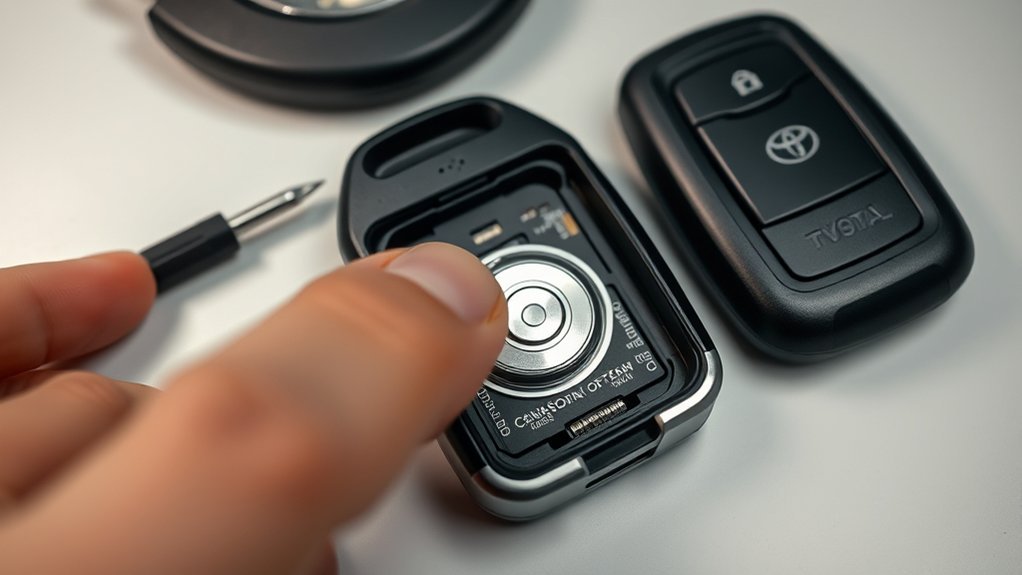
Place the new CR2450 into the battery pocket with the positive (+) side facing up unless your fob’s internal marking shows otherwise. The battery should sit flat. If it rocks, pops out, or prevents the case from closing, remove it and check the orientation and size again.
Align the two case halves carefully. Press around the seam with your fingers until every edge is flush and you hear or feel the latch click. Do not use a screwdriver to squeeze the case shut; that can pinch the gasket, scar the shell, or shift the contact springs.
After the case is closed, reinsert the mechanical key and press each button once. Look for the fob’s indicator light if equipped, and then test the truck from a normal distance. Stand near the driver’s door first, then step back and test range after you know the buttons respond.
[Products Worth Considering]

This soft TPU key fob cover is designed to help protect compatible Toyota flip smart keys from everyday wear, including scratches, drops, bumps, and dust. It offers a comfortable grip, easy installation, and a snug fit for selected 4-button Toyota remote fobs, making it a practical accessory and a thoughtful gift for Toyota drivers.
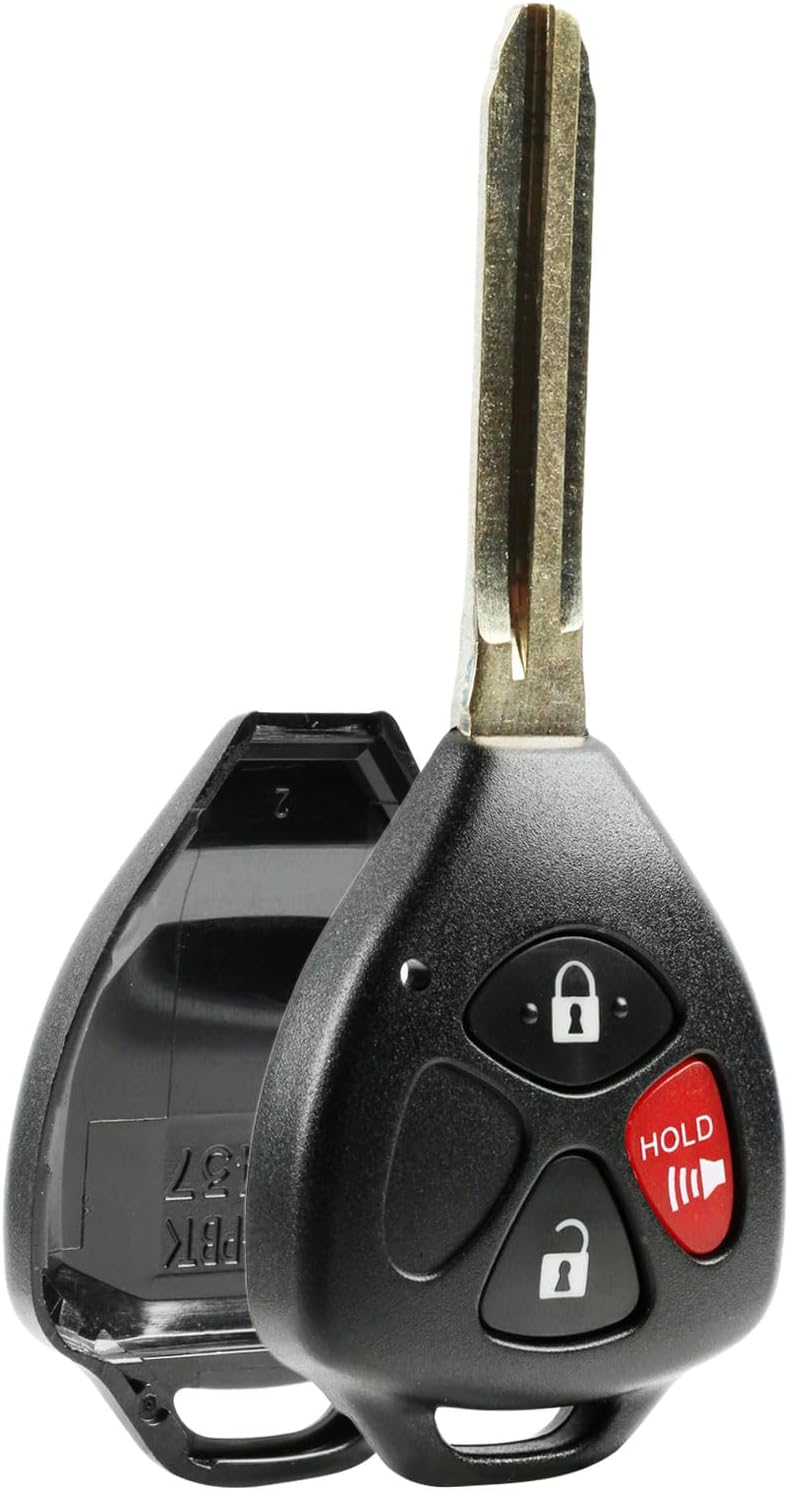
Replace a worn or broken remote housing with this keyless entry shell case and pad designed for select Toyota and Scion vehicles. It helps restore your key fob's appearance and function without replacing the full remote, making it a practical fix for everyday use. The lightweight plastic design includes one-button compatibility for a simple, cost-effective refresh.

This soft TPU key fob cover provides full 360-degree protection for compatible Toyota smart keys while keeping buttons easy to press and signals unaffected. Designed for a precise fit, it helps guard against drops, scratches, dust, and water, and includes a convenient keychain for everyday use. The stylish silver-pink finish adds a custom look without compromising the original key functionality.
What If the Tundra Key Fob Still Does Not Work?
A simple battery replacement normally does not erase the key fob’s pairing with the truck. If the fob worked before and only had a weak or dead battery, it should respond after the new cell is seated correctly. If it does not, work through these checks before assuming the fob needs programming.
Reduced range, inconsistent lock/unlock response, a key-battery warning, or no indicator light are common signs that the electronic key battery is weak or depleted.
| Problem | Likely Cause | Fix |
|---|---|---|
| No indicator light or response | Battery upside down, dead new battery, or poor contact | Open the case, reseat the CR2450 positive side up, and try a known-good battery |
| One button does not work | Rubber button pad misaligned or worn switch | Reopen the fob and align the button pad; replace the fob if the switch is damaged |
| Works only very close to the truck | Weak battery, radio interference, or internal antenna/contact issue | Try another CR2450, move away from electronics or metal objects, and retest |
| Truck still says key not detected | Fob battery issue, interference, vehicle battery issue, or smart key fault | Use the backup start method, then inspect the fob and vehicle battery if the issue continues |
| Case will not close | Wrong battery size, battery not seated, or damaged tabs | Remove the cell, confirm the battery number, reseat it, and replace the shell if the latch is broken |
Note: Smart key range can also be affected by strong radio signals, nearby wireless devices, metal objects, battery chargers, and where the key is placed inside the cabin. Test the fob away from those conditions before replacing the remote.
How Do You Start a Tundra When the Fob Battery Is Dead?
You are not stranded just because the coin cell dies. Use the mechanical key inside the fob to unlock the door. If the truck does not detect the electronic key, Toyota’s backup procedure for the current Tundra is to hold the Toyota-emblem side of the electronic key near the engine switch, press the brake, and press the engine switch as directed by the vehicle prompts.
This backup method is temporary. Replace the electronic key battery as soon as possible, because the smart key system and wireless remote functions may not work normally while the fob battery is depleted.
Frequently Asked Questions
What battery fits a current Toyota Tundra Smart Key?
Current Toyota Tundra electronic-key instructions list a CR2450 3V lithium coin cell. Still, open the fob and read the number printed on the old cell before installing a replacement, especially if your truck is older or the fob was replaced before.
Which side of the CR2450 faces up in a Tundra key fob?
Install the CR2450 with the positive (+) side facing up unless the marking inside your exact fob shows a different orientation. If the fob does not respond, reopen the case and confirm the battery sits flat with clean contacts.
Can I use a different battery size instead of a CR2450?
No. If your Tundra fob is designed for a CR2450, use a CR2450 or a manufacturer-listed equivalent with the same size, voltage, and chemistry. A CR2032 or CR2025 may look similar, but it is physically different and can cause poor contact or case damage. If your old battery shows a different number, match the old cell or check your owner’s manual.
Does replacing the key fob battery void my vehicle warranty?
A careful battery replacement is normal owner maintenance and should not automatically void your vehicle warranty. However, damage caused by forcing the case, bending terminals, using the wrong battery, or contaminating the electronics may not be covered. Use the correct battery, work gently, and keep the receipt for the replacement cell.
Do I need to reprogram the Tundra key fob after changing the battery?
Usually, no. Changing only the coin-cell battery normally does not remove the fob’s pairing with the truck. If the fob still does not work, first check the battery orientation, battery freshness, contact springs, button pad alignment, and possible signal interference. A replacement fob, damaged circuit board, or lost key may require dealer or qualified locksmith help.
How do I replace a battery in a water-damaged fob?
Open the fob, remove the battery, and inspect for moisture or corrosion. Let the parts dry completely. Light residue on contacts may be cleaned carefully with a small amount of high-percentage isopropyl alcohol on a cotton swab. Do not power the fob while wet. If the board is corroded, buttons are erratic, or the case seal is damaged, replace the fob or have it inspected professionally.
Can I replace or rekey the metal emergency key blade myself?
The metal emergency key is separate from the battery. You can remove and reinstall it in the fob, but cutting or replacing the blade requires the correct blank and accurate key cutting. For most owners, a Toyota dealer or qualified automotive locksmith is the safer choice for blade cutting or key-code work.
What should I do if the fob still will not lock or unlock from normal range?
Try a second fresh CR2450, reseat the battery, and check that the contacts are clean and not bent. Test away from strong radio sources, battery chargers, laptops, phones, and metal objects. If range is still poor, the fob may have antenna, contact, or circuit-board damage, or the truck may have a smart key or 12V battery issue that needs diagnosis.
How long does a Toyota Tundra key fob battery last?
Battery life varies with use, storage, temperature, and signal conditions. Replace it when range drops, the indicator light does not turn on, the truck shows a key-battery warning, or the remote buttons become inconsistent. If you keep a spare CR2450, store it in its child-resistant packaging until needed.
Conclusion
Replacing a Toyota Tundra key fob battery is a simple DIY job when you confirm the correct coin cell and handle the fob gently. For current Tundra electronic keys that use a CR2450, remove the mechanical key, open the case at the seam, install the new battery positive side up, and test the remote before you leave. If the fob still fails, check seating, contacts, battery freshness, and interference before moving on to repair or replacement.
Keep the old coin cell away from children, tape its terminals, recycle it properly, and do not force a fob that will not close. A careful five-minute battery swap can restore lock, unlock, tailgate, and smart key operation without a dealer visit.
Sources
- Toyota Owners — 2025 Tundra Electronic Key Battery — CR2450 battery type, tools, replacement precautions, and child-safety warning.
- Toyota Owners — If the Electronic Key Does Not Operate Properly — mechanical-key and backup engine-start procedure.
- U.S. Consumer Product Safety Commission — Button Cell and Coin Battery Safety — coin-cell ingestion hazard, terminal-taping guidance, and emergency hotline information.
- U.S. EPA — Used Household Batteries — safe management, recycling, and household hazardous waste guidance.
- Federal Trade Commission — Auto Warranties, Routine Maintenance, and Repairs — consumer guidance on DIY maintenance and warranty coverage.
- Panasonic Energy — CR2450 Datasheet — CR2450 lithium coin-cell specifications.



[…] the spare fob and replace the Tundra key fob battery with the exact type specified for the […]