To reinitialize your Camry windows after a battery swap, fully lower each window using the master switch, holding it down for 10 seconds. Then, raise the window completely while keeping the switch up for another 10 seconds. Listen for a click indicating successful motor communication. If the master switch isn’t responding, check for damage or blown fuses, and inspect battery connections for tightness and corrosion. There’s more to explore about fixing individual window issues and ongoing maintenance tips.
Immediate Solutions for Window Issues After Battery Replacement

After replacing your Toyota Camry’s battery, you might notice that the windows aren’t responding as expected. This often requires a window reset to restore functionality. Start by lowering each window fully while holding the switch for 10 seconds. Then, raise it fully, again holding the switch for another 10 seconds. Listen for a click; this indicates successful communication with the window motors.
If the windows still don’t work from the master switch after this reset, check the battery connections to confirm they’re secure. Inspect the master switch for any signs of damage, as issues here can also arise from battery impact. Finally, verify that all related fuses are intact; blown fuses can impede window operations after a battery swap. By addressing these areas, you can quickly regain control over your windows and liberate your driving experience.
Step-by-Step Guide to Reinitialize Each Window
To reinitialize each window on your Toyota Camry, start by fully lowering the window using the master switch. Press and hold the switch down for about 10 seconds; this guarantees a proper window reset. After the window is completely down, raise it all the way up while continuing to hold the switch up for another 10 seconds. Listen for a click; this sound indicates successful motor communication between the window and the master switch.
Repeat this down and up process for each individual window to confirm all are properly reinitialized. Once you’ve completed this for every window, test the master switch functionality. This step verifies that all windows operate correctly from the driver’s side. Remember, proper reinitialization is key to restoring full control, enhancing your driving experience, and assuring your windows function seamlessly after a battery swap.
Why Your Camry Windows Stop Working After a Battery Swap
When you replace your battery, it can disrupt the communication between the master window switch and the window motors in your Toyota Camry. This loss of power often leads to non-functioning windows, especially from the driver’s side. Here’s why:
- Master Switch Programming: After a battery swap, the master window switch may lose its programming, making it unresponsive.
- Independent Operation: Your windows might still operate individually but won’t respond to commands from the master switch.
- Model Specific Issues: Certain Camry models are more prone to master switch failures post-battery disconnection.
To resolve this, resetting the master window switch by holding it for 10 seconds can restore your window system’s functionality. Understanding these issues can help you regain control and enjoy the freedom of fully functional windows again.
Identifying Master Switch Malfunctions
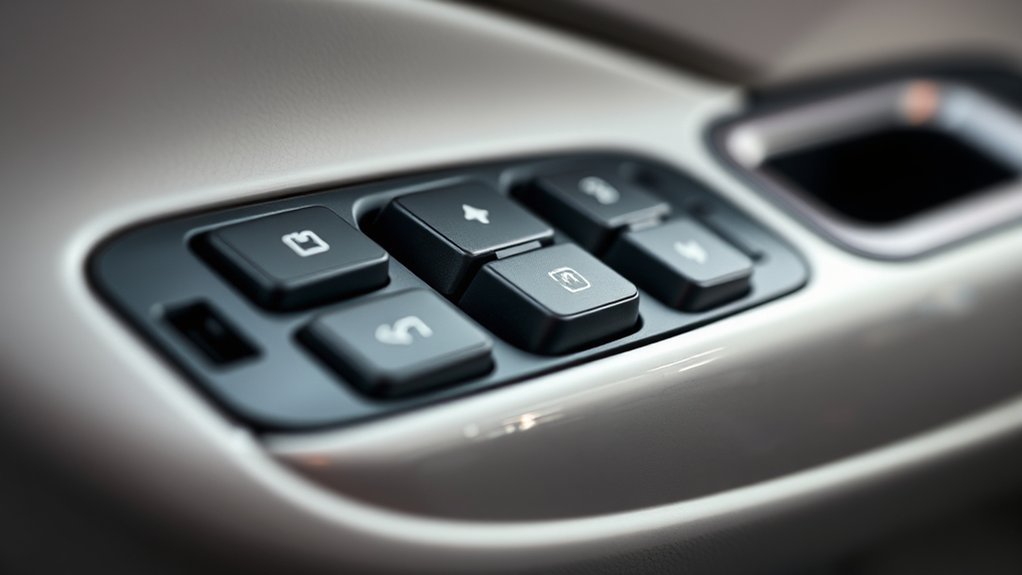
Identifying master switch malfunctions in your Toyota Camry is essential for restoring window functionality. The master window switch often fails after a battery replacement, causing all windows to remain unresponsive from the driver’s side. During your master switch inspection, look for physical damage or signs of wear. If individual window switches work, but the master control doesn’t, it’s time to explore further.
Here’s a quick reference table for troubleshooting:
| Symptom | Possible Issue | Troubleshooting Technique |
|---|---|---|
| No window response | Malfunctioning master switch | Inspect for physical damage |
| Individual switches work | Blown fuse | Check the fuse box |
| Master switch unresponsive | Faulty signal | Test with a multimeter |
| Windows operate intermittently | Electrical connection issue | Inspect wiring and connectors |
Using these troubleshooting techniques will guide you in pinpointing the issue effectively.
Checking Battery Connections and Fuses
After addressing potential master switch issues, checking battery connections and fuses is the next logical step in restoring window functionality in your Toyota Camry. Confirming proper terminal security and eliminating battery corrosion can prevent electrical issues. Here’s what you need to do:
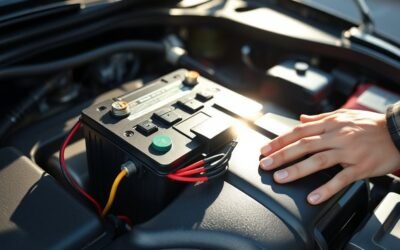
- Inspect Battery Terminals: Make sure they’re tight and free from corrosion. Clean any buildup with a solution of baking soda and water if necessary.
- Check Fuses: Locate the fuse box under the dashboard or hood. Identify any fuses related to the window system and replace any that are blown.
- Verify Voltage: Use a multimeter to check that the battery voltage is at least 12.6 volts. A low voltage can affect the operation of electronic components, including your windows.
Completing these checks confirms a solid foundation for restoring your Camry’s window functionality.
Fixing Individual Window Problems
To restore functionality to individual windows in your Toyota Camry, you’ll need to reinitialize each control. Start by pressing the window switch down and holding it for 10 seconds. This action guarantees proper communication with the window motor. Next, bring the window all the way up while holding the switch for another 10 seconds. Listen for a click; this sound confirms the reset.
If windows still aren’t functioning, it’s time for some electrical troubleshooting. Check the wiring connections for any damage or loose connections. Inspect the integrity of each window motor, as motor issues can hinder performance. Don’t forget to examine relevant fuses related to window operations, which may also be contributing to the problem. By following these steps, you empower yourself to diagnose and fix individual window problems effectively before considering professional help.
When to Get Professional Help?
When should you consider calling in a professional for window issues in your Toyota Camry? Here are some key scenarios to watch for:
- Unresponsive Master Switch: If the master window switch doesn’t respond after a reset, it may indicate a malfunction that requires expert diagnostics.
- Persistent Window Issues: If individual windows still have problems despite resets, it could signal a failure in the window motors needing professional intervention.
- Electrical Wiring Problems: When all fuses are intact but the master switch fails, consult a technician to investigate potential electrical wiring issues.
Don’t hesitate to seek professional help if you notice physical damage to the master switch or if battery connection issues persist after replacement. Addressing these window sensor issues promptly can prevent further complications and guarantee your Camry’s window system operates smoothly.
Ongoing Maintenance Tips for Your Camry Windows
Maintaining your Camry’s windows isn’t just about fixing problems; it’s about preventing them. Regular window maintenance keeps your system running smoothly and extends the life of your windows. Here are some essential ongoing tips:
| Task | Frequency | Purpose |
|---|---|---|
| Check window tracks | Monthly | Prevent debris buildup |
| Inspect window seals | Every 6 months | Guarantee proper insulation |
| Test window functionality | Monthly | Catch issues early |
| Check master window switch | Every 3 months | Avoid larger electrical problems |
Incorporate these cleaning tips into your routine: clean the tracks and seals with a soft brush and mild detergent, and verify all fuses are intact. By staying proactive, you’ll enjoy a hassle-free driving experience and maintain the integrity of your Camry’s windows.
Frequently Asked Questions
Why Are My Toyota Windows Not Working After Battery Change?
Your Toyota windows might not work after a battery change due to window malfunction causes linked to the battery impact effects. The master switch often requires reinitialization to restore proper functionality.
How to Reset Windows in Toyota Camry?
Did you know that over 70% of drivers experience window issues post-battery swap? To reset your Toyota Camry’s power windows, calibrate each window by holding the master switch down, then up, for 10 seconds each.
Conclusion
So, after a battery swap, if your Camry windows decide to take a vacation, don’t panic. Just follow the steps to reinitialize them, and you’ll be back to enjoying fresh air in no time. Remember, your windows aren’t on strike; they just need a little nudge. If all else fails, consult a professional—because sometimes, even your car needs a therapist. Keep your windows happy, and they’ll be less likely to throw a tantrum next time!