Reading OBD2 codes on a Toyota Tundra is a useful first step, but it is not the same as diagnosing the failed part. A code tells you which system or circuit needs attention. To avoid wasted money, record the code, code status, freeze-frame data, symptoms, and live data before clearing anything.
Quick Answer
Plug a compatible OBD2 scanner into the Tundra’s diagnostic port under the driver-side dash, turn the ignition to ON without starting the engine, and scan for stored, pending, and permanent codes. Decode the first letter: P is powertrain, C is chassis, B is body, and U is network communication.
Key Takeaways
- Use the code as a starting point, not a parts-replacement command.
- Record freeze-frame data, live data, mileage, and symptoms before clearing codes.
- Generic readers usually handle engine/emissions codes; enhanced Toyota-capable scanners can read more ABS, SRS, body, and network modules.
- Clearing codes can reset readiness monitors, and permanent DTCs may remain until the vehicle verifies the repair.
- Call a technician for flashing check-engine lights, braking, steering, airbag, hybrid, transmission, or repeated emissions faults.
At a Glance
| Time Required | 10–30 minutes for a basic scan; longer if live-data testing is needed |
| Difficulty | Beginner for reading codes; intermediate to advanced for diagnosis |
| Tools Needed | OBD2 scanner, owner’s manual, note app or paper, flashlight; optional smoke machine, multimeter, fuel-pressure gauge, and infrared thermometer |
| Cost | Often free with an owned scanner; basic code readers are usually low-cost, while enhanced Toyota-capable tools cost more |
Warning: Do not keep driving hard with a flashing check-engine light, overheating warning, brake warning, steering warning, airbag/SRS warning, hybrid-system warning, or severe misfire. Stop safely and get professional help. A flashing MIL can indicate an active misfire that may damage the catalytic converter.
Before You Start: Safety and Scanner Setup
Park the Tundra on level ground, shift to Park, set the parking brake, and turn off accessories. Keep loose clothing, cords, and hands away from pedals and moving parts. Most code-reading steps use ignition ON with the engine OFF, but follow your scanner’s instructions if it asks for a different state.
For factory-specific procedures, wiring diagrams, and repair steps, use the Toyota Tundra owner’s manual page and Toyota’s Technical Information System. Toyota TIS is the official service-support source for Toyota vehicles marketed in North America.
[Products Worth Considering]

This plug-and-play OBD2 scanner helps drivers quickly read and clear engine error codes while providing live data, freeze frame information, I/M readiness, and MIL status for more confident troubleshooting. It adds a built-in voltage test and clear status indicators to support electrical checks and faster diagnostics, making it a practical choice for home users, car enthusiasts, and repair professionals. Compatible with most OBDII vehicles since 1996 and designed with an easy-to-use interface, it offers broad coverage and simple operation in one compact tool.

The FOXWELL NT301 is a plug-and-play OBD2 code reader designed to help drivers and home mechanics diagnose check engine light issues with ease. It reads fault codes, clears emissions-related warnings, displays live sensor data in graph form, and shows I/M readiness so you can quickly check vehicle status before an emissions test. With broad compatibility across many OBD2 vehicles and a clear color screen, it offers a practical, user-friendly way to monitor and troubleshoot engine performance.

The BLCKTEC 440 Bluetooth OBD2 scanner helps drivers and DIY mechanics quickly read and clear trouble codes, monitor live data, and check emissions readiness with confidence. Its color display, graphing capabilities, and battery and charging system testing make it a versatile diagnostic tool for OBD-compliant vehicles. Designed for plug-and-play convenience, it runs directly from your vehicle and includes support for report sharing and ongoing updates.
Connect Your OBD2 Scanner to a Toyota Tundra Safely
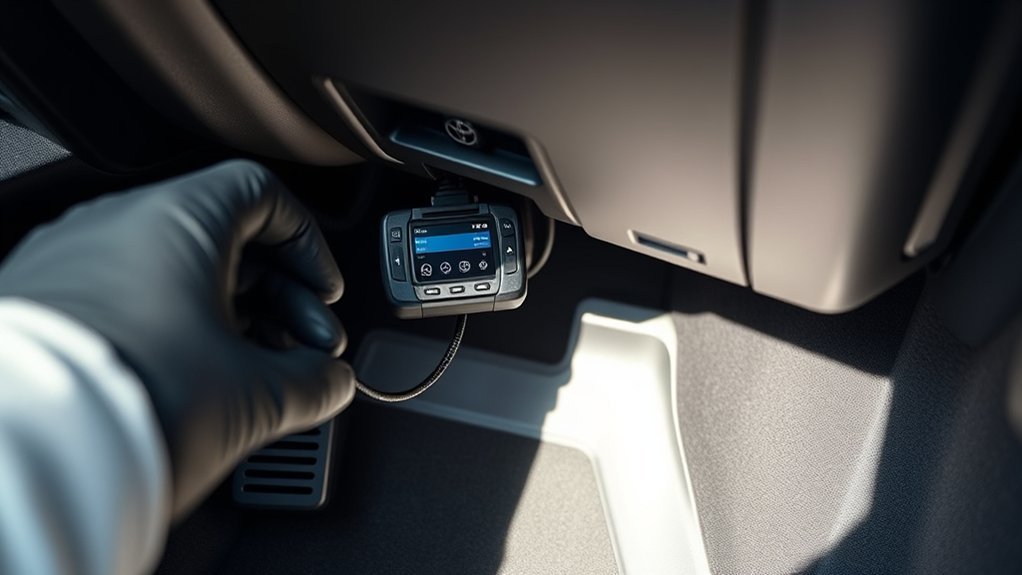
Locate the OBD2 diagnostic connector under the driver-side dashboard near the steering column area. Use a flashlight if needed, then align the scanner plug with the trapezoid-shaped port. Do not force it. A bent pin or loose connector can cause communication errors.
- Make sure the truck is parked safely and the parking brake is set.
- Plug the scanner firmly into the OBD2 port.
- Turn the ignition to ON without starting the engine unless your scanner says otherwise.
- Wait for the scanner to power up and identify the vehicle or protocol.
- Choose a full scan if your tool supports it, or choose engine/OBD2 scan on a basic reader.
If the scanner does not power on, unplug and reseat it, check the ignition position, and inspect the related fuse if the tool still has no power. If the scanner powers on but will not communicate, try another scanner or consult service information before assuming the engine computer has failed.
Pro Tip: A basic OBD2 reader may only read emissions and powertrain codes. To read Toyota ABS, SRS/airbag, body, parking-assist, and network-module codes, use an enhanced Toyota-compatible scanner or Toyota Techstream access through official service information.
[Products Worth Considering]

The ANCEL AD310 is a compact, easy-to-use OBD II code reader designed to help drivers quickly identify check engine light causes, read and clear fault codes, and review key vehicle data. It supports major OBD2 protocols and works with many 1996-and-newer cars, light trucks, SUVs, and other OBD2 vehicles. Built for fast diagnostics at home or on the go, it runs directly from the vehicle and provides clear results on a large screen.

The OBDMATE OM901 is a handheld car diagnostic scanner designed to read and clear fault codes across ABS, SRS, engine, and transmission systems. It also offers full OBD2 functions like live data, freeze frame, I/M readiness, VIN retrieval, O2 sensor testing, EVAP testing, and onboard monitoring, making it useful for quick troubleshooting and emissions checks. With a large screen, battery voltage monitoring, DLC pin testing, and a protective carrying case, it is a practical tool for DIY drivers and professionals alike.

The BLCKTEC 460T is a professional-level OBD2 diagnostic scanner designed for home mechanics and repair shops that need broad vehicle coverage and advanced service functions. It reads and clears engine, ABS, SRS, and transmission codes, performs all-system diagnostics, supports live data graphing, and includes popular reset services such as oil, TPMS, EPB, BMS, SAS, DPF, and throttle relearn. With AutoVIN, AutoScan, free lifetime updates, and RepairSolutions2 app integration, it helps simplify troubleshooting and maintenance for many OBD2-compliant vehicles.
Choose the Right Scanner for a Tundra
Not every scanner reads the same information. Match the tool to the warning light and the job.
| Scanner Type | Best For | Limitations |
|---|---|---|
| Basic OBD2 code reader | Check-engine light, generic P0 codes, basic live data, readiness status | May not read ABS, airbag, body, or Toyota-enhanced codes |
| Enhanced Toyota-compatible scanner | Full-system scan, ABS, SRS, body, chassis, network modules, more live data | Coverage depends on scanner software and model year |
| Toyota Techstream / factory information | Factory-level diagnostics, active tests, calibration steps, service manual procedures | Requires proper access, compatible interface, and care to avoid changing settings incorrectly |
[Products Worth Considering]

Veepeak OBDCheck BLE is a Bluetooth LE OBD-II scanner designed to read and clear check engine codes, view live sensor data, and access freeze frame and readiness information through a compatible third-party app. It works with most 1996+ gas vehicles and many light trucks for standard diagnostics, with broader features depending on the app and vehicle support. This compact adapter is built for iOS and Android users who want a simple wireless way to monitor vehicle health without WiFi pairing.

AutoLine Pro HyperSmoke is a professional automotive smoke tester designed to quickly find EVAP, vacuum, intake, boost, exhaust, and other leak sources with thick visible smoke. It features adjustable pressure, built-in air compressor motor, instant warmup, and OEM approved smoke fluid for safe, accurate diagnostics across a wide range of vehicles and systems. The kit includes essential accessories and is backed by a full coverage warranty for dependable shop or garage use.

FOXWELL NT201 is an easy-to-use OBD2 scanner designed to help drivers quickly read and clear check engine codes, view live engine data, and check emissions readiness. Its color screen, one-key I/M readiness test, and broad compatibility with most gasoline vehicles since 1996 make it a practical tool for everyday diagnostics and maintenance. With plug-and-play operation and lifetime free updates, it offers a simple way to understand vehicle issues without expensive shop visits.
Scan and Read OBD2 Codes on Your Tundra (P/C/B/U Explained)
With the scanner powered and connected, run a scan and write down every code exactly as shown. Include the status if your scanner displays it: stored, pending, history, current, or permanent. Also save the freeze-frame data before clearing anything.
OBD2 diagnostic trouble codes follow standardized rules under standards such as SAE J2012 and ISO 15031-6. The first letter points to the broad system:
- P = Powertrain: engine, transmission, fuel, ignition, and emissions systems.
- C = Chassis: ABS, stability control, steering, suspension, and related systems.
- B = Body: airbags, seats, HVAC, lighting, doors, and cabin electronics.
- U = Network: communication faults between control modules.
A DTC points to a system, circuit, or condition. It does not automatically prove that the named sensor or part is bad.
How to Decode a Toyota Tundra OBD2 Code
A five-character code gives several clues. Use this example: P0171.
- First character: P means powertrain.
- Second character: 0 usually means a generic standardized code; 1 often means manufacturer-specific. Some code ranges vary, so verify with service information.
- Last three characters: identify the fault area and specific condition, such as lean fuel mixture, misfire, EVAP flow, or catalyst efficiency.
For a Toyota-specific code, use Toyota service information rather than a generic code list. A generic definition can tell you the category, but the Toyota troubleshooting tree tells you what to test first on your exact engine, trim, and model year.
Stored, Pending, and Permanent Codes
Your scanner may show several code types. Treat them differently:
| Code Status | What It Means | What To Do |
|---|---|---|
| Stored / Current | The vehicle detected a fault and saved a code. | Record freeze-frame data, diagnose, repair, then verify. |
| Pending | The fault has been seen but may need another drive cycle to mature. | Do not ignore it; monitor and diagnose if symptoms or repeat pending codes appear. |
| Permanent | The OBD system keeps the code until it confirms the repair through its own checks. | Fix the cause and complete the required drive conditions; a scan-tool clear may not remove it. |
Note: The California Bureau of Automotive Repair OBD test reference explains that readiness monitors and permanent DTCs can affect inspection results. Rules vary by state or country, so check your local emissions program before clearing codes near an inspection date.
What to Record Before Clearing Any Code
Before you press “clear,” write down enough information to recreate the fault conditions. This helps you or a mechanic diagnose the real cause.
- Exact code: for example, P0171, P0300, P0441, or U0100.
- Code status: stored, pending, permanent, history, or current.
- Freeze-frame data: engine RPM, coolant temperature, vehicle speed, fuel trims, load, and other values captured when the fault set.
- Mileage and fuel level: useful for repeat patterns and EVAP testing.
- Symptoms: rough idle, hard start, fuel smell, poor fuel economy, overheating, misfire, or no noticeable symptom.
- Recent work: battery disconnect, spark plugs, air filter, MAF cleaning, fuel cap replacement, exhaust work, or aftermarket parts.
Common Toyota Tundra OBD2 Codes and What They Mean
These common OBD2 codes can appear on a Tundra, but the correct repair depends on engine, model year, freeze-frame data, live data, and Toyota service procedures. Use the table to triage the fault, not to guess parts.
| Code | Plain-English Meaning | Common Checks | Priority |
|---|---|---|---|
| P0171 / P0174 | System too lean on Bank 1 or Bank 2 | Vacuum leaks, intake duct cracks, MAF sensor data, fuel pressure, exhaust leaks, fuel trims | Medium; higher if misfires appear |
| P0300 | Random or multiple-cylinder misfire | Spark plugs, coils, injectors, compression, fuel quality, vacuum leaks, fuel trims | High if rough running or MIL flashes |
| P0301–P0308 | Misfire on a specific cylinder | Swap coil for testing, inspect plug, check injector operation, compression, wiring | High if active |
| P0420 / P0430 | Catalyst efficiency below threshold on Bank 1 or Bank 2 | Exhaust leaks, upstream/downstream sensor data, fuel trims, misfire history, catalyst condition | Medium; emissions-related |
| P0441 | EVAP system incorrect purge flow | Fuel cap seal, purge valve, vent valve, EVAP hoses, smoke test, command tests | Medium; emissions-related |
| P0455 / P0456 | Large or small EVAP leak | Fuel cap, filler neck, vapor hoses, canister, vent valve, smoke test | Low to medium; emissions-related |
| P0128 | Coolant temperature below thermostat regulating temperature | Coolant level, thermostat operation, coolant temperature sensor data, warm-up time | Medium |
| P0131 | Oxygen or air-fuel sensor circuit low voltage on Bank 1 Sensor 1 | Sensor wiring, exhaust leaks, lean condition, fuel pressure, sensor data against service specs | Medium; diagnose before replacing sensor |
| U0100-style codes | Lost communication with a control module | Battery voltage, grounds, fuses, CAN wiring, module connectors, recent electrical work | Medium to high depending on affected system |
Quick Troubleshooting Steps for the Most Frequent Codes
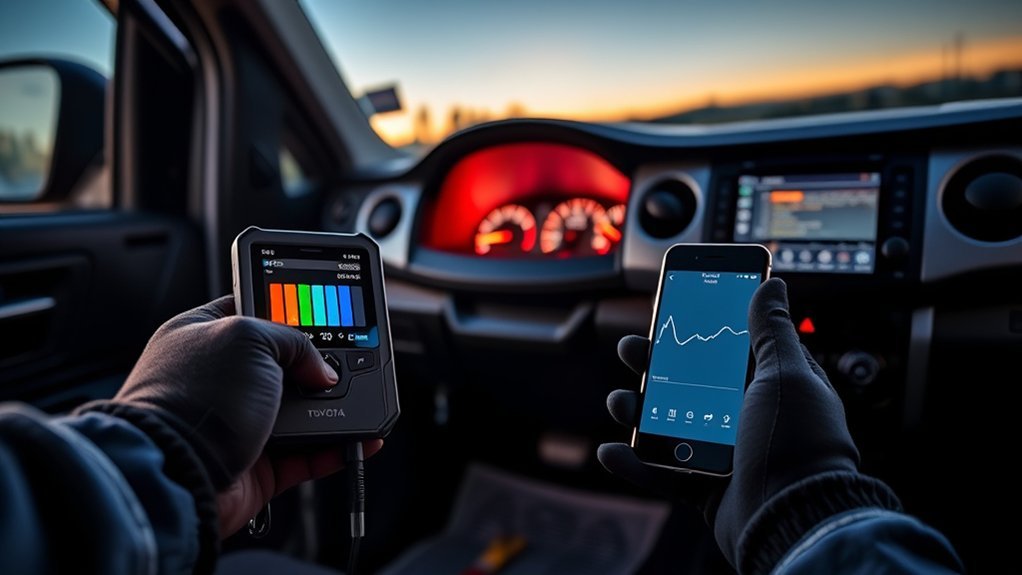
When a Tundra shows a code such as P0420, P0430, P0300, P0171, P0174, P0441, P0455, P0456, P0128, or P0131, start with data. Do not replace the part named in the code until you confirm the fault.
- Confirm the code. Scan all available modules and record stored, pending, and permanent codes.
- Review freeze-frame data. Note engine temperature, RPM, vehicle speed, load, and fuel trims at the time the fault set.
- Check for obvious issues. Look for loose fuel cap, cracked intake duct, disconnected vacuum line, damaged wiring, low coolant, or recent service mistakes.
- Use live data. Compare short-term and long-term fuel trims, MAF readings, O2 or air-fuel sensor response, coolant temperature, and misfire counters.
- Test before replacing. Smoke-test intake or EVAP leaks, check fuel pressure when lean codes appear, and inspect ignition components when misfires appear.
- Repair the cause. Fix the verified fault, not just the code description.
- Verify the fix. Clear codes only when appropriate, complete a drive cycle, re-scan, and check readiness monitor status.
Lean Codes: P0171 and P0174
Lean codes mean the engine computer is adding fuel to correct a mixture that appears too lean. Common causes include vacuum leaks, intake-boot cracks, unmetered air, dirty or skewed MAF readings, low fuel pressure, exhaust leaks, or sensor data errors. Check fuel trims at idle and at higher RPM. A vacuum leak often looks worse at idle.
Misfire Codes: P0300 and P0301–P0308
A misfire can damage the catalytic converter if raw fuel reaches the exhaust. If the MIL flashes, reduce load and stop driving as soon as it is safe. Check plugs, coils, injectors, wiring, compression, fuel trims, and vacuum leaks. For a cylinder-specific misfire, a coil-swap test can help confirm whether the coil follows the misfire.
EVAP Codes: P0441, P0455, and P0456
EVAP codes often involve fuel-vapor leaks or purge-flow problems. Start with the fuel cap seal and filler neck, then inspect hoses, purge valve, vent valve, and canister connections. A smoke test is often the fastest way to find a small leak.
Catalyst and Sensor Codes: P0420, P0430, and P0131
P0420 and P0430 do not automatically mean the catalytic converter is bad. Misfires, exhaust leaks, fuel-trim problems, oil consumption, and sensor issues can trigger catalyst-efficiency codes. P0131 points to a low-voltage sensor circuit condition, but the cause can be wiring, an exhaust leak, a lean mixture, or a sensor fault. Compare live data to Toyota service specifications before buying parts.
When to Clear Codes vs. Call a Mechanic
Use code clearing as a verification step, not as the repair. Clear codes only after you have recorded the data and either fixed the confirmed problem or determined that the code was likely caused by a temporary condition such as a loose fuel cap that has been corrected.
After clearing codes, the Tundra may need normal driving before readiness monitors complete. If you clear codes right before an emissions inspection, the vehicle may show incomplete monitors and fail the OBD portion of the test. The federal OBD regulation explains that OBD systems detect emission-control malfunctions, store trouble codes, and alert the operator.
Call a mechanic or Toyota dealer if the same code returns after a repair, if a permanent DTC remains, if the diagnosis requires active tests or calibration, or if the fault involves ABS, SRS/airbag, steering, brake, transmission, hybrid/high-voltage, or network communication systems. For warning-light guidance, Toyota recommends checking the owner’s manual and service support through its Toyota warning lights resource.
How to Confirm the Repair Worked
A good repair is confirmed with data, not just a cleared light.
- Re-scan the truck after the repair.
- Clear codes only if the repair or inspection step calls for it.
- Drive under the conditions needed for the monitor or fault to run again.
- Check that the MIL stays off.
- Recheck stored, pending, and permanent codes.
- Review readiness monitor status before an emissions inspection.
Note: If the battery was disconnected recently, multiple low-voltage or communication codes may appear. Record them, check battery and charging-system health, clear only when appropriate, and re-scan after a short drive to see what returns.
Frequently Asked Questions
How do I read a Toyota Tundra OBD2 code?
Plug a compatible scanner into the OBD2 port under the driver-side dash, turn the ignition to ON without starting the engine, run a scan, and write down every stored, pending, and permanent code. Save freeze-frame data before clearing anything.
What do P, C, B, and U codes mean?
P codes relate to powertrain systems such as engine, transmission, fuel, ignition, and emissions. C codes relate to chassis systems such as ABS or steering. B codes relate to body systems such as airbag, HVAC, lighting, or seats. U codes relate to network communication between modules.
Can I clear a Toyota Tundra code myself?
Yes, but only after recording the code, freeze-frame data, and symptoms. Clearing codes does not fix the fault, may reset readiness monitors, and may not remove permanent DTCs until the OBD system confirms the repair.
Why did my check-engine light come back after clearing it?
The underlying fault is still present or the monitor ran again and detected the same condition. Re-scan the truck, compare the new code and freeze-frame data with the original data, and diagnose the system instead of clearing the code repeatedly.
Will a cheap OBD2 scanner read all Tundra codes?
Usually no. A cheap generic reader may read engine and emissions codes, but it may not read Toyota-enhanced ABS, SRS, body, chassis, or network modules. Use an enhanced Toyota-compatible scanner or factory service information for full-system diagnostics.
When should I stop DIY diagnosis and call a mechanic?
Call a mechanic for flashing check-engine lights, active misfires, brake or steering warnings, airbag/SRS faults, hybrid-system faults, transmission problems, repeated emissions failures, network communication faults, or any repair that requires calibration or active tests you cannot perform safely.
Conclusion
You can read Toyota Tundra OBD2 codes at home with a compatible scanner, but the best results come from a careful process: connect safely, scan all available modules, record freeze-frame data, decode the code correctly, test the likely causes, and verify the repair before clearing anything. For simple issues such as a loose fuel cap or obvious intake leak, DIY checks can save time. For recurring faults, emissions failures, safety-system warnings, or advanced module codes, use Toyota service information or a qualified technician.
Sources
- Toyota Owners — 2026 Tundra Manuals and Warranties — supports use of the official owner’s manual for model-specific information.
- Toyota Technical Information System — supports factory service information, repair manuals, wiring diagrams, diagnostics, and Techstream resources.
- eCFR 40 CFR § 86.1806-17 — Onboard diagnostics — supports the role of OBD systems in detecting emissions malfunctions, storing DTCs, and alerting drivers.
- California Bureau of Automotive Repair — OBD Test Reference — supports readiness monitor, MIL, communication, and permanent DTC inspection guidance.
- SAE J2012 Diagnostic Trouble Code Definitions — supports standardized diagnostic trouble code definitions and manufacturer-specific ranges.
- Toyota Owners — Warning Lights — supports safety-warning guidance and owner’s manual/dealer escalation.