Supra drivers often call it “traction control,” but on current Toyota GR Supra models the dashboard button is tied to Toyota’s Vehicle Stability Control system and Traction mode. The safe default is simple: keep the system fully active for public roads, use Traction mode briefly when forward momentum matters, and reserve VSC OFF for controlled conditions or recovery situations.
Quick Answer
Leave Supra traction control and VSC on for nearly all public-road driving. Pressing the VSC OFF button once activates Traction mode, which can help in slush, deep snow, or loose ground but reduces stability. Full VSC OFF should be reserved for controlled track use or brief recovery situations.
Key Takeaways
- For daily driving, wet roads, cold pavement, and mixed grip, keep the Supra’s VSC and traction systems on.
- One press of the VSC OFF button activates Traction mode, which prioritizes forward motion with reduced stability support.
- Holding the button to select VSC OFF reduces stability control much further and should be used only by experienced drivers in safe environments.
- Tires, tire temperature, tread depth, and pressure have a major effect on how often the system intervenes.
At a Glance
| Time Required | 30 seconds to select or cancel a mode |
| Difficulty | Easy to operate; advanced judgment required when reducing stability support |
| Tools Needed | None; use the VSC OFF button and the instrument cluster display |
| Cost | No cost unless a warning light requires diagnosis or repair |
Should You Leave Supra Traction Control On?
Yes. For normal street driving, leave the Supra’s stability and traction systems on. They are designed to help the car stay closer to your intended path by reducing engine output and braking individual wheels when the car detects wheelspin, oversteer, or understeer within the limits of available grip.
That does not mean the system can break the laws of physics. It cannot create grip on ice, fix bald tires, save an excessive corner entry speed, or make abrupt throttle inputs safe. What it can do is give you a wider safety margin when the rear tires begin to spin or the car starts to rotate more than expected.
Warning: Do not use reduced stability settings as a substitute for skill, space, or proper tires. On public roads, keep VSC active unless you are briefly freeing the car from snow, mud, or loose ground.
[Products Worth Considering]

CORE SPECIFICATIONS: High-performance 12V DC 4-Pin (4-Prong) power relay designed for heavy-duty automotive applications. Replaces OEM # 89633-24010 and 056700-9820. Features premium copper contact points for superior conductivity and reliable switching in the ABS hydraulic modulator system.

[PRECISION BALANCED] - All QuietCast rotors are factory mill precision balanced, which disperses the weight evenly, and allows for smooth, safe stops with no pedal pulsation

COMPATIBLE WITH TOYOTA GR SUPRA (2020-2026): Built for 2.0, 3.0, 3.0 Premium & A91 Edition. This Pedal Commander throttle response controller optimizes 2.0L B48 & 3.0L B58 engines for rapid acceleration, instant throttle response, and spirited driving.
How the Supra’s Traction Control and VSC Work
The Supra’s stability system is best understood as layers. Traction control helps manage drive-wheel spin under throttle. VSC, or Vehicle Stability Control, helps the car stay on course by reducing engine speed and applying braking to individual wheels when it senses instability. Traction mode changes the VSC strategy to favor forward momentum on loose or snowy surfaces, but it also reduces driving stability.
| Mode | How to Select It | What It Does | Best Use |
|---|---|---|---|
| Normal VSC on | Default setting | Maintains the highest stability support for everyday driving | Public roads, rain, cold pavement, traffic, unfamiliar roads |
| Traction mode | Press the VSC OFF button once | Optimizes forward momentum with somewhat reduced stability | Slush, uncleared snow, deep snow, loose ground |
| VSC OFF | Hold the VSC OFF button until VSC OFF is displayed | Reduces stability intervention much further | Closed course, skid pad, or brief recovery by experienced drivers |
Toyota describes Traction mode in the 2026 Supra owner information as a version of the VSC system where forward momentum is optimized on special road conditions or loose surfaces, such as unplowed snowy roads, with somewhat limited driving stability. You can review Toyota’s current owner information for the 2026 Supra driving stability control systems.
Locate and Use the Supra’s Traction-Control Button
The Supra’s VSC OFF button is on the center console near the shifter and Supra Command controls. Use the instrument cluster to confirm what mode is active instead of guessing by feel.
- Start in normal mode. For daily driving, use the default setting with VSC and traction support active.
- Press once for Traction mode. The cluster displays TRACTION, and the VSC OFF indicator light illuminates. This setting helps forward motion on loose or snowy surfaces but reduces stability.
- Press again to cancel Traction mode. TRACTION and the VSC OFF indicator should go out.
- Hold the button for VSC OFF. Use this only in a controlled setting or for a brief recovery situation. When VSC is deactivated, driving stability is reduced during acceleration and cornering.
- Re-enable the system before returning to normal driving. Press the button again, reduce speed, and confirm the warning/indicator display has cleared.
Pro Tip: Before trying reduced settings, practice smooth throttle inputs with VSC fully on. Most unwanted intervention comes from asking the rear tires for more grip than they can provide.
[Products Worth Considering]

Compatible with 2020-up Toyota Supra A90; also compatible with 2019-up BMW G29 Z4

Compatible with: This Waterproof All Weather Full Car Cover Custom-fits for 2020 2021 2022 2023 2024 2025 Toyota Supra GR A90 A91 MK5. Fully protects your car like a mobile garage

Compatible with: This Waterproof All Weather Car Cover Custom-fits for 2020 2021 2022 2023 2024 2025 Toyota Supra GR A90 A91 MK5. Fully protects your car like a mobile garage
When to Keep Traction Control On

Keep VSC and traction support on whenever you are driving on public roads. That includes dry roads, because grip can change quickly with dust, painted lane markings, potholes, road seams, oil, gravel, leaves, standing water, or cold tires.
| Situation | Recommended Setting | Reason |
|---|---|---|
| Rain or standing water | Normal VSC on | Rear-wheel spin and hydroplaning risk can arrive suddenly. |
| Cold tires or cold pavement | Normal VSC on | Summer performance tires can lose grip sharply in low temperatures. |
| Traffic and commuting | Normal VSC on | Unexpected braking or steering may require the full safety margin. |
| Mountain roads | Normal VSC on | Surface grip can vary corner to corner. |
Electronic stability control is not just a comfort feature. Federal safety rules define ESC requirements for light vehicles, and IIHS research has found that ESC substantially reduces fatal single-vehicle crash risk. That safety value is why normal mode should be your default.
[Products Worth Considering]

√ CUT PRECISELY Exclusive design for 2020 2021 2022 2023 2024 2025 2026 Toyota GR Supra A90 8.8 Inch navigation screen, No need to trim the edges,100% compatible with the 2020 2021 2022 2023 2024 2025 2026 GR Supra center control touch screen.

APPLICABLE MODELS: The center console air conditioner switch panel trim frame compatible with Toyota Supra GR A90 A91 MK5 2019-2026, The size of the original car is customized.

Compatibility: Compatible with 2020-2026 Toyota Supra A90 A91 Coupe
When and How to Reduce or Turn Off TCS Safely
Use reduced intervention only when the setting solves a specific problem. The most common reason is getting the Supra moving when normal traction control is limiting wheelspin so much that the car cannot climb out of slush, deep snow, mud, or loose ground.
When to Use Traction Mode
Traction mode is the first reduced setting to try. Toyota’s owner guidance lists slush, uncleared snow-covered roads, driving off from deep snow, and loose ground as situations where briefly activating Traction mode may be useful. Use gentle throttle, keep steering inputs small, and switch back to normal mode once the car is moving.
When to Use VSC OFF
VSC OFF is a larger reduction in stability support. It may be appropriate on a closed course, skid pad, autocross, or track session where you have runoff, instruction, good tires, and enough experience to recover a slide. It can also be used briefly when the car is stuck and needs controlled wheelspin to free itself.
Note: Toyota’s general VSC OFF guidance says turning off TRAC and VSC may help free a vehicle stuck in fresh snow or mud, but those settings should be restored once the vehicle is free.
Practice Before Turning Off
Before selecting VSC OFF, learn the car with the systems active. Practice smooth steering, progressive throttle, and early braking in a safe environment. If you are doing performance driving, start with instruction or a high-performance driving event rather than learning on public roads.
How Tires and Simple Setup Changes Affect TCS Behavior
Tires decide how much grip the electronics have to work with. Toyota’s current GR Supra product information describes 19-inch forged-aluminum wheels wrapped in Michelin Pilot Super Sport tires, and Toyota Canada lists 255/35ZR19 front and 275/35ZR19 rear tire sizing for the 2026 GR Supra. If you change tire size, compound, or wheel fitment, use a qualified tire professional and maintain the correct load rating, speed rating, diameter compatibility, and clearance.
For street use, the most important setup checks are simple:
- Tread depth: Worn rear tires make wheelspin more likely and can trigger more intervention.
- Tire temperature: Summer performance tires need heat; they can feel nervous when cold.
- Seasonal match: Use proper winter tires for snow and freezing temperatures.
- Pressure: Follow the tire placard and owner guidance for street driving. Incorrect pressure changes the contact patch and can affect stability.
- Matching tires: Avoid mixing different compounds, age, or grip levels front to rear unless a professional has confirmed the setup.
Wider or stickier aftermarket tires can reduce wheelspin in some conditions, but they are not automatically safer or faster. Poor fitment can create rubbing, speedometer error, ABS/VSC calibration issues, or worse wet-weather behavior.
TCS Warning Lights, Common Faults, and Quick Troubleshooting
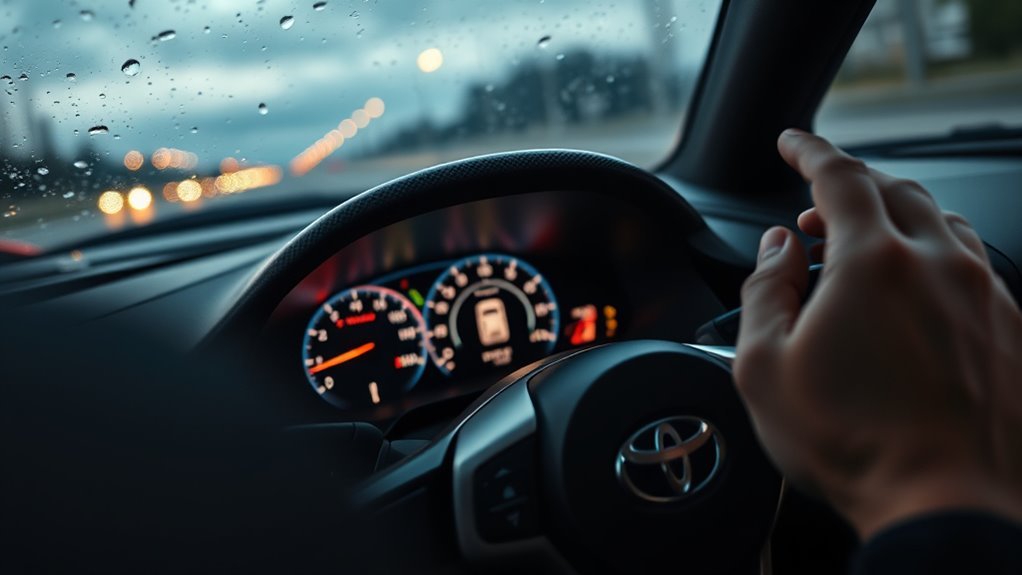
The instrument cluster tells you whether the system is helping, reduced, disabled, or needs service. Do not ignore a warning that remains after a restart.
| Indicator | Meaning | What to Do |
|---|---|---|
| Flashing stability/traction warning | The system is regulating drive or brake power. | Ease off the throttle, reduce speed, and drive smoothly. |
| TRACTION displayed | Traction mode is active. | Use only for the specific low-grip situation, then cancel it. |
| VSC OFF displayed | VSC is deactivated or reduced. | Re-enable before normal road driving. |
| Warning light stays illuminated | The system may have failed or detected a fault. | Restart once safely, then schedule diagnosis if it remains on. |
| ABS, brake, tire, or multiple warnings together | A related braking, wheel-speed, tire, or stability issue may be present. | Stop in a safe place and follow the owner’s manual. Tow if braking or stability feels abnormal. |
Common causes include a wheel-speed sensor fault, tire-pressure issue, mismatched tire size, low battery voltage, ABS-related fault, or damage after wheel/tire work. Because the Supra’s stability systems share information with braking and tire-speed sensors, diagnosis should be handled with a scan tool by a Toyota dealer or qualified repair shop.
Frequently Asked Questions
How does Toyota Supra traction control work?
The Supra uses stability and traction systems to monitor wheel behavior and vehicle motion. When the rear tires spin or the car becomes unstable, the system can reduce engine output and apply braking to individual wheels to help the car stay closer to the driver’s intended path.
Is Traction mode the same as turning traction control off?
No. Traction mode is a reduced VSC strategy that prioritizes forward momentum on loose or snowy surfaces. It is not the same as full VSC OFF. VSC OFF reduces stability support much further and should be used only in controlled conditions or briefly for recovery.
Does disabling traction control make a Supra faster?
Only sometimes, and only with the right driver and conditions. On a track, an experienced driver may prefer less intervention. On public roads, disabling stability support usually adds risk without adding usable speed.
When should I press the Supra’s VSC OFF button once?
Press it once to activate Traction mode when the car needs more forward momentum on slush, uncleared snow, deep snow, or loose ground. Press it again when the car is moving normally so full stability support returns.
What should I do if the traction or VSC warning light stays on?
If a warning light stays on after you restart the car safely, treat it as a possible fault. Check tire pressure and obvious tire damage first, then have the vehicle scanned by a Toyota dealer or qualified repair shop.
Conclusion
For everyday driving, leave the Supra’s traction and VSC systems on. They provide a valuable safety margin when grip changes, especially in a powerful rear-wheel-drive car. Use Traction mode only when you need forward momentum in slush, snow, or loose ground, and save VSC OFF for controlled environments or brief recovery situations. Smooth inputs, good tires, and smart judgment matter more than any button setting.
Sources
- Toyota Owners: 2026 Supra Driving Stability Control Systems — backs up VSC, Traction mode, dashboard indicators, and mode behavior.
- Toyota Support: When should I use the VSC OFF button? — backs up limited recovery use in snow or mud.
- Toyota GR Supra Official Product Page — backs up current 2026 GR Supra tire and vehicle context.
- 49 CFR § 571.126: Electronic Stability Control Systems — backs up the purpose and federal safety context of ESC systems.
- IIHS: Life-saving benefits of ESC continue to accrue — backs up ESC crash-risk reduction context.