Use Lane Tracing Assist on your Toyota Camry when you’re at steady highway or major-road speeds, traffic is light, and lane markings are clear and continuous; keep light torque on the wheel so the system detects you and maintains lane centering. Avoid relying on it in heavy traffic, faded markings, work zones, tight curves, or poor weather. Monitor the display and mirrors, be ready to resume control instantly, and follow maintenance checks for reliable operation—more practical guidance follows.
How to Engage Lane Tracing Assist and Monitor It From the Wheel
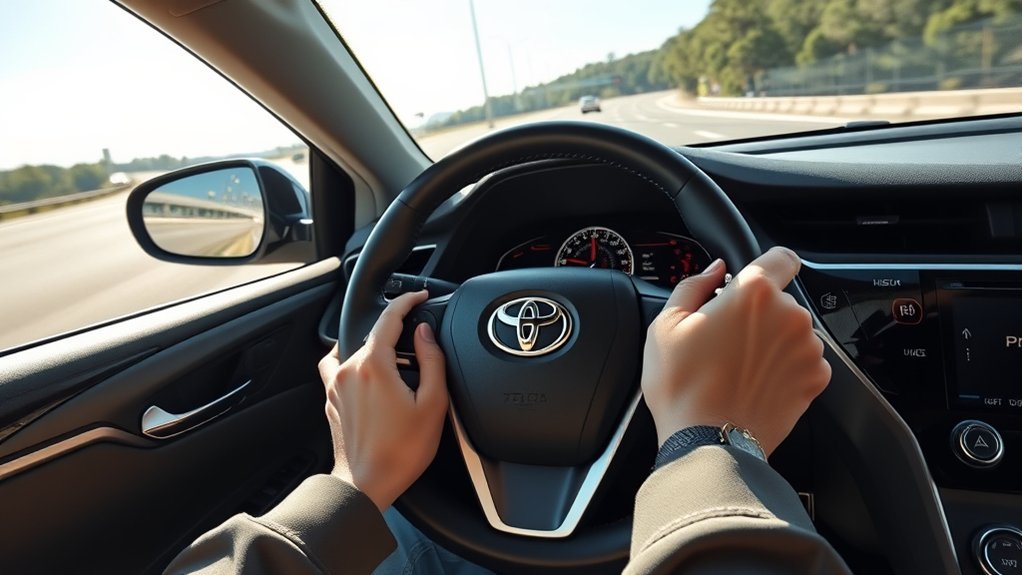
When you want Lane Tracing Assist on your Toyota Camry, press the dedicated steering-wheel button to activate lane centering; the display will immediately show lane position and the active-steering status so you can confirm engagement. You’ll see precise system feedback on lane markers and vehicle offset, giving objective data you can use to assert control and move freely. Use the right-side cruise controls to adjust speed or follow distance without interrupting lane centering, maintaining situational command. The active-steering indicator confirms when torque inputs are supplementing your steering; monitor it to validate automated assistance. Periodically apply light steering inputs to satisfy driver-detection requirements and preserve steering wheel engagement, ensuring the system remains responsive. This methodical procedure minimizes ambiguity: activate, confirm display feedback, adjust cruise as needed, and maintain tactile contact. The workflow lets you claim autonomy while relying on verified technical support, balancing liberation with documented safety constraints.
When to Use Lane Tracing Assist on Highways and Long Trips
Why use Lane Tracing Assist on highways and long trips? You should deploy it when cruising at consistent highway speeds and in light traffic to maintain lane position, reduce steering workload, and preserve driver comfort over extended distances. Empirical operation shows the system actively adjusts steering input to keep the vehicle centered, lowering muscular fatigue and cognitive load so you can stay alert to hazards. Use it as a supplemental safety buffer on long stretches where lapses in attention are more likely; it helps prevent unintentional lane departure and supports highway safety goals. Engage LTA once conditions are stable—steady speed, predictable traffic flow, and clear separations between vehicles—and monitor system status. Periodically apply slight steering torque as required to confirm attentiveness and satisfy the system’s driver-engagement checks. LTA is an assistive autonomy level that emancipates you from repetitive micro-corrections while preserving ultimate responsibility for vehicle control and compliance with road rules.
Road Markings and Conditions That Let Lane Tracing Assist Work Best
Although LTA depends on camera-based contrast detection, it performs best on well-painted, continuous lane lines under good daylight and weather conditions, so you should prefer these environments when relying on the system. You’ll find ideal conditions on highways and major roads where lane visibility is high, lane markings are maintained, and road types present consistent geometry. Environmental factors — daylight, dry pavement, and minimal glare — directly improve detection confidence and reduce false corrections.
| Parameter | Effect |
|---|---|
| Lane visibility | High contrast improves boundary detection |
| Road types | Highways/major roads yield predictable patterns |
| Environmental factors | Daylight/dry conditions maximize sensor performance |
| Poor markings | Faded lines degrade assistance reliability |
You’ll avoid relying on LTA where markings are faded or in complex urban layouts. Use this evidence-based guidance to choose liberating routes that let the system augment your control reliably, while remaining ready to resume manual operation if lane cues weaken.
When to Take Control: Merges, Curves, and Work Zones

If traffic, road geometry, or markings change suddenly, take immediate control from Lane Tracing Assist (LTA) so you can execute precise steering inputs for merges, tight curves, and work zones. You should disengage LTA when merging into or out of traffic because the system may not anticipate gap selection or rapid lateral shifts; apply merging techniques that prioritize gap judgment and smooth, firm steering. For curve handling, assume control before the turn: reduce speed to the posted advisory, set arc entry point, and steer manually through apex and exit to maintain lateral stability—LTA can struggle with tight radii. In work zones, where markings are intermittent or altered, turn off LTA and rely on direct visual cues and deliberate lane positioning to protect yourself and workers. In poor weather or uneven surfaces, be ready to override the system immediately. These practices let you reclaim agency, ensuring safety and ideal vehicle dynamics when automated assistance reaches its operational limits.
Quick Checks to Keep Lane Tracing Assist Working Reliably
Before each drive, check that the forward camera housing and sensors are clean and unobstructed, since contamination degrades lane-detection reliability. Keep the windshield free of streaks or film in the camera area and verify that LTA is enabled via the steering-wheel control. Also confirm wheel alignment is within spec and monitor the instrument-cluster alerts for any system faults.
Check Camera And Sensors
A quick visual inspection of the windshield-mounted camera and front-grille sensors should be part of your routine maintenance to keep Lane Tracing Assist (LTA) functioning reliably. You’ll perform camera maintenance by checking for obstructions—dirt, snow, stickers—and verifying there’s no glass damage that can refract or block imaging. Inspect sensor housings for physical damage or misalignment that could skew inputs. Confirm sensor calibration is current; misaligned cameras or out-of-date calibration cause lane-boundary misinterpretation. If you detect issues, schedule professional recalibration and repair rather than improvising, since precise alignment and factory software are required. Finally, review manufacturer software updates periodically; validated firmware can improve detection algorithms and restore autonomy when sensor data alone isn’t sufficient.
Keep Windshield Clean
1 simple habit—keeping your windshield clean—directly preserves Lane Tracing Assist accuracy by ensuring the camera and sensors have an unobstructed optical path. You’ll perform basic windshield maintenance to protect sensor performance: clean glass reduces false detections and missed lane markings.
- Inspect for chips/cracks and repair promptly to prevent optical distortion.
- Replace worn wiper blades to avoid streaks that degrade camera input.
- Use a soft cloth and approved glass cleaner for residue-free clarity.
- Keep the camera area clear of stickers, debris, or tint obstructions.
These evidence-based steps are quick, technical, and liberating: they restore control by maximizing system reliability and minimizing unexpected intervention due to compromised vision.
Verify System Settings
Keeping the windshield and sensor housings clean is only part of the job; you should also verify the Lane Tracing Assist settings and system status before driving. Check that the feature is activated via the steering-wheel button and review the instrument-cluster messages for system compatibility notices or fault codes. Confirm software is current—firmware updates often address detection accuracy and feature limitations. Inspect camera and sensor fields for obstructions; even small debris degrades lane detection. Validate clear, well-defined lane markings before relying on the system. Finally, perform controlled tests on low-traffic roads to confirm consistent lane-centering response. These systematic checks give you operational certainty, reduce dependency on flawed automation, and preserve your freedom to intervene safely.
Tips for Staying Attentive While Using Lane Tracing Assist
Keep your hands on the steering wheel to maintain torque feedback and meet the system’s required periodic driver input. Regularly scan mirrors and blind spots every few seconds to verify surrounding traffic and lane markings align with the camera/radar inputs. If the vehicle signals a takeover or you detect degraded lane cues, assume control immediately and cancel Lane Tracing Assist.
Maintain Hands-On Steering
Although Lane Tracing Assist helps steer within lane markings, you must keep your hands on the wheel so you’re ready to take corrective action at any moment. Use precise steering techniques and maintain driver readiness: rest your hands at roughly 9 and 3, apply light torque to sense system behavior, and be prepared to override quickly. Rely on the system display for lane-position feedback and the steering-wheel button for rapid engagement/disengagement. Minimize device interaction so attention stays on the road.
- Feel: trust tactile feedback to detect anomalies.
- Watch: monitor lane cues on the display.
- Act: be ready to correct immediately.
- Free: use informed control to reclaim safety and autonomy.
These practices are evidence-based and promote safe, liberated driving.
Scan Mirrors Regularly
When Lane Tracing Assist is active, scan your rearview and side mirrors every 5–8 seconds to maintain continuous awareness of following traffic and adjacent lanes; the system controls lateral position but doesn’t monitor blind spots or fast-approaching vehicles. You should integrate mirror checks into a repeatable cadence so you detect overtakes, decelerations, or data the system can’t sense. Perform deliberate mirror adjustments before departure to minimize blind spot awareness gaps; verify left and right side coverage with a brief shoulder check when changing lanes. Treat Lane Tracing Assist as an advanced aid, not a substitute for situational scanning. Maintain readiness to resume control: confirm mirrors, watch closure rates, and prepare corrective steering inputs. This disciplined routine preserves autonomy and safety.
Frequently Asked Questions
When Should I Use Lane Assist?
Use lane assist on clear, marked highways and long stretches to reduce fatigue; it augments lane assist benefits and safety features, letting you stay centered while you remain attentive, periodically engaging the wheel to confirm control and awareness.
Conclusion
Use Lane Tracing Assist when roads are reliably marked and speeds are steady, but stay sharp—scan sensors, steering feedback, and the instrument display for prompts. On highways and long trips, let the system lessen fatigue, yet be ready to resume control at merges, curves, or work zones. Perform quick sensor and camera checks regularly. Maintain attentive hands-on supervision; your focused, frequent feedback maximizes system safety and preserves predictive performance.