Hill Start Assist in a Toyota Camry is designed to make uphill starts smoother by briefly holding brake pressure as you move your foot from the brake pedal to the accelerator. The exact feel can vary by Camry model year, so the safest approach is to understand both versions: older Camrys may confirm activation with a beep and slip indicator, while many newer Camrys work automatically when the right conditions are met.
Quick Answer
To use Hill Start Assist in a Toyota Camry, stop fully on an incline, keep firm pressure on the brake, make sure the parking brake is off, then move smoothly to the accelerator. Some older Camrys beep and show the slip indicator; many newer Camrys activate automatically when conditions are met.
Key Takeaways
- Hill Start Assist helps reduce rollback during a brief uphill start, but it does not add traction.
- Older Camry Hybrid guides describe pressing the brake farther until a beep sounds and the slip indicator comes on.
- Many newer Camrys handle hill-start assistance automatically when the vehicle is stopped, the accelerator is not pressed, and the parking brake is not engaged.
- Do not use Hill Start Assist as a parking brake or long-term hold system.
- Always check the Toyota owner’s manual for your exact Camry model year.
At a Glance
| Time Required | A few seconds during an uphill start |
| Difficulty | Easy once you know the sequence |
| Tools Needed | None |
| Cost | $0 |
Understanding Hill Start Assist: What Is It?

Hill Start Assist, often called Hill-start Assist Control or HAC in Toyota materials, helps reduce backward movement when you start from a stop on an uphill grade. It briefly maintains brake pressure after you release the brake pedal so you have time to press the accelerator.
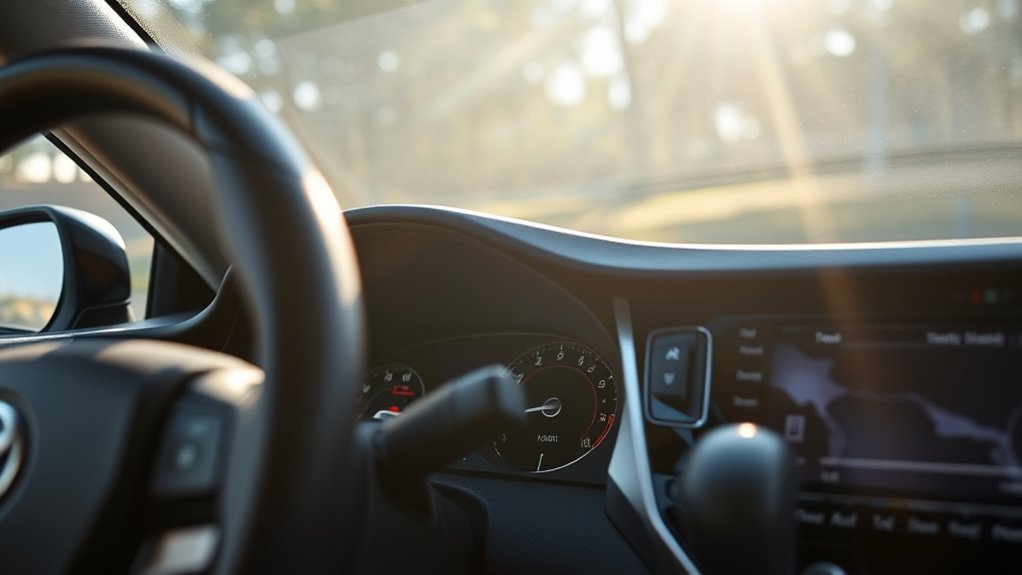
In older Toyota Camry Hybrid quick-reference materials, Toyota describes the system this way: push farther down on the brake pedal while stopped until a beep sounds and the slip indicator illuminates, then the system holds for approximately two seconds after the brake pedal is released. On many newer Camry models, the feature is less of a “turn it on” step and more of an automatic assist that works when the correct operating conditions are present.
Warning: Hill Start Assist is not a parking brake. Toyota warns that hill-start assist may not work effectively on very steep inclines or icy roads, and it is not intended to hold the vehicle stationary for an extended period. Keep control with the brake pedal and use the parking brake when needed.
Key Benefits of Using Hill Start Assist
When used correctly, Hill Start Assist can make hill starts calmer and smoother, especially in stop-and-go traffic or at a traffic light on a slope.
| Benefit | What It Does | Why It Helps |
|---|---|---|
| Reduces rollback | Briefly maintains brake pressure after you release the brake pedal | Gives you a short window to move to the accelerator |
| Simplifies uphill starts | Reduces the need to rush between pedals | Makes starts smoother in traffic |
| Helps new drivers | Adds a small buffer during uphill launches | Can reduce anxiety on moderate inclines |
| Works quietly in the background | Many newer Camrys activate automatically | No separate button is usually needed |
| Complements other safety systems | Works alongside Toyota stability and braking systems | Supports controlled takeoffs, but does not replace attentive driving |
Before You Use It: Check Your Camry Model Year
The biggest source of confusion is that Toyota’s hill-start instructions are not identical across every Camry year and trim. Older Camry Hybrid guides describe a clear beep-and-slip-indicator activation. Newer Toyota manuals often describe Hill-start Assist Control as part of the driving assist systems that operates automatically when conditions are met.
Before relying on it, look up your exact year and trim in the official Toyota Manuals & Warranties library. This matters because your instrument cluster, warning lights, brake hold button, hybrid system behavior, and driver-assist package can differ by year.
Note: If your Camry does not beep when you press the brake on a hill, that does not automatically mean the system is broken. Your model may use automatic hill-start logic without a separate confirmation chime.
How to Activate Hill Start Assist in Your Camry
For most Toyota Camry drivers, the process is simple: stop, hold the brake firmly, then accelerate smoothly. Use these steps as a safe general guide, then confirm the exact details in your owner’s manual.
- Stop completely on the incline. Keep your right foot firmly on the brake pedal. Do not roll backward while trying to trigger the system.
- Use the correct gear. For a normal uphill start, this is usually Drive. If you are backing uphill, your manual may describe different conditions.
- Make sure the parking brake is not engaged. Hill Start Assist is meant for a short start-off moment, not for holding the car in place long term.
- For older Camrys, press the brake farther if needed. Some older Camry Hybrid guides say to push farther down on the brake pedal until a beep sounds and the slip indicator illuminates.
- Release the brake and move to the accelerator smoothly. The system may hold brake pressure briefly, often around two seconds on older Camry HAC descriptions.
- Accelerate gently. Do not stab the throttle. Smooth pressure gives the system time to release cleanly and helps the vehicle move forward without jerking.
Pro Tip: Practice on a quiet, moderate hill before you need the feature in traffic. Keep a safe gap behind you and use gentle accelerator pressure so you can feel when the brakes release.
Step-by-Step Guide to Using Hill Start Assist

Here is the complete sequence in a real driving situation:
- Approach the hill calmly. Slow down early and leave room between your Camry and the vehicle ahead.
- Stop with the brake pedal. Keep steady pressure on the brake once the car is fully stopped.
- Check your surroundings. Look ahead, check mirrors, and confirm there is space to move.
- Release the brake only when ready to go. Hill Start Assist is a short bridge between braking and accelerating, not a waiting mode.
- Press the accelerator smoothly. The car should move forward without rolling back noticeably.
- Resume normal driving. Once moving, the system is no longer holding the brakes.
Hill Start Assist gives you a short window to move from brake to accelerator. It helps with smoothness, but the driver is still responsible for braking, steering, throttle control, and judging road conditions.
How Long Does Hill Start Assist Hold the Car?
On older Camry Hybrid quick-reference materials, Toyota describes HAC as holding for approximately two seconds after you release the brake pedal. Treat that as a brief assist, not a guarantee of unlimited hold time.
| Situation | What Usually Happens | What You Should Do |
|---|---|---|
| You press the accelerator | Brake hold pressure releases | Accelerate smoothly |
| You wait too long | The temporary hold ends | Use the brake pedal again |
| You engage the parking brake | Hill-start assist may cancel | Use the parking brake for longer stops |
| The road is icy or very steep | The system may be less effective | Drive cautiously and rely on proper braking |
Hill Start Assist vs. Brake Hold vs. Parking Brake
These features are easy to mix up, but they are not the same.
- Hill Start Assist: A short, automatic brake-pressure assist for starting on an incline.
- Brake Hold: A separate convenience feature on many newer Toyotas that can keep the brakes applied at stops when the system is turned on and conditions are met.
- Parking brake: A holding system for parking, longer stops, or extra security on hills.
If you are stopped on a hill for more than a moment, keep your foot on the brake or use the parking brake as needed. Do not depend on Hill Start Assist to hold the Camry in place while you wait.
Debunking Myths About Hill Start Assist
Hill Start Assist is helpful, but it is not magic. Understanding its limits makes it safer and less confusing.
Myth 1: It Works the Same on Every Camry
Not exactly. Older Camry Hybrid materials describe a beep and slip-indicator confirmation. Newer Camry owner information may describe the feature as automatic. Your model year matters.
Myth 2: It Adds Traction
Hill Start Assist does not make your tires grip better. If the road is icy, snowy, wet, or extremely steep, your tires can still slip. Use gentle throttle and leave more space.
Myth 3: It Replaces the Parking Brake
It does not. Hill Start Assist is for a brief uphill launch. For parking or waiting longer on a hill, use the brake pedal and parking brake properly.
Myth 4: No Beep Means the System Is Broken
Not always. Some older models use a beep and indicator. Many newer systems may activate without making the same sound. A warning light that stays on, repeated warning messages, or abnormal braking behavior is a better reason to schedule service.
Fixing Hill Start Assist Activation Problems
If your Camry does not seem to hold on a hill, check the basics before assuming something is wrong.
Common Activation Issues
- The vehicle was not fully stopped. Come to a complete stop before expecting the system to help.
- The brake was not pressed firmly enough. Older Camrys may need a firmer press to confirm HAC activation.
- The parking brake was engaged. Hill Start Assist may cancel when the parking brake is applied.
- You waited too long after releasing the brake. The assist only lasts briefly.
- The road was too steep or slippery. Ice, snow, gravel, and steep grades can reduce effectiveness.
Brake Pressure Sensitivity
On older Camrys that use the beep-and-indicator method, brake pressure matters. If you press lightly, the system may not confirm activation. Try pressing the brake pedal more firmly while the car is fully stopped. Do this only in a safe area, not while traffic is close behind you.
When to Get the System Checked
Schedule service with a Toyota dealer or qualified technician if the slip indicator or brake warning light stays on, warning messages appear, the brakes feel abnormal, or Hill Start Assist stops working along with other stability or braking features.
Note: Sounds, slight vibration, or brake-pedal feel changes can occur when Toyota braking and stability systems operate. Persistent warning lights or unusual braking behavior should still be inspected.
How Does Hill Start Assist Compare to Hill Descent Control?
Hill Start Assist and Hill Descent Control solve opposite problems.
| Feature | Main Job | When It Helps |
|---|---|---|
| Hill Start Assist | Helps reduce rollback when starting uphill | Traffic lights, stop signs, driveways, parking ramps |
| Hill Descent Control / Downhill Assist Control | Helps manage speed on steep downhill sections in equipped vehicles | Usually more relevant to SUVs, trucks, and off-road-oriented models |
For a Camry, focus on proper braking, smooth throttle, and the driver-assist features your exact trim includes. Do not assume your Camry has downhill-assist features unless your owner’s manual lists them.
Other Safety Features to Enhance Your Driving Experience

Hill Start Assist is only one part of the bigger safety picture. Depending on the model year and trim, a Camry may also include Toyota Safety Sense features such as a Pre-Collision System, Lane Departure Alert with Steering Assist, Dynamic Radar Cruise Control, Automatic High Beams, Road Sign Assist, and other driver-support technologies. Toyota notes that specific safety technology can vary by vehicle, so always confirm your equipment in the owner’s manual or on the Toyota Safety Sense page.
- Pre-Collision System: Helps detect certain forward collision risks and may provide alerts or braking support in specific conditions.
- Lane Departure Alert: Can warn you if the vehicle appears to drift from its lane without signaling when operating conditions are met.
- Dynamic Radar Cruise Control: Helps maintain a preset following distance from the vehicle ahead during compatible highway driving conditions.
- Automatic High Beams: Can switch between high and low beams in certain nighttime driving situations.
These systems assist the driver; they do not replace attentive driving. The National Highway Traffic Safety Administration also emphasizes learning how driver-assistance technologies work so you know what they can and cannot do.
What You’ll Notice in Daily Driving
In normal use, Hill Start Assist should feel subtle. You may notice that your Camry does not roll back as quickly when you release the brake on a moderate hill. On older models, you may hear a beep or see the slip indicator when the system confirms activation. On newer models, the support may happen quietly without a separate action from you.
The best way to build confidence is to practice on a safe, low-traffic incline. Stop fully, hold the brake, release it, and move smoothly to the accelerator. Once you understand the timing, uphill starts feel more natural.
Frequently Asked Questions
How do you activate Hill Start Assist in a Toyota Camry?
Stop completely on an incline, keep firm pressure on the brake pedal, make sure the parking brake is off, and move smoothly to the accelerator. Some older Camrys may beep and show the slip indicator when HAC is activated. Many newer Camrys activate the feature automatically when the proper conditions are met.
Does Hill Start Assist work automatically?
On many newer Toyota Camry models, yes. Hill Start Assist works automatically when the vehicle is stopped on an incline and the operating conditions are met. Older Camry Hybrid guides describe a firmer brake press until a beep sounds and the slip indicator illuminates.
How long does Toyota Camry Hill Start Assist hold the brakes?
Older Camry Hybrid quick-reference materials describe HAC as holding for approximately two seconds after the brake pedal is released. Treat it as a short assist only. If you need to stay stopped longer, keep your foot on the brake or use the parking brake as needed.
Is Hill Start Assist the same as Brake Hold?
No. Hill Start Assist briefly helps during uphill starts. Brake Hold is a separate convenience feature that can keep the brakes applied at stops when it is turned on and its conditions are met. The parking brake is still the correct choice for parking or longer hill holds.
Why does my Camry not beep when I use Hill Start Assist?
Your Camry may not use the older beep-and-slip-indicator confirmation method. Check your model-year owner’s manual. If a warning light stays on, a message appears, or braking feels abnormal, have the vehicle inspected.
Does Hill Start Assist work on icy roads?
It may be less effective on icy, snowy, loose, or very steep roads because it does not increase tire traction. Use gentle throttle, leave extra space, and rely on careful braking and proper tires for the conditions.
Conclusion
Hill Start Assist can make your Toyota Camry easier to start on an incline, but it should be treated as a brief assist rather than a hill-holding guarantee. Stop fully, hold the brake firmly, release the parking brake when you are ready to move, and accelerate smoothly. If your Camry is an older model, you may notice a beep and slip indicator; if it is newer, the system may work automatically in the background. For the most accurate guidance, always check the owner’s manual for your exact Camry year and trim.
Sources
- Toyota Owners: 2025 Camry Hybrid Driving Assist Systems — backs up current Toyota hill-start assist warnings and system-limit language.
- Toyota 2014 Camry Hybrid Quick Reference Guide — backs up older HAC beep, slip indicator, and approximate two-second hold guidance.
- Toyota Manuals & Warranties — official lookup for model-year-specific owner’s manuals.
- Toyota Safety Sense — backs up related Toyota driver-assistance feature descriptions.
- NHTSA Driver Assistance Technologies — supports general driver-assistance safety context and the need to understand system limits.