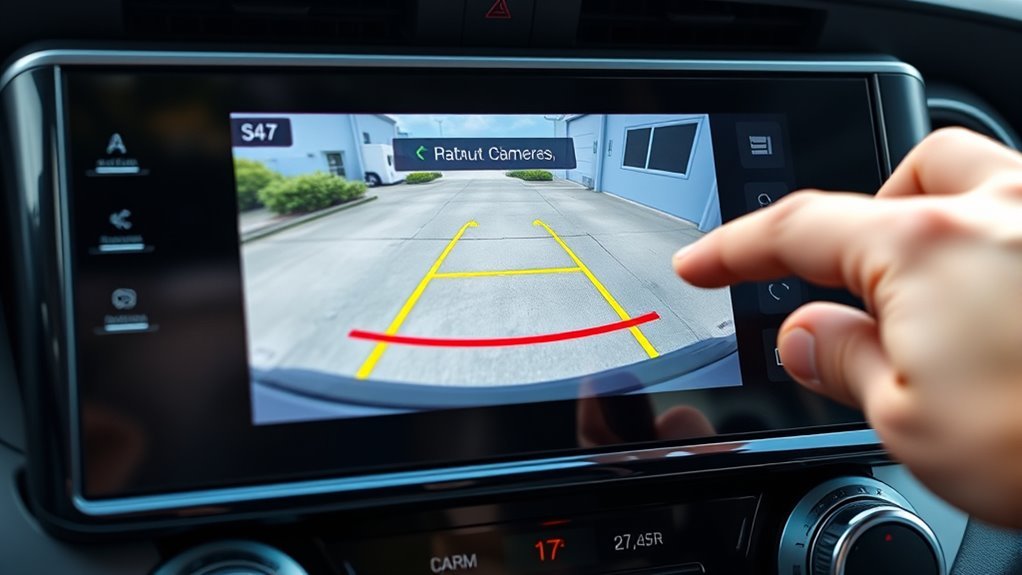
Shift your 2025 Toyota RAV4 XLE into Reverse and the backup camera screen becomes your main rear-view aid. It can show the area behind the vehicle, guide lines that help you judge path and distance, and, on equipped models, alternate rear-view displays. Use it as a helpful tool, not as your only check: Toyota’s own guidance says to look around the vehicle directly and use your mirrors while reversing.
Quick Answer
To use the 2025 RAV4 backup camera, press the brake, shift into Reverse, check the screen, choose the rear-view mode if your display offers one, and use the yellow guide lines to follow your path. Treat the red distance line as a close-range warning, then confirm clearance with mirrors and shoulder checks before moving.
Key Takeaways
- The RAV4 backup camera turns on automatically when you shift into Reverse with the vehicle powered on.
- Yellow estimated-course lines show where the vehicle is likely to go as you turn the steering wheel, when that guide-line mode is selected.
- The red distance guide line marks a very close area behind the bumper; slow down and be ready to stop before anything reaches that line.
- Some RAV4 screens let you switch between rear view, wide rear view, or panoramic-view layouts, depending on equipment.
- The camera is a supplement only. Always check mirrors, blind spots, people, pets, curbs, and low objects before reversing.
At a Glance
| Time Required | 1–2 minutes to learn the controls; longer to practice parking confidently |
| Difficulty | Easy |
| Tools Needed | No tools; a clean microfiber cloth helps if the camera image is blurry |
| Cost | Free, unless the camera or display needs dealer diagnosis |
What the 2025 RAV4 Backup Camera Shows
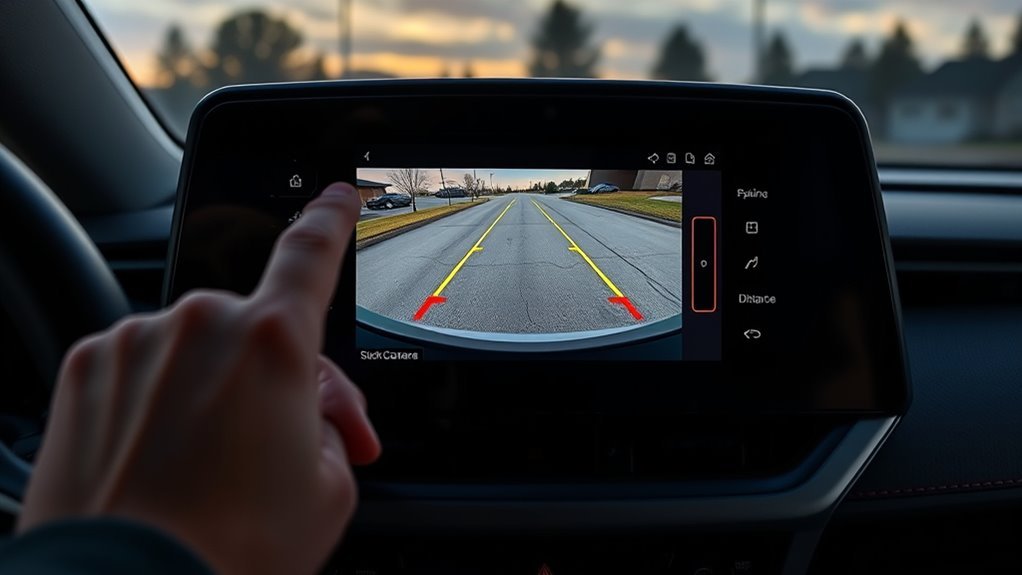
When you shift into Reverse, the 2025 RAV4’s Toyota parking assist monitor displays a live rear camera image from the area behind the vehicle. Toyota describes the system as an aid for reversing and parking, not a replacement for looking around the vehicle yourself.
Depending on your screen and equipment, you may see:
- Rear view: A centered view of the space behind the vehicle.
- Wide rear view: A broader rear view that helps reveal more side-to-side activity behind the vehicle.
- Rear view with panoramic view: Available on RAV4 models equipped with the Panoramic View Monitor, combining rear-camera information with a simulated around-vehicle view.
- Yellow estimated-course lines: Guide lines that move with steering input to show the path your RAV4 is likely to follow.
- Vehicle-width guide lines: Lines that help you judge the approximate width of the vehicle while backing straight.
- Distance guide lines: Lines that help you judge how close you are to objects behind the bumper.
Note: Screen buttons, camera views, and guide-line options vary by trim, package, and whether your RAV4 has the standard Toyota parking assist monitor or the optional Panoramic View Monitor. If your screen does not show a button mentioned here, use the closest available rear-view mode and check your owner’s manual.
Start: Engage Reverse to Launch the Camera
To start using the RAV4 backup camera, bring the vehicle to a complete stop, press the brake pedal, and shift the gear selector into R. The rear camera image should appear automatically on the center display.
Before you move, take three quick checks:
- Look at the screen for people, vehicles, pets, posts, curbs, shopping carts, and low objects.
- Check both side mirrors for side clearance and moving traffic.
- Look over your shoulder where practical, especially when backing out of a driveway or crowded parking space.
Reverse slowly and keep your foot ready on the brake. The camera helps with visibility, but the image can make distance look different from real life, especially near the edges of the screen.
Warning: Never reverse by looking only at the backup camera screen. Toyota warns that the screen image and guide-line positions can differ from the actual situation, so use mirrors, direct visual checks, and slow brake control every time.
RAV4 Backup Camera Views: Standard, Wide, and Panoramic
The most common RAV4 backup camera view is the standard rear view. Some displays also include a wide rear view, and RAV4 models equipped with the Panoramic View Monitor can show rear and around-vehicle views. Toyota’s 2025 RAV4 manual notes that the mode switches each time you touch the display mode button on equipped screens.
[Products Worth Considering]

Protect your Toyota RAV4 interior with this custom‑fit windshield sun shade that blocks 99% of harmful UV rays and reduces cabin heat. The mirror cut‑out ensures a seamless fit without gaps, while durable 240T polyester and bendable wire keep it sturdy through repeated use. Foldable and stored in a convenient pouch, it offers easy installation and removal for everyday comfort.

The Autovir windscreen shade offers full windshield coverage for Toyota RAV4 models from 2019 to 2026, blocking up to 99.95% of UV rays and reducing interior heat. Its multi‑layer reflective material provides SPF 100 and UPF 80+ protection while keeping the dashboard, seats, and steering wheel cooler. The foldable design installs quickly and stores conveniently in the glove box, and reinforced stitching ensures long‑lasting durability for daily use.

Stay warm and keep control with the KVAEY fluffy steering wheel cover. Its high‑density plush provides a soft, comfortable grip while the anti‑slip rubber liner ensures safety during winter drives. Easy to install and fits 15‑inch wheels on cars, trucks, and SUVs, adding a cozy, stylish touch to any interior.
Standard Rear View
Use the standard rear view for everyday reversing, backing into a garage, or lining up with a parking space. It gives a centered view behind the vehicle and is usually the easiest view for judging straight-line alignment.
| View | Best For | How to Use It |
|---|---|---|
| Standard rear view | Driveways, garages, straight backing | Keep the vehicle centered between the guide lines |
| Rear view with yellow course lines | Turning into a space | Turn the wheel and watch where the lines point |
| Rear view with distance lines | Stopping near a wall or curb | Slow before an object reaches the red line |
Wide Rear View
Choose wide rear view when you need more side-to-side awareness behind the RAV4. It is useful when backing out of a parking spot, reversing from a driveway, or checking for cross traffic in a busy lot. The wide view can show more of the surrounding area, but objects near the edges may look more distorted than in the standard view.
Panoramic View Monitor, If Equipped
If your RAV4 has the available Panoramic View Monitor, shifting into Reverse can show layouts such as rear view with panoramic view, wide rear view, or rear view. These displays are helpful in tight spots because they combine camera information around the vehicle. Still, the overhead-style image is computer-generated and may not show every curb, pole, low object, or moving person.
Choosing the Right View
Pick the view that answers your immediate question. If you need to line up straight, use the standard rear view. If you need to see more side-to-side, use wide rear view. If your RAV4 has panoramic view and you are squeezing into a tight space, use the panoramic layout as an extra reference while still checking mirrors and the real surroundings.
Pro Tip: Practice switching views in an empty parking lot before you need them in traffic. Spend a few minutes backing between painted lines so you know how each view represents distance and vehicle width.
Change Guidelines: Guide-Line Display Modes
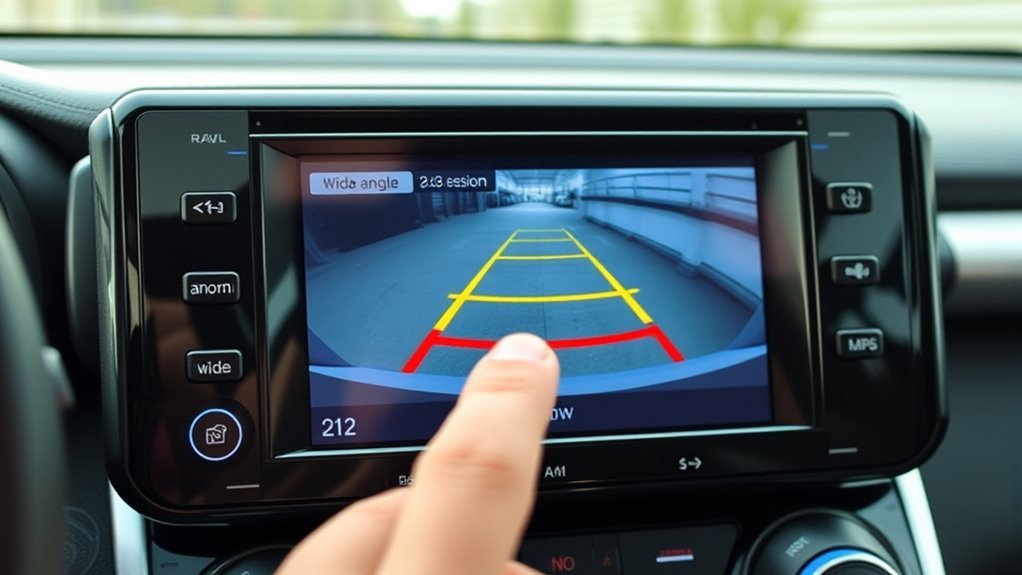
Many 2025 RAV4 displays let you change the guide-line display mode by touching the guide-line switching button. Toyota’s manual describes modes such as estimated course lines, vehicle-width guide lines, and distance guide lines. The exact labels and icons can vary by screen.
Here is what each mode is for:
- Estimated course lines mode: Shows the projected path of the vehicle as you turn the steering wheel.
- Vehicle-width guide lines mode: Helps show the width path when reversing in a straight line. The displayed width may be wider than the actual vehicle width.
- Distance guide line mode: Helps estimate how close objects are behind the vehicle.
Use estimated course lines when turning into or out of a parking space. Use vehicle-width lines when backing straight. Use distance lines when you need to stop before a curb, wall, garage door, or another parked vehicle.
[Products Worth Considering]

These valve stem caps feature a durable die‑cast construction with an electroplated finish that resists rust and wear, providing a sleek look for your wheels. The built‑in rubber O‑ring ensures a tight seal to prevent air loss, while the tool‑free design lets anyone install or remove them in seconds. Ideal for a wide range of Toyota models, they combine style, safety, and easy maintenance.

Upgrade your RAV4 roof rack with these heavy‑duty aluminum crossbars featuring an anti‑theft lock and tie‑down loops for secure cargo transport. The matte‑powder‑coated bars resist corrosion and reduce wind noise, while easy installation fits existing rails without drilling. Ideal for bike mounts, roof boxes, kayaks and more.
Follow the Yellow Steering Lines to Steer Accurately
The yellow lines are the most useful guide when you are turning. In estimated-course-line mode, they move as the steering wheel turns and show the path the rear of the vehicle is likely to take. If the yellow lines curve toward a parking space, your RAV4 is expected to follow that curve as you reverse.
To use them well:
- Start straight and slow. Move only a little at first so you can see how the lines react.
- Turn the wheel gradually. Watch the yellow lines, not just the bumper area.
- Aim the lines into the open space. If the lines point toward a curb, car, or post, stop and correct before continuing.
- Straighten the wheel as you enter the space. The guide lines should become straighter as the vehicle lines up.
- Stop, check, and adjust. Pull forward and reset if the angle is wrong. Do not force the maneuver.
The yellow lines are guidance, not a guarantee. Tire size changes, steep slopes, heavy loads, uneven ground, and camera calibration issues can make the on-screen path less accurate.
Read the Red Line: Judging Distance to Obstacles
The red distance guide line is your close-range warning. On Toyota parking assist monitor displays, the red distance line commonly represents an area close behind the bumper, often about 1.5 ft. (0.5 m), depending on the display mode and model configuration. Treat it as a stop cue, not as extra space you can use.
Understand the Red Line
Think of the red line as the point where you should already be braking. If a wall, post, vehicle, or curb reaches the red line on the screen, stop and reassess. Do not wait until the object appears to touch the bumper in the camera image.
| Screen Cue | Meaning | Driver Action |
|---|---|---|
| Yellow course lines | Projected path while steering | Adjust steering before the path crosses an obstacle |
| Vehicle-width lines | Approximate straight-back width | Keep obstacles outside the guide area |
| Red distance line | Very close range behind the bumper | Slow down, stop, and check surroundings |
Estimate Safe Stopping
Use the red line to build a safe stopping habit. In an empty lot, practice reversing slowly toward a fixed object such as a cone, stopping before the object reaches the red line. Then park, get out, and look at the real distance. This helps you understand how the camera image relates to actual space behind your RAV4.
Combine Mirrors and Camera
The camera is strongest directly behind the vehicle. Your mirrors are better for side clearance. Use them together: the camera helps with rear distance, while the side mirrors help you avoid clipping a curb, wall, neighboring vehicle, or garage opening.
| Check | What It Helps You See |
|---|---|
| Backup camera | Objects directly behind the RAV4 |
| Side mirrors | Vehicle sides, lane lines, curbs, and neighboring cars |
| Rearview mirror | Higher objects and moving traffic behind you |
| Shoulder check | People, pets, cyclists, and blind spots outside the screen |
Best View + Guideline Combos for Common Parking Types
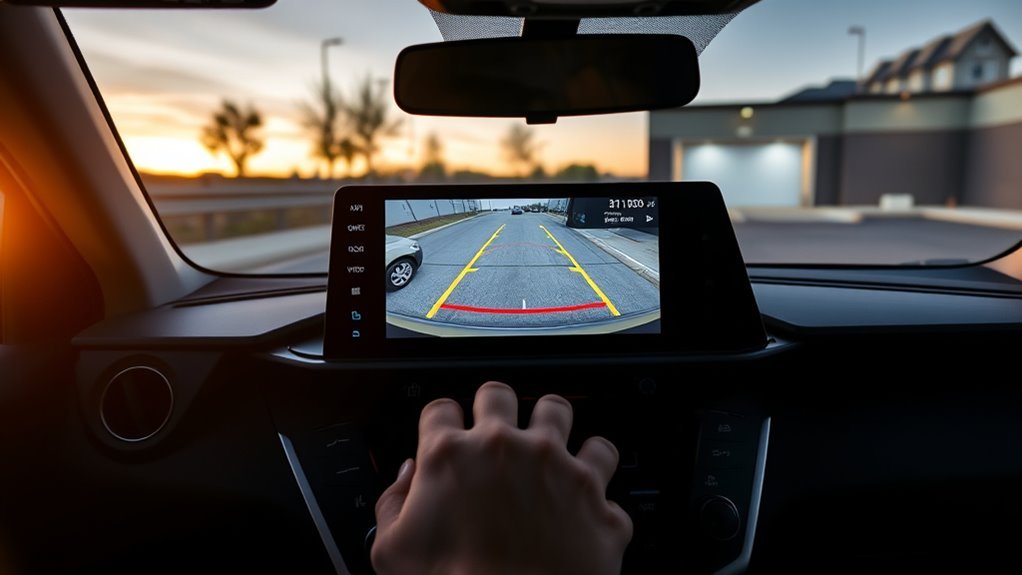
The best backup camera setup depends on what kind of reversing you are doing. Use the simplest view that gives you the information you need, then switch views if the space becomes tighter or harder to read.
| Parking Situation | Best View | Best Guide Lines | Why It Works |
|---|---|---|---|
| Backing into a standard space | Rear view | Estimated course lines | Shows your turning path and helps center the vehicle |
| Backing straight into a garage | Rear view | Vehicle-width and distance lines | Helps keep the RAV4 straight and stop before the wall |
| Backing out of a busy parking spot | Wide rear view, if available | Distance lines | Gives more side-to-side awareness behind the vehicle |
| Angled parking | Rear view or wide rear view | Estimated course lines | Helps you match the angle without cutting too sharply |
| Tight urban parking | Panoramic view, if equipped | Estimated course and distance lines | Adds more context around the vehicle while you move slowly |
The safest habit is simple: camera for rear distance, mirrors for side clearance, eyes for everything the screen can miss.
Quick Fixes: Camera Not Showing, Fuzzy Image, or Stuck Lines
If the RAV4 backup camera is not working correctly, start with simple checks before assuming the camera has failed. Many blurry or confusing displays are caused by a dirty lens, glare, moisture, or a temporary screen glitch.
Camera Image Troubleshooting
| Issue | Try This First | Next Step |
|---|---|---|
| No camera image | Confirm the vehicle is powered on and shifted into Reverse | Restart the vehicle and check for warning messages |
| Fuzzy or cloudy image | Wipe the rear camera lens with a clean microfiber cloth | Check for ice, mud, wax, or water spots on the lens |
| Glare or dark image | Change your angle slowly and check mirrors | Adjust display brightness if needed |
| Guide lines look wrong | Switch guide-line modes and straighten the wheel | Have the system inspected if the lines remain inaccurate |
| Image freezes or goes blank | Stop reversing and use mirrors/direct checks | Check for open recalls and schedule Toyota service |
Resetting Guideline Alignment
If the guide lines appear stuck, switch the guide-line display mode, straighten the steering wheel, and shift out of Reverse, then back into Reverse when it is safe. If the display remains wrong after restarting the vehicle, do not rely on the guide lines for close maneuvering. Schedule a dealer inspection because camera calibration, steering-angle input, tire size, or system software may affect what appears on the screen.
Note: As of June 18, 2026, Toyota has announced a safety recall involving certain Toyota and Lexus vehicles where the backup camera image may freeze or fail to display while reversing. Check your specific VIN at Toyota’s recall lookup or NHTSA’s recall tool before assuming a camera issue is just a dirty lens.
RAV4 Reversing Safety: Mirrors, Sensors, and Camera Limits
The RAV4 backup camera is useful because it shows an area that is difficult to see from the driver’s seat. Still, every camera has limits. Toyota’s parking assist monitor precautions warn drivers to visually check behind and around the vehicle, use mirrors, and reverse slowly with the brake pedal controlling speed.
Be extra careful in these situations:
- Low objects: Parking blocks, rocks, toys, and curbs may be hard to judge.
- Children and pets: They can move quickly into areas the screen did not show a moment earlier.
- Bad weather: Rain, snow, fog, mud, and road salt can blur the camera lens.
- Bright sun or darkness: Glare and low light can reduce image quality.
- Slopes and uneven ground: Guide lines may not match the real path as well as they do on flat pavement.
- Changed tires or suspension: Different tire sizes or ride height changes can affect guide-line accuracy.
- After a collision or repair: The camera may need inspection or calibration.
Personalize Settings and Tips to Boost Reversing Confidence
The factory settings are a good starting point, but you will feel more confident if you learn which view and guide-line mode works best for your normal parking spaces. Practice in daylight first, then test the same maneuvers at night so you understand how the screen looks in different lighting.
- For a narrow garage: Use rear view with vehicle-width and distance guide lines.
- For a tight parking lot: Use estimated course lines so you can see where the rear of the RAV4 will swing.
- For backing out: Use wide rear view if available, then pause and check mirrors before entering traffic.
- For new drivers: Practice with cones or empty parking lines before relying on the system in crowded areas.
- For shared vehicles: Remind other drivers that screen modes may have been changed since the last time they drove.
Keep the rear camera lens clean, move slowly, and treat every guide line as an estimate. The goal is not to park fast; it is to park smoothly without surprises.
Frequently Asked Questions
What do the lines mean on a Toyota RAV4 backup camera?
The yellow estimated-course lines show the projected path when you turn the steering wheel. Vehicle-width guide lines help show the approximate width path when backing straight. Distance guide lines help you judge how close you are to objects behind the vehicle, with the red line marking a very close area.
Does the 2025 RAV4 XLE backup camera turn on automatically?
Yes. When the vehicle is powered on and you shift into Reverse, the Toyota parking assist monitor should display the rear camera image automatically. The display turns off when you shift out of Reverse.
Why does my RAV4 backup camera look blurry?
A blurry image is often caused by dirt, water, ice, road salt, wax, or fingerprints on the rear camera lens. Wipe the lens gently with a clean microfiber cloth. If the image remains blurry after cleaning and restarting the vehicle, have the camera and display checked by a Toyota dealer.
Can I rely on the red line to stop perfectly?
No. Use the red line as a close-range warning, not a perfect measuring tool. Stop before an object reaches the red line whenever possible, and confirm the real distance with mirrors, direct checks, or a spotter in tight spaces.
Why do my backup camera guide lines not move?
Your display may be in a fixed guide-line mode instead of estimated-course-line mode. Touch the guide-line switching button if your screen has one. If the lines should move but stay stuck after switching modes and restarting the vehicle, schedule service because the system may need diagnosis.
Does the backup camera replace rear cross-traffic alerts or parking sensors?
No. The camera, Rear Cross-Traffic Alert, parking sensors, and mirrors all do different jobs. Use every available aid, but do not depend on any single system to catch every person, vehicle, curb, or obstacle.
Conclusion
The 2025 Toyota RAV4 XLE backup camera is easiest to use when you treat it as a slow, step-by-step parking assistant. Shift into Reverse, choose the clearest view available, follow the yellow course lines when turning, respect the red distance line, and keep checking mirrors and blind spots. Clean the lens when the image looks fuzzy, check your VIN for open camera-related recalls, and ask a Toyota dealer to inspect the system if the image freezes, disappears, or the guide lines look wrong. Used correctly, the camera makes reversing easier, but your eyes and brake pedal are still in charge.
Sources
- Toyota 2025 RAV4 Manual: Toyota parking assist monitor functions — backs up how the rear camera display assists reversing.
- Toyota 2025 RAV4 Manual: Changing the guide line display mode — backs up estimated course lines, vehicle-width guide lines, and guide-line switching.
- Toyota 2025 RAV4 Manual: Precautions for the Toyota parking assist monitor — backs up safety warnings about visually checking surroundings and not relying only on the screen.
- Toyota USA Newsroom: Toyota recalls certain Toyota and Lexus vehicles — backs up the 2025 backup-camera freeze or no-display recall information.
- NHTSA Recalls Lookup — backs up the recommendation to check a vehicle’s VIN for open safety recalls.
- 49 CFR § 571.111: Rear Visibility — backs up the federal rear-visibility standard for vehicle rearview systems.