If your Toyota Supra key fob is not detected, start with the simplest causes: a weak or incorrectly installed CR2032 battery, nearby electronic interference, or the fob sitting too close to the wireless charging tray. If the car still cannot detect the key normally, the GR Supra also has an emergency-detection method that can let the vehicle recognize the remote at the steering column.
Quick Answer
Replace the Supra key-fob battery with a CR2032 3V cell, positive side facing up. Move the key away from phones, metal objects, and the wireless charging tray. If the key still is not detected, hold the back of the remote against the marked steering-column area and use the normal start procedure within 10 seconds.
Key Takeaways
- Toyota specifies a CR2032 3V replacement battery with the positive side facing up.
- Phones, charging devices, strong radio transmitters, metal objects, and the wireless charging tray can interfere with normal key detection.
- The steering-column procedure is emergency key detection, not key programming or a system reset.
- Toyota’s battery-replacement procedure does not include a separate key-fob reprogramming step.
- If both remotes fail after battery and interference checks, the problem may be on the vehicle side and deserves professional diagnosis.
Why Your Toyota Supra Key Fob Is Not Detected
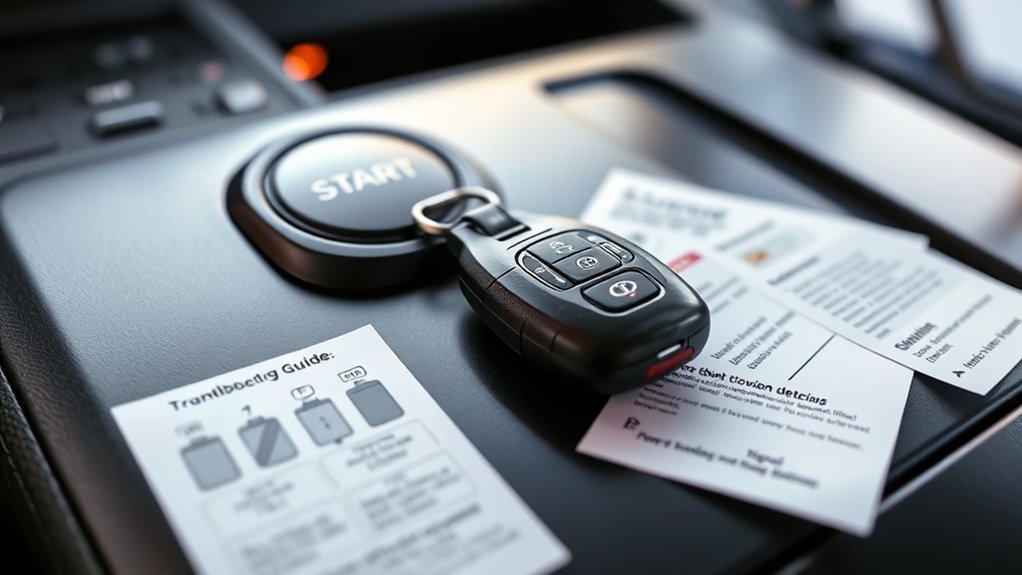
A Supra can lose normal remote detection even when the key is physically inside the car. Toyota’s GR Supra Owner’s Manual specifically identifies a depleted key battery and several types of radio interference as possible causes.
Start with the cause that is easiest to eliminate before assuming the remote or vehicle hardware has failed.
| Possible cause | What to check |
|---|---|
| Weak or depleted fob battery | Install the specified CR2032 3V battery with the positive side facing up. |
| Nearby electronics | Separate the key from phones, computers, and other electronic devices. |
| Wireless charging interference | Move the remote away from the wireless charging tray and any device being charged. |
| Metal shielding | Remove the fob from a metal container or from direct contact with metal objects. |
| Strong outside transmitter | Try the remote again after moving away from the affected location. |
If one remote works normally while the other does not, concentrate on the problem remote. If both remotes behave the same way, interference or a vehicle-side problem becomes more plausible.
How to Replace Your Toyota Supra Key Fob Battery
Replacing the battery is the first practical repair when the Supra reports that the key is missing or remote range has become unreliable. Toyota specifies a CR2032 3V coin cell and provides an owner-level replacement procedure.
Battery Type Specifications
Use a CR2032 3V battery of the same size and specification as the original. Toyota instructs you to install it with the positive (+) side facing up.
Warning: Keep new and used coin batteries away from children. The U.S. Consumer Product Safety Commission warns that a swallowed button or coin battery can cause severe internal injury in as little as two hours. Seek immediate medical help if ingestion is suspected.
Keep the remote dry while it is open, and avoid bending or disturbing the internal battery contacts. Once the new battery is installed, close the cover securely before testing the remote.
Step-by-Step Replacement Guide
Toyota’s procedure uses the integrated mechanical key to open the remote-control battery compartment. Follow the steps in order so the case and battery holder are not damaged.
- Remove the integrated key. Release it from the remote control.
- Open the battery cover. Place the integrated key underneath the battery-compartment cover and carefully use it as a lever.
- Remove the old battery. Push the battery in the indicated direction with a suitable pointed object and lift it out.
- Install the new battery. Fit a CR2032 3V battery with the positive side facing up.
- Close the remote. Press the battery cover closed until it is properly seated.
- Reinstall the integrated key. Push it back into the remote until it engages.
Then test the lock and unlock buttons near the vehicle. If normal detection returns, no further troubleshooting is needed.
Common Replacement Mistakes
If the new battery does not solve the problem, recheck the work before assuming the remote has failed. A wrong battery specification, reversed polarity, poor seating, damaged contacts, or an improperly closed case can prevent normal operation.
- Confirm that the battery is marked CR2032 3V.
- Confirm that the positive side is facing up.
- Make sure the battery is fully seated in its holder.
- Inspect the compartment for visible corrosion, contamination, or physical damage.
- Make sure the cover closes completely and the integrated key locks back into place.
What to Do If the Key Fob Still Is Not Detected After Battery Replacement
A fresh battery rules out only one cause. The next steps are to verify the installation, remove known interference sources, compare the second remote if available, and use the Supra’s emergency-detection procedure if the car still cannot see the key normally.
Check the New Battery Installation First
Start by reopening the remote and confirming the battery specification and polarity. A replacement battery that is loose, reversed, or making poor contact can produce exactly the same symptoms as the old battery.
If the lock and unlock buttons work but passive detection does not, do not immediately assume the coin cell is bad. The remote may be transmitting while normal proximity detection is being disrupted by its location or surroundings.
Does a Supra Key Fob Need Reprogramming After a Battery Change?
Toyota’s owner procedure for replacing the Supra remote battery does not include a separate reprogramming or resynchronization sequence. After the CR2032 is installed, Toyota’s documented procedure simply closes the cover and reinstalls the integrated key.
That makes generic instructions involving repeated ignition cycles, door-lock cycles, or repeated button presses a poor first choice for this vehicle. If the fob remains unusable after the verified checks in this guide, have the key and vehicle diagnosed rather than applying programming instructions written for unrelated Toyota key systems.
Check for RF Interference
Radio-frequency interference is a documented cause of Supra remote-detection problems. Toyota specifically mentions strong transmitters, metal shielding, nearby phones or electronic devices, charging mobile devices, and the remote being close to the wireless charging tray.
Move the key away from your phone, laptop, charger, and metal objects. Place it somewhere else inside the cabin and try normal detection again.
How to Start the Supra When the Key Is Not Detected
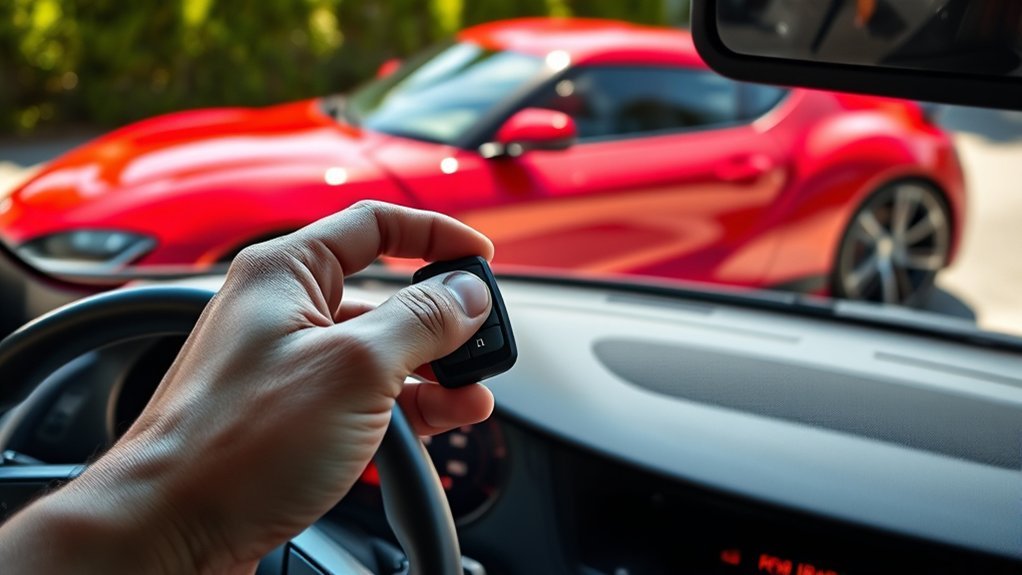
The GR Supra has an emergency detection procedure for situations where the vehicle cannot normally detect the remote. This is the correct owner-level fallback described by Toyota; it is not a key-fob reset.
- If you cannot unlock the vehicle electronically, remove the integrated mechanical key from the remote and use it to unlock the driver’s door.
- Once inside, locate the marked remote-control detection area on the steering column.
- Hold the back of the remote control against that marked area.
- Watch the instrument cluster for confirmation that the remote has been detected.
- When detection occurs, switch on the drive-ready state using the normal starting procedure within 10 seconds.
- If the remote is not detected, slightly change its position against the marked area and repeat the procedure.
If you are locked out and your vehicle has eligible connected services, Toyota GR Supra Support also describes remote lock and unlock functions through Supra Connect, subject to service availability and account requirements.
Avoid RF Interference When Testing Your Key Fob
Testing the remote in a cleaner radio environment can separate an interference problem from an actual fob failure. The key point is not simply distance from the car; it is distance from equipment or objects that can disrupt or shield communication.
- Do not test the fob while it is touching or sitting next to your mobile phone.
- Move it away from laptops and other active electronic devices.
- Do not leave it on or directly beside the Supra’s wireless charging tray.
- Move it away from metal containers or other objects that can shield the signal.
- If the problem appears only in one parking location, try again after moving the vehicle away from strong radio equipment or transmitters.
If moving the remote immediately restores normal operation, interference is a stronger explanation than a failed receiver.
Do Not Use Generic Supra Key-Fob Reprogramming Sequences
Generic online programming procedures should not be treated as GR Supra instructions unless they match the manual for your exact vehicle. The Supra uses a push-button electronic-key system, and Toyota’s owner documentation does not tell you to cycle a traditional ignition key or repeatedly press the lock button after replacing the coin cell.
Toyota states that additional remote controls are available through a Toyota dealer. A lost remote can also be blocked and replaced by a dealer. If a remote truly needs registration or replacement, that is different from replacing its CR2032 battery.
Pro Tip: Before paying for a replacement key, test your second registered remote if you have one. One working remote points toward a problem with the first fob; two remotes failing in the same way shifts attention toward interference or the vehicle.
How to Tell If the Problem May Be on the Vehicle Side
A receiver or antenna problem should be considered only after the easy causes have been checked. A failed battery in one remote is much simpler to prove than a fault in the vehicle’s keyless-entry hardware.
These patterns make a vehicle-side diagnosis more reasonable:
- Both registered remotes fail in the same way.
- Fresh, correctly installed batteries make no difference.
- The problem remains after phones, chargers, metal objects, and location-based interference are ruled out.
- Emergency detection at the steering column works, but normal proximity detection repeatedly does not.
- Normal keyless functions remain unavailable in several locations rather than only one interference-prone area.
These symptoms do not prove that the receiver is defective. They simply make a single bad coin cell less likely. At that point, a Toyota technician can check the vehicle’s keyless-entry antennas, control modules, wiring, stored faults, and remote registration status.
Why Other Toyota Key-Fob Procedures May Not Apply to the Supra
Do not assume a Corolla, Camry, Yaris, or other Toyota key-fob procedure applies to the GR Supra. Toyota models can use different key hardware, battery types, emergency-start methods, and registration procedures.
The original Supra troubleshooting should therefore be based on the Supra manual rather than on a general Toyota programming sequence. This is especially important when instructions mention inserting a key into a traditional ignition, because the GR Supra uses an electronic start system.
Community Fixes to Treat With Caution
Owner communities can help identify recurring symptoms, but a successful fix on one car does not make it a documented reset procedure. Use owner reports to generate diagnostic ideas, then compare those ideas with the Supra manual before changing vehicle settings or disconnecting components.
Three commonly repeated suggestions deserve particular caution:
- Locking and unlocking the doors to resync the key: Toyota’s Supra battery-replacement procedure does not document this as a required resynchronization step.
- Traditional ignition ON/OFF programming: Generic instructions written for other Toyota key systems should not be substituted for Supra-specific guidance.
- Replacing the receiver immediately: First rule out battery installation and Toyota’s documented interference conditions, then compare the second remote if available.
This order prevents a simple battery or interference problem from turning into an unnecessary parts-replacement job.
Frequently Asked Questions
How do I fix a Toyota Supra key fob not detected message?
Start by checking the CR2032 3V battery and making sure its positive side faces up. Move the remote away from phones, charging devices, metal objects, and the wireless charging tray. If normal detection still fails, use the steering-column emergency-detection procedure.
Why does my Supra say key not detected?
Toyota lists a depleted remote battery and radio interference among the possible causes. Metal objects, nearby phones or electronics, mobile-device charging, strong transmitters, and placing the remote close to the wireless charging tray can interfere with detection.
Can I start a Toyota Supra with a dead key-fob battery?
Yes. Hold the back of the remote against the marked emergency-detection area on the steering column. When the instrument cluster shows that the remote has been detected, switch on the drive-ready state using the normal starting procedure within 10 seconds.
What battery does the Toyota Supra key fob use?
The Toyota GR Supra remote control uses a CR2032 3V coin-cell battery. Toyota instructs you to install the replacement with the positive side facing up and to use the same voltage, size, and specification as the original battery.
Do I need to reprogram the Supra key after changing its battery?
Toyota’s owner procedure does not include a separate reprogramming step after replacing the CR2032 battery. If the remote still does not work after the battery and interference checks, test the second remote and seek diagnosis rather than using a generic programming sequence.
What if neither Supra key fob is detected?
If both registered remotes fail, first rule out nearby electronic interference and confirm that both batteries are correctly installed. If both continue to fail in different locations, especially while emergency detection still works, have the vehicle’s keyless-entry system professionally diagnosed.
Conclusion
For a Toyota Supra key fob that is not detected, work from simple causes to harder ones: verify the CR2032 battery, eliminate known interference sources, and use the steering-column emergency-detection procedure when necessary. If both registered remotes continue to fail after those checks, professional vehicle-side diagnosis is more useful than trying undocumented reset or programming sequences.
Sources
- Toyota GR Supra Owner’s Manual: Supports the CR2032 battery procedure, documented interference causes, integrated key access, and emergency remote detection.
- Toyota GR Supra Support: Supports Supra Connect remote lock and unlock functionality and related connected-service information.
- U.S. Consumer Product Safety Commission: Supports the button and coin-cell battery ingestion safety warning.