Replacing a Hyundai Sonata key fob battery is usually a quick DIY job, but there is one important detail to check before you start: not every Sonata key fob uses the same battery. Older Sonata smart keys may use a CR2032, while newer versions can use a CR2450. Verify the battery inside your fob or check the owner’s manual for your exact model year before buying a replacement.
Quick Answer
To replace a Hyundai Sonata key fob battery, remove the mechanical key if your fob has one, open the rear cover with a slim tool, note the battery type and polarity, install an identical new battery, snap the cover back on, and test the buttons. Depending on the model year, the battery may be a CR2032 or CR2450.
Key Takeaways
- Do not assume every Hyundai Sonata key fob takes a CR2032. Battery type varies by key design and model year.
- Check the number printed on the old battery or consult the owner’s manual before buying a replacement.
- Install the new coin cell in the same polarity as the old one and make sure it sits flat in its holder.
- A routine battery change normally does not require you to reprogram the smart key.
- Keep loose button batteries away from children and recycle used lithium coin cells through an appropriate collection program.
At a Glance
| Time Required | About 5–10 minutes |
| Difficulty | Easy |
| Tools Needed | Slim flat tool or small flat-head screwdriver; soft cloth optional |
| Cost | Usually only the cost of one replacement coin-cell battery |
Warning: Hyundai smart keys use small button or coin batteries. Keep new and used batteries out of reach of children. If a button battery may have been swallowed or inserted into the body, seek immediate medical attention. Button-battery ingestion can cause severe internal injury very quickly.
How to Open Your Key Fob
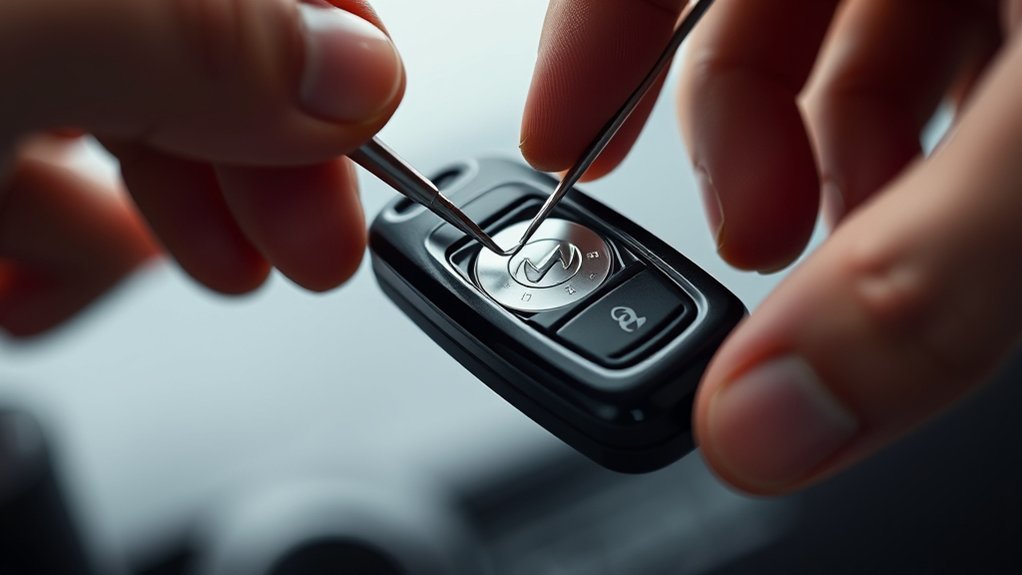
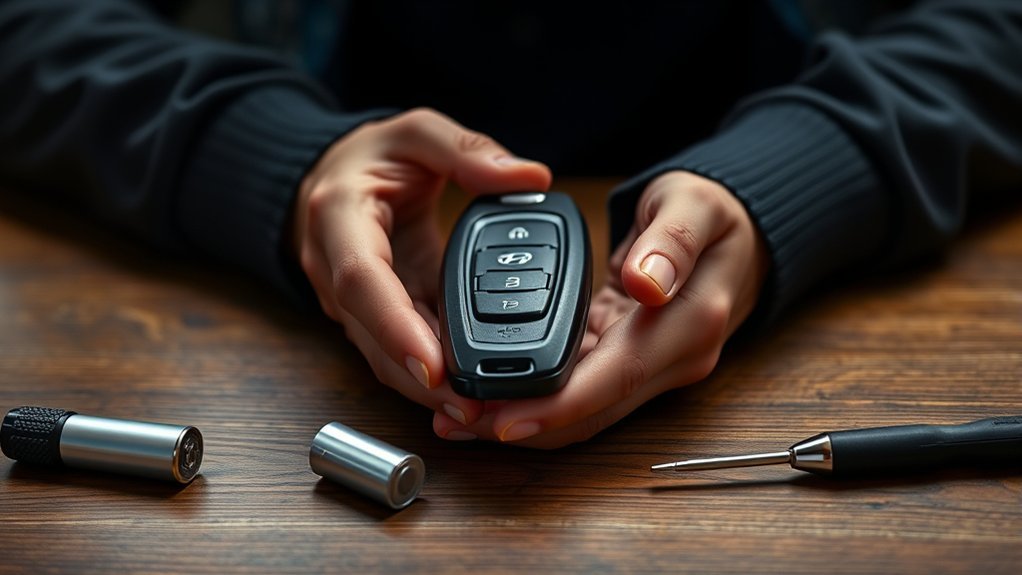
The exact opening method depends on your Sonata’s smart-key design. On many Hyundai smart keys, you first remove the mechanical emergency key. You then use a slim tool in the designated slot or groove to gently separate the rear cover.
- Remove the mechanical key if equipped. Use the release button or tab on the fob.
- Locate the opening slot or groove. It is normally along the edge or inside the area exposed after removing the mechanical key.
- Protect the plastic. If desired, place a thin soft cloth over the tool to reduce the chance of scratching the case.
- Twist gently. Use a small flat-head screwdriver or another slim tool to release the rear cover rather than forcing the halves apart.
Hyundai’s smart-key instructions specifically advise using a slim tool and making sure the key is not damaged while opening it. For the exact design used on your vehicle, check the Hyundai Digital Owner’s Manual.
Pro Tip: Before removing the old battery, take a quick photo showing which side faces upward. That gives you an easy reference when installing the replacement.
Choose the Right Battery for Your Key Fob
The correct Hyundai Sonata key fob battery depends on the model year and key-fob design. This is the most important correction to the common advice that every Sonata uses a CR2032.
| Example | Hyundai-listed battery | What this means |
| Older Sonata smart-key example | CR2032 | CR2032 is correct for some earlier Sonata fobs. |
| Newer Sonata DN8 smart-key example | CR2450 | Do not buy a CR2032 solely because an older guide recommends it. |
The safest method is simple: open the fob and read the battery number printed on the existing cell. Replace it with the same type unless the owner’s manual for your exact Sonata specifies otherwise.
Hyundai’s older Sonata documentation lists a CR2032, while newer Sonata DN8 documentation lists a CR2450. You can compare the older Hyundai Sonata owner’s manual with Hyundai’s newer Sonata DN8 smart-key instructions.
Note: CR2032 and CR2450 are both 3-volt lithium coin cells, but they are physically different sizes. One should not be substituted for the other unless the key manufacturer specifically calls for it.
[Products Worth Considering]

This key fob case is a practical replacement for damaged or worn Hyundai flip key shells, helping restore your remote’s appearance and usability. It fits select Hyundai Sonata and Santa Fe models and includes an uncut blade, replacement button pad, and basic tools for easy shell transfer. No electronics are included, so you can reuse your existing internals and have the blade cut to match your vehicle.

Replace worn or damaged key fob buttons with this rubber keypad insert designed for compatible Hyundai remote key cases. It restores the look and feel of your car key, offering a simple installation and a snug fit for supported Santa Fe and Sonata models. The set includes two replacement pads and a mini screwdriver for convenience.
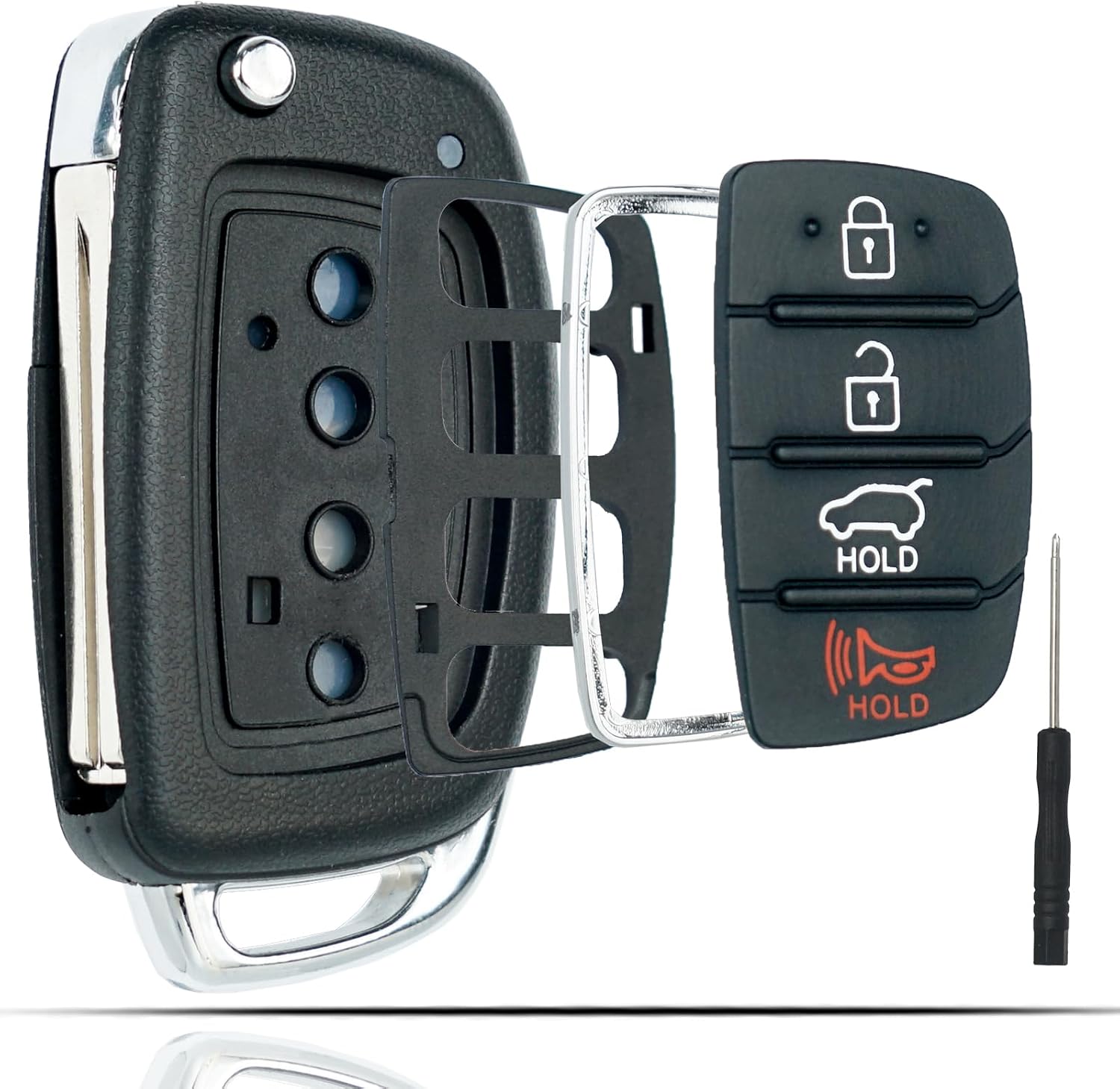
This flip key fob shell is a replacement case designed for compatible Hyundai Sonata and Santa Fe models, helping restore a worn or broken remote housing without replacing the electronics. It includes a 4-button layout and is made for easy transfer of your original internal components, with no reprogramming required. The durable metal and plastic construction makes it a practical fix for damaged key fobs, and the replacement blade must be cut by a locksmith or hardware store.
Replace Your Key Fob Battery: A Step-by-Step Guide
Once you have confirmed the correct battery, replacing it is straightforward.
- Park safely and switch the vehicle off. Work somewhere well lit so you can see the small battery holder and polarity markings.
- Remove the mechanical key if your fob requires it.
- Open the rear cover. Insert a slim tool into the appropriate slot and twist gently until the cover releases.
- Check the battery number. Confirm whether your fob contains a CR2032, CR2450, or another battery specified for your particular key.
- Note the polarity. Look at which battery face is upward before removing it.
- Remove the old coin cell. Lift it carefully from the holder without bending the contact tabs.
- Install the new battery. Put the replacement in the same orientation and make sure it sits flat and securely under the contacts.
- Reinstall the cover. Align the housing and press around the edges until it closes securely.
- Reinsert the mechanical key if removed.
- Test the fob. Check lock, unlock, trunk, panic, and other buttons fitted to your key.
Hyundai warns that installing a battery in the wrong position can cause smart-key failure or premature battery discharge. Always follow the polarity shown in the key or owner’s manual.
[Products Worth Considering]

This soft TPU key fob cover is designed to fit select Hyundai smart keys and helps protect against scratches, dust, and everyday wear while preserving signal performance. Its full-coverage design, stylish gold-rimmed look, and included leather keychain make it a practical and attractive upgrade for compatible Hyundai models.

This replacement flip folding key fob case is designed for compatible Hyundai models, giving your worn or broken remote a fresh outer shell without needing reprogramming. Made for easy transfer of your existing circuit board and chip, it includes a mini screwdriver and sticker for convenient assembly. It is an ideal solution for restoring the look and function of your key fob while keeping your original electronics intact.

This keyless entry remote replacement is designed for a wide range of Toyota, Scion, and Lexus-compatible vehicles, offering a convenient way to restore remote locking and unlocking functions. Each fob is pre-tested, comes with the battery and electronics already installed, and is ready to be programmed for supported standard-key vehicles. It is a practical replacement choice for drivers who need a reliable, compatible remote for everyday use.
Maintain Your Key Fob’s Battery Life
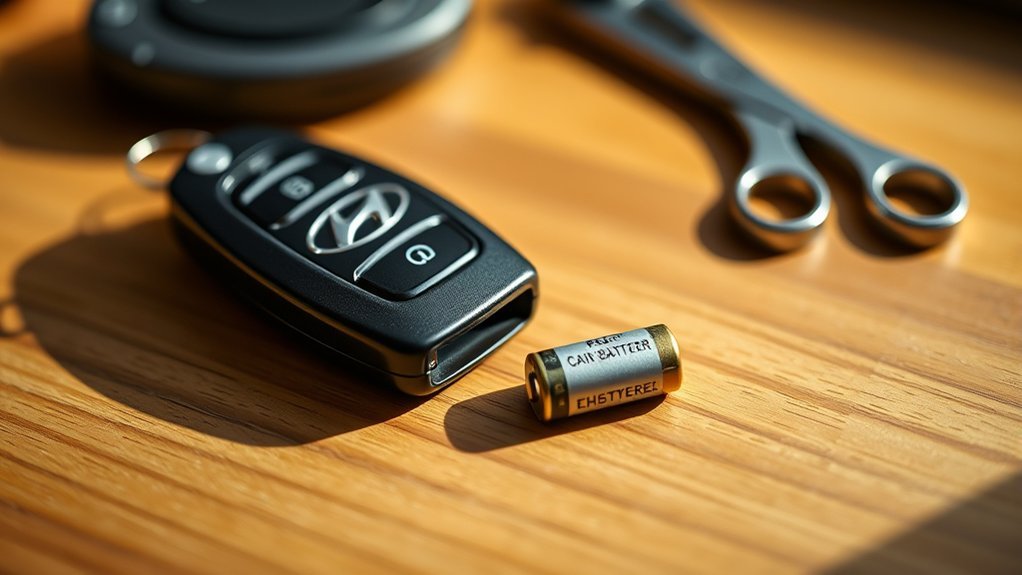
A key-fob battery does not have a fixed replacement interval because lifespan depends on the key design, battery quality, temperature, storage conditions, and how frequently the fob communicates with the vehicle. Rather than replacing it according to an arbitrary number of years, watch for symptoms of a weakening battery.
- Keep the fob dry. Moisture can damage the electronics and create symptoms that a new battery will not fix.
- Protect it from extreme heat. Do not leave the key for long periods in unusually hot locations.
- Avoid dropping or crushing it. Physical damage may loosen the battery contacts or damage the circuit board.
- Keep it away from strong electromagnetic interference. Hyundai warns that electronic devices and electromagnetic materials can interfere with smart-key communication.
- Respond to a low-key-battery warning. If your Sonata displays a low key battery message, replace the fob battery soon.
Troubleshoot Hyundai Sonata Key Fob Problems
If the key fob still does not work after you install a fresh battery, do not immediately assume it needs programming. Check the simple causes first.
[Products Worth Considering]

This TPU key fob cover is designed to help protect compatible Toyota smart keys from scratches, drops, dust, and daily wear while keeping a slim, comfortable feel. It features precise button and port cutouts for full remote functionality, easy tool-free installation, and a stylish pink finish with included keychain accessories for added convenience.

Protect your Toyota smart key with this compatible TPU key fob cover and matching keychain. Designed for a secure fit on popular Toyota models like Avalon, Camry, Corolla, Prius, RAV4, Highlander, and C-HR, it helps guard against everyday scratches, scuffs, and minor drops while keeping your key looking clean and stylish. The included keychain adds convenience for easy carrying and quick access.

This genuine leather key fob cover is designed to protect compatible Toyota smart keys from scratches, shocks, and everyday wear while preserving full button and signal functionality. Its secure metal carabiner helps prevent loss by attaching easily to bags or belt loops, making it a practical accessory for active lifestyles. The stylish blue finish adds a refined look to your key while keeping it safely wrapped and ready for use.
Common Key Fob Issues
- Battery installed backward: Reopen the fob and compare the polarity with the markings or the original battery orientation.
- Wrong battery size: A CR2032 and CR2450 are not interchangeable simply because both are lithium coin cells.
- Battery not fully seated: Make sure the cell is flat and held securely by the contacts.
- Bent or dirty contacts: Inspect the metal battery contacts for obvious displacement or contamination. Do not aggressively bend delicate contacts.
- Weak replacement battery: A battery that has been stored for a long time can be weak even if it is unused. Try a fresh battery from a reliable source.
- Radio-frequency interference: Move away from phones or other electronics and try the key again.
- Physical or water damage: A new battery will not repair a damaged circuit board or button assembly.
- Vehicle-side problem: A weak vehicle 12-volt battery or another keyless-entry fault can mimic a fob problem.
Battery Replacement Indicators
Typical signs of a weak key-fob battery include:
- Reduced remote operating range.
- Intermittent lock or unlock response.
- Needing to press a button more than once.
- A Low key battery message on equipped Sonata models.
- The vehicle occasionally failing to detect the smart key.
If the battery is weak and your push-button-start Sonata does not immediately recognize the key, consult your owner’s manual for the emergency starting procedure for your exact model. Hyundai smart-key systems commonly provide an alternate method for starting the vehicle when normal wireless detection is unavailable.
When to Consider Professional Key Fob Services
A battery replacement is normally a DIY maintenance task. Professional diagnosis becomes useful when the fob still fails after you have confirmed the correct battery type, polarity, seating, and basic troubleshooting.
Signs of Fob Malfunction
Consider contacting an authorized Hyundai dealer or a qualified automotive locksmith if:
- The fob was dropped, crushed, or exposed to water.
- The housing no longer closes securely.
- One button works but another does not.
- A known-good replacement battery makes no difference.
- The vehicle recognizes another key but not this one.
- The key has been lost, replaced, or there is an actual pairing/immobilizer issue.
Hyundai recommends dealer assistance when a smart key appears damaged or continues to malfunction.
Does the Key Need Programming After a Battery Change?
A normal coin-cell battery replacement does not automatically mean your Hyundai Sonata key fob must be reprogrammed. Hyundai’s published battery-replacement procedure consists of opening the key, replacing the battery in the correct position, reinstalling the cover, and checking operation.
Do not use generic internet instructions that tell you to cycle the ignition a set number of times unless that exact procedure appears in the official instructions for your particular Sonata and key system.
If the key remains unrecognized after the correct new battery is installed, the problem may involve damaged electronics, the immobilizer/key registration system, or another vehicle-side issue. At that point, professional diagnosis is appropriate.
When Professional Help Saves Time
A dealer or qualified automotive locksmith can inspect a damaged fob, test whether it is transmitting, determine whether the vehicle recognizes the key, and advise whether repair, key registration, or replacement is actually needed.
Service and programming prices vary by key type, vehicle, provider, and location, so there is no single mandatory programming price that applies to every Sonata.
Dispose of the Old Key Fob Battery Safely
Do not leave the used coin cell where a child or pet can reach it. Store it securely until you can take it to an appropriate battery-recycling or collection location.
The U.S. Environmental Protection Agency recommends using appropriate recycling, retail take-back, or household hazardous-waste programs for lithium button and coin batteries rather than placing them in normal household trash or curbside recycling. EPA also recommends isolating battery terminals during storage and transport, such as with non-conductive tape or an individual plastic bag.
Frequently Asked Questions
How do I change my Hyundai Sonata key fob battery?
Remove the mechanical key if required, use a slim tool to open the rear cover, identify the battery type and polarity, replace the old coin cell with an identical new one, close the housing securely, and test the buttons. Do not assume the battery is a CR2032 without checking your specific fob.
What battery goes in a Hyundai Sonata key fob?
It depends on the model year and smart-key design. Some older Sonata fobs use a CR2032, while newer Sonata DN8 smart keys may use a CR2450. Read the number on the existing battery or check the owner’s manual for your exact vehicle before purchasing a replacement.
Do I have to reprogram my Hyundai Sonata key fob after changing the battery?
Normally, a routine coin-cell replacement does not require reprogramming. Replace the battery correctly and test the key. If the vehicle still does not recognize the fob after you confirm the correct battery and polarity, consult the owner’s manual or an authorized Hyundai dealer for diagnosis.
Why is my Hyundai key fob not working with a new battery?
Check that the battery is the correct type, installed with the right polarity, fully seated, and making contact with the terminals. Also consider interference, physical or water damage, a weak vehicle battery, or a problem with the smart-key system itself.
Is it easy to replace a Hyundai Sonata key fob battery?
Yes. For most Sonata smart keys, the job takes only a few minutes and requires a slim flat tool plus the correct replacement coin cell. Work gently so you do not damage the plastic housing, battery contacts, or internal electronics.
Can I use a CR2032 instead of a CR2450 in my Sonata key fob?
No, not unless Hyundai specifically lists that battery for your key. Although both are 3-volt lithium coin cells, their physical dimensions differ. Install the exact battery type specified for your fob.
Conclusion
Replacing a Hyundai Sonata key fob battery is generally an easy job once you identify the correct battery for your particular key. The important point is not to assume every Sonata uses a CR2032: some newer smart keys use a CR2450. Check the existing battery or owner’s manual, match its polarity, close the fob securely, and test it. If a known-good battery does not restore operation, troubleshoot the contacts and interference before considering professional key diagnosis or programming.
Sources
- Hyundai Digital Owner’s Manual — official model-specific owner’s-manual lookup.
- Hyundai Sonata DN8 Smart Key Instructions — CR2450 specification, replacement procedure, battery orientation, and button-battery safety guidance.
- Hyundai Sonata Owner’s Manual — older Sonata CR2032 specification and replacement procedure.
- U.S. Consumer Product Safety Commission — button and coin-cell ingestion safety guidance.
- U.S. Environmental Protection Agency: Used Household Batteries — coin-cell handling, recycling, and disposal guidance.