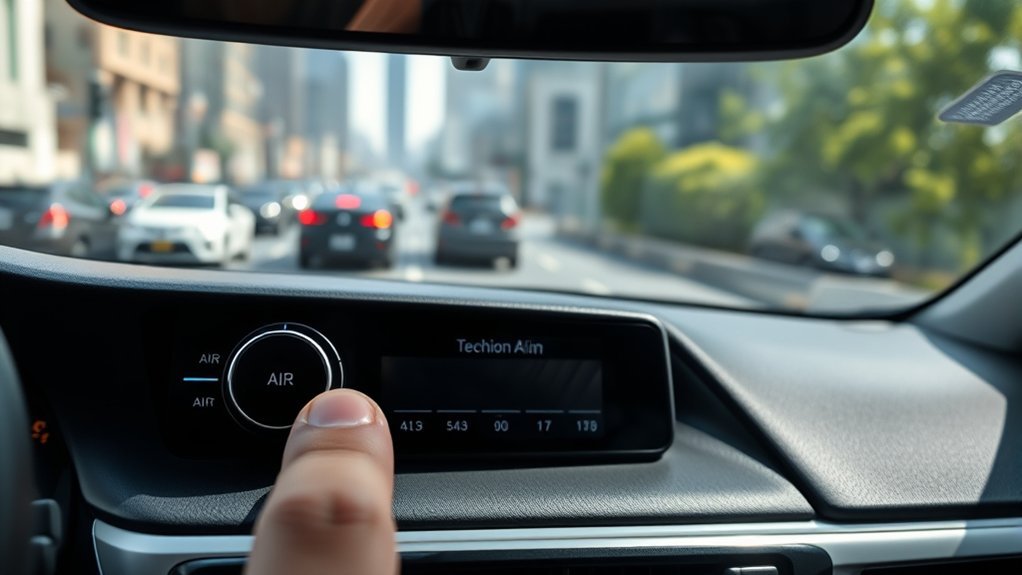
Turning off Lane Departure Alert in a Toyota Camry is usually simple, but the exact control depends on your model year and Toyota Safety Sense version. Some Camrys use a steering-wheel LTA/LDA switch, while newer models route the setting through the Multi-Information Display. Use the steps below to disable the alerts safely, confirm the system is off, and turn it back on when you want the extra assistance again.
Quick Answer
To turn off Lane Departure Alert in most Toyota Camry models, use the LTA/LDA steering-wheel switch or open the Multi-Information Display settings, select LDA, then toggle it Off. Confirm the LDA indicator disappears or shows disabled on the instrument cluster, not the center infotainment screen.
Key Takeaways
- On many 2018–2024 Camry models, press and hold the LTA steering-wheel switch to turn Lane Departure Alert with Steering Assist off.
- On many 2025 and newer Camry models, use the Multi-Information Display: Settings → LDA → press OK to toggle LDA on or off.
- The confirmation appears on the instrument cluster/MID; Toyota’s current guidance does not rely on the center infotainment display for LDA status.
- Lane Departure Alert is a driver-assistance feature. Turning it off removes warnings and, on equipped models, some steering support.
At a Glance
| Time Required | Usually under 1 minute once you know the correct menu or button |
| Difficulty | Easy |
| Tools Needed | None |
| Cost | $0 |
Warning: Lane Departure Alert and related steering-assist features are not self-driving systems. Toyota warns drivers not to overly rely on Toyota Safety Sense, and NHTSA describes lane departure warning as a driver-assistance alert. If you turn LDA off, stay extra aware of lane position, traffic, weather, and road markings.
Before You Start: LDA, LTA, and Steering Assist Can Differ by Camry Year
Toyota uses a few similar names that are easy to mix up:
- Lane Departure Alert (LDA): warns you when the Camry may drift out of its lane or road edge without signaling.
- Steering Assist or lane departure prevention: can provide gentle corrective steering on equipped models when operating conditions are met.
- Lane Tracing Assist (LTA): helps with lane centering when certain conditions are met, often while Dynamic Radar Cruise Control is active.
Because Toyota updated Camry controls and Toyota Safety Sense software over the years, always treat your owner’s manual as the final source. Toyota notes that newer Toyota Safety Sense systems can receive software updates, and operating methods may change after an update.
How Lane Departure Alerts Work in Your Camry

Toyota’s Camry LDA documentation explains that the system uses the front camera to detect lane lines or the road edge. If the vehicle may leave its current lane or course, the system can show a warning on the display and alert you with a buzzer or steering-wheel vibration, depending on the model and settings.
On equipped models, Lane Departure Alert with Steering Assist can also provide gentle corrective steering if the driver does not take corrective action. It is meant to support attentive driving, not replace it.
Toyota quick reference guides list LDA operation at about 30–32 mph, depending on Camry model year and Toyota Safety Sense version.
For example, the 2025 Camry Quick Reference Guide lists LDA with Steering Assist as operating at speeds above 30 mph (50 km/h), while older Camry quick reference material lists operation above 32 mph. If your Camry shows “LDA Unavailable” at low speed, that may be normal.
Steps to Disable Lane Departure Alerts
Use the method that matches your Camry’s controls. For safety, make these changes while parked or stopped in a safe place, not while actively steering through traffic.
Method 1: 2025 and Newer Camry Models With MID Settings
- Turn the vehicle on and use the steering-wheel arrow switches to open the settings area on the Multi-Information Display.
- Select LDA.
- Press and hold OK until the LDA setting screen opens.
- Select LDA again, then press OK to switch it Off.
- Press the back button to leave the menu.
On these models, Toyota’s quick reference material shows the LDA on/off control inside the MID settings menu, not the center infotainment display.
Method 2: Many 2018–2024 Camry Models With an LTA Steering-Wheel Switch
- Look for the LTA or lane-assist icon on the steering wheel. It often looks like a vehicle between lane lines.
- Press and hold the LTA switch to turn the LTA system and Lane Departure Alert with Steering Assist off.
- Check the instrument cluster or MID. The LTA/LDA indicator should go out or show the system is disabled.
The 2023 Camry Quick Reference Guide describes pressing and holding the LTA switch to deactivate Lane Departure Alert with Steering Assist. If your steering wheel has a different layout, use the MID settings method or check your owner’s manual.
Note: The LDA status is confirmed on the instrument cluster or Multi-Information Display. Do not rely on the center infotainment screen unless your specific Camry manual says that model uses it for LDA settings.
How to Turn Lane Departure Alert Back On
To reactivate Lane Departure Alert, repeat the same method you used to turn it off:
- For MID-controlled models: Settings → LDA → press and hold OK → select LDA → press OK to switch it on.
- For LTA-switch models: press the LTA steering-wheel switch again, or press and hold it if your model requires a long press.
After turning it back on, look for the LDA/LTA indicator and lane-display icons on the instrument cluster. The system may still show gray or inactive lane lines if it cannot detect lane markings or if the operating conditions are not met.
Adjust Lane Departure Alert Timing, Alert Type, and Sway Warning
If the alerts are annoying but you do not want to turn LDA off completely, adjust the settings first. Depending on your Camry year and Toyota Safety Sense version, the MID may let you change one or more of these options:
- Alert Options: choose a beep or steering-wheel vibration where available.
- Alert Timing: choose the default timing or an earlier warning on newer systems.
- LDA/LTA Sensitivity: on some older Camry models, choose a higher or standard sensitivity.
- Driver Break Suggestion / Sway Warning: turn break suggestion on or off, or adjust sway sensitivity on models that support it.
In many Camrys, you can reach these settings from the Multi-Information Display by selecting the settings icon, choosing LDA or LTA, pressing and holding OK, and then selecting the alert option you want to change.
Pro Tip: If you mainly dislike the sound, try changing the alert type or timing before disabling LDA completely. You may keep the safety reminder without the alert style that bothers you.
Common Lane Departure Issues and Fixes

Lane Departure Alert depends on the front camera, lane markings, road edge detection, vehicle speed, and road conditions. If it seems inconsistent, use this quick troubleshooting guide.
| Issue | Likely Cause | Fix |
|---|---|---|
| LDA says unavailable at low speed | The vehicle may be below the system’s operating speed. | This can be normal. Many Camry systems operate around 30–32 mph and above. |
| LDA does not detect lanes | Lane lines are faded, covered, too wide/narrow, or interrupted by construction. | Keep driving normally and do not rely on LDA until clear lane markings return. |
| Alerts happen too often | Alert timing or sensitivity may be set too early/high for your preference. | Change alert timing, alert type, or sensitivity through the MID settings. |
| Camera warning or temporary unavailable message | Windshield is dirty, fogged, icy, cracked, or the camera area is blocked. | Clean/defog the windshield near the camera. If the message stays, contact a Toyota dealer. |
| System feels aggressive on curves or rough roads | Toyota lists sharp curves, winding roads, slick roads, bumps, strong wind, and unclear road edges as conditions that can limit performance. | Hold the wheel firmly, drive manually, and disable or adjust LDA if the alerts become distracting. |
When Lane Departure Alert May Not Work Well
Even when LDA is on, it may not operate as expected in every situation. Toyota lists several conditions that can limit detection or temporarily cancel operation, including:
- Heavy rain, fog, snow, sandstorms, mist, smoke, or water spray.
- Dirty, fogged, cracked, iced, or obstructed windshield near the front camera.
- Sharp curves, winding roads, rough roads, slick roads, deep ruts, or strong wind.
- Construction lanes, temporary lane markings, unclear lane lines, shadows, or multiple lane lines.
- Driving immediately after a lane change or through an intersection.
- Vehicle modifications, misaligned wheels, or conditions that affect camera/sensor performance.
If a warning message remains after the windshield is clean and normal driving conditions return, schedule service with a Toyota dealer.
Reasons to Consider Turning Off Lane Departure Alerts
There are reasonable times to turn off Lane Departure Alert, especially when the system is more distracting than helpful. You might disable or adjust it when:
- You are driving through construction zones with temporary or confusing lane markings.
- Snow, mud, fog, or heavy rain makes lane detection unreliable.
- You are on narrow, winding, or rough roads where the alerts trigger repeatedly.
- You prefer to keep steering corrections off while still using other Toyota Safety Sense features, if your model allows separate settings.
- The camera area is blocked and the system is repeatedly showing temporary-unavailable messages.
For normal highway driving with clear lane markings, leaving LDA on can add a useful backup reminder. The best choice depends on the road, weather, and how your specific Camry responds.
Frequently Asked Questions
How do I turn off Lane Departure Alert on a 2025 Toyota Camry?
Use the Multi-Information Display. Open the settings area, select LDA, press and hold OK to open the setting screen, select LDA again, and press OK to turn it off. Confirm the disabled status on the instrument cluster/MID.
How do I turn off Lane Departure Alert on a 2024 or older Camry?
On many 2018–2024 Camry models, press and hold the LTA switch on the steering wheel to deactivate Lane Departure Alert with Steering Assist. If your Camry does not have that switch, use the MID settings menu or check the owner’s manual for your trim.
Will turning off LDA also turn off Lane Tracing Assist?
It can, depending on the model year. In some older Camry quick reference guides, turning off the LTA system also deactivates Lane Departure Alert with Steering Assist and lane centering. Newer Camry models may separate LDA and LTA controls in the MID.
Why does my Camry say LDA unavailable?
Common reasons include low speed, unclear lane markings, construction zones, dirty or fogged windshield glass near the camera, heavy rain, fog, snow, sharp curves, slick roads, or a temporary system condition. Clean the camera area and wait for normal road conditions. If the warning stays, have Toyota service inspect it.
Does Lane Departure Alert turn back on after restarting the Camry?
It depends on the Camry year and software. Some Toyota quick reference material says LTA setting adjustments continue in the same condition until changed by the driver or reset. If your system turns back on after a restart, check your model-specific owner’s manual.
Is turning off Honda lane departure the same as turning off Camry LDA?
No. Honda uses its own Road Departure Mitigation and Lane Keeping Assist controls, and the steps vary by model. Some Hondas use an RDM button, while others use driver-assist settings menus. Use Honda’s owner information for Honda vehicles and Toyota’s owner information for a Camry.
Conclusion
Disabling Lane Departure Alert in your Camry comes down to using the correct control for your model year: the LTA steering-wheel switch on many older Camrys or the LDA settings menu in the Multi-Information Display on newer ones. Once it is off, confirm the status on the instrument cluster and remember that you have removed a driver-assistance warning. Adjusting alert type or timing may be a better choice if the system is helpful but too noisy.
Sources
- Toyota Owners Digital Manual: 2025 Camry LDA — LDA function, camera use, alerts, and steering assistance.
- Toyota 2025 Camry Owner’s Manual Excerpt for Driving Support Systems — Toyota Safety Sense warnings, software-update notes, and system limitations.
- Toyota 2025 Camry Quick Reference Guide — LDA speed threshold, MID on/off steps, alert options, and alert timing.
- Toyota 2023 Camry Quick Reference Guide — LTA switch behavior, older 32 mph threshold, LDA sensitivity, and sway warning settings.
- NHTSA Driver Assistance Technologies — general explanation of lane departure warning and driver-assistance limits.
- Honda Road Departure Mitigation Information — cross-brand note that Honda lane-departure controls differ from Toyota controls.