Your RAV4’s Traction Control (TRAC) can help you stay in control when rain, ice, snow, or loose gravel makes the road slick. The key is knowing when to leave it on and when a short TRAC-off moment may help you get unstuck. This guide shows you how to check the system, use it safely, and avoid common mistakes.
Quick Answer
Keep RAV4 traction control on for normal driving on wet, icy, or snowy roads. Turn it off only for a short time if your vehicle gets stuck in deep snow, mud, or sand and needs controlled wheel spin. Turn TRAC back on as soon as your RAV4 moves free.
Key Takeaways
- Leave TRAC on during normal slippery-road driving.
- Press the TRAC OFF button only when you need controlled wheel spin.
- Hold the button for about three seconds only when you need to turn off both TRAC and Vehicle Stability Control.
- Use gentle throttle and smooth steering on ice, rain, or packed snow.
- Get service help if warning lights stay on after you turn the system back on.
Estimated time: 2 to 5 minutes to check your TRAC setting and use it correctly.
Before You Begin: Check Road Conditions and Warning Lights
Before you change any traction setting, look at the road and your dashboard. If the road feels slick but your RAV4 still moves normally, keep TRAC on.
Check your tires, reduce speed, and give yourself more space to stop. If your RAV4 gets stuck, clear snow, mud, or sand from around the tires before you try to move again.
[Products Worth Considering]

Protect your Toyota RAV4 interior with this custom‑fit windshield sun shade that blocks 99% of harmful UV rays and reduces cabin heat. The mirror cut‑out ensures a seamless fit without gaps, while durable 240T polyester and bendable wire keep it sturdy through repeated use. Foldable and stored in a convenient pouch, it offers easy installation and removal for everyday comfort.

The Autovir windscreen shade offers full windshield coverage for Toyota RAV4 models from 2019 to 2026, blocking up to 99.95% of UV rays and reducing interior heat. Its multi‑layer reflective material provides SPF 100 and UPF 80+ protection while keeping the dashboard, seats, and steering wheel cooler. The foldable design installs quickly and stores conveniently in the glove box, and reinforced stitching ensures long‑lasting durability for daily use.

The Autorder windshield sun shade umbrella provides full coverage for Toyota RAV4 models from 2019 to 2026, blocking heat and UV rays with its advanced ice crystal material. Its ten reinforced skeletons and anti‑puncture edges ensure durability and stability, while the effortless umbrella‑style deployment and compact storage bag make it convenient for everyday use. Keep your car interior cool and protected from sun damage with this easy‑setup, high‑performance sunshade.
What RAV4 Traction Control Does on Slippery Roads

Toyota’s TRAC system helps limit drive-wheel spin when you start or accelerate on slippery roads. It can reduce engine power or apply brake force to a spinning wheel so your tires can regain grip.
TRAC works with Vehicle Stability Control (VSC), which helps your RAV4 stay on its intended path. The wider stability system matters because NHTSA research found Electronic Stability Control (ESC) can reduce fatal single-vehicle crash involvement in SUVs.
For daily driving, you should treat TRAC as a safety aid, not as something to switch off for fun. It works best when you drive smoothly and avoid sudden throttle, braking, or steering inputs.
How to Check and Use RAV4 Traction Control
Use these steps when you drive on rain, ice, snow, or loose gravel.
- Start with TRAC on. If you do not see the TRAC OFF light, your system should stay ready for normal driving.
- Look for the TRAC OFF button. It usually shows a car with skid marks, but the exact location can vary by model year.
- Press the button once only if needed. A short press turns off TRAC on many Toyota models.
- Hold the button only for special cases. Toyota Support says holding the button for about three seconds turns off both TRAC and VSC on many models.
- Turn the system back on. Press the button again when your RAV4 moves free or when you return to normal driving.
Note: Button labels and light behavior can vary by RAV4 model year, so check your owner’s manual for your exact vehicle.
[Products Worth Considering]

The KDOWES front windshield sun shade offers a custom fit for Toyota RAV4 SUVs, featuring a double‑layer heat shield that blocks up to 99% of solar rays and reduces interior temperature by up to 40°F. Reinforced steel rings and Velcro fasteners ensure easy installation and a secure fit, while the foldable cartilage steel ring allows convenient storage. This high‑quality, reflective fabric protects upholstery, dashboard, and electronics from UV damage, keeping the cabin cool and comfortable.

Upgrade your RAV4 roof rack with these heavy‑duty aluminum crossbars featuring an anti‑theft lock and tie‑down loops for secure cargo transport. The matte‑powder‑coated bars resist corrosion and reduce wind noise, while easy installation fits existing rails without drilling. Ideal for bike mounts, roof boxes, kayaks and more.
When to Temporarily Turn Off RAV4 Traction Control
You may turn off TRAC for a short time when your RAV4 gets stuck in deep snow, mud, or sand. In that situation, a small amount of wheel spin can help you rock the vehicle gently and regain movement.
Do not turn off TRAC just because the road feels slippery. On ice, rain, and packed snow, TRAC usually helps more when you keep it on and drive with a light foot.
Warning: Turn TRAC back on as soon as you get free because wheel spin can reduce control and dig your tires deeper.
What to Check Before You Turn Off RAV4 Traction Control
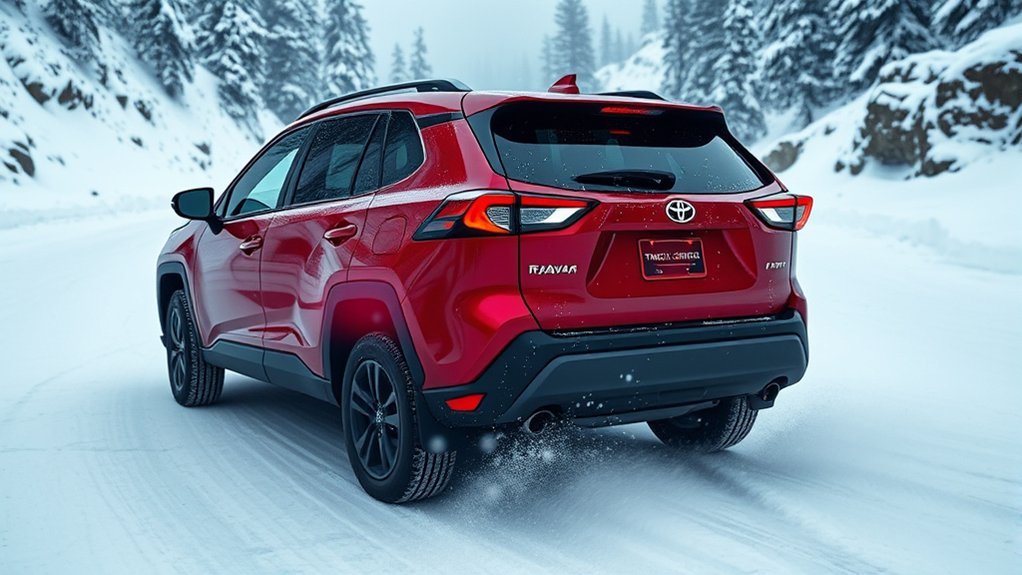
Check whether you truly need wheel spin. If your RAV4 still moves and steers well, keep TRAC on and slow down instead.
If your vehicle does not move, clear the area around the tires first. Toyota’s owner guidance also suggests placing wood, stones, or similar material under the tires to add grip when the vehicle gets stuck.
Make sure you have space around the vehicle before you rock it forward and back. Stop if the tires spin hard, the vehicle slides sideways, or you smell hot rubber.
How to Drive Safely With TRAC on Slippery Roads
Keep your inputs calm. Press the accelerator gently, steer with small movements, and brake early so the tires do not lose grip.
If the slip indicator flashes, your RAV4 has detected wheel slip or a loss of grip. Ease off the throttle and let the system help restore traction.
Do not use TRAC as a reason to drive faster. It can help manage wheel spin, but it cannot overcome poor tires, black ice, or unsafe speed.
Common Mistakes to Avoid With RAV4 Traction Control
- Turning TRAC off too early: Keep it on unless you need controlled wheel spin to get unstuck.
- Using hard throttle: Smooth power works better than sudden acceleration on slick roads.
- Ignoring dashboard lights: A warning light that stays on may point to a system fault.
- Forgetting to turn TRAC back on: Re-enable it before you return to normal road speed.
When to Get Professional Help
Get your RAV4 checked if the TRAC OFF, VSC OFF, ABS, or check engine light stays on after you restart the vehicle. These lights can point to a sensor issue, brake system concern, or stored fault code.
A Toyota dealer or qualified repair shop can scan the system and confirm the cause. Do not ignore warning lights before a long trip or bad-weather drive.
Frequently Asked Questions
Should I Have Traction Control on or off on Icy Roads?
Keep traction control on for icy roads. It helps limit wheel spin when you start or accelerate, which can help your tires keep grip.
When Should You Turn Off Traction Control in a RAV4?
Turn it off only for a short time if your RAV4 gets stuck in deep snow, mud, or sand. Turn it back on as soon as the vehicle moves free.
Does TRAC Help When Driving in Rain?
Yes, TRAC can help if a drive wheel starts to spin during wet-road acceleration. You still need to slow down, avoid sudden steering, and leave more braking distance.
Why Does the Slip Indicator Flash?
The slip indicator often flashes when your RAV4 detects wheel slip or reduced grip. Ease off the accelerator and drive more smoothly until the light stops flashing.
What If the TRAC OFF Light Stays On?
Press the TRAC OFF button again and restart the vehicle if needed. If the light stays on, schedule a diagnostic check before you drive in poor weather.
Safety Disclaimer: This article is for informational purposes only and does not replace your owner’s manual, road laws, or professional vehicle advice. Always drive for the conditions and contact a qualified technician if your RAV4 shows warning lights or handling problems.
Final Safety Takeaway for RAV4 Traction Control
Your RAV4’s traction control works best when you leave it on during normal slippery-road driving. Turn it off only when you need a short burst of controlled wheel spin to get unstuck.
Before you change the setting, slow down, check your warning lights, and think about the road surface. Use the system with smooth driving habits, and you’ll give your RAV4 the best chance to stay stable when the road gets slick.
References
- 2020 RAV4 Driving Assist Systems — Toyota Owners, 2020
- 2020 RAV4: If the Vehicle Becomes Stuck — Toyota Owners, 2020
- When Should I Use the VSC OFF Button in My Vehicle? — Toyota Support
- Statistical Analysis of the Effectiveness of Electronic Stability Control Systems — NHTSA, 2007
- Federal Motor Vehicle Safety Standards: Electronic Stability Control Systems — Federal Register, 2011