Last updated: September 14, 2026. Land Cruiser backup camera guidelines vary by model year, market, and camera package. When you shift into Reverse, first confirm that a live rear image appears, then use any fixed or steering-responsive guide lines only as a reference—not as a substitute for mirrors and direct checks around the vehicle. If the picture is blurry, rinse dirt from the lens and wipe it gently with a soft, damp cloth. If guide lines are missing, do not assume the camera or steering sensor has failed: some Land Cruisers use simpler rear-view systems, and equipped systems may have different guide-line modes. Close the back door fully, confirm what your exact system supports, and move to electrical diagnosis only if the basic checks do not solve the problem.
How the Land Cruiser Backup Camera Works

Your Land Cruiser may use a basic Rear View Monitor, a Toyota parking-assist or panoramic-view system, or a Multi-terrain Monitor. Those systems do not all display the same guide lines. A basic rear-view system may primarily show the camera image and fixed reference lines. More advanced systems can add projected course lines that move with steering input, parking-assist lines, multiple camera views, or distance references.
This difference matters when you troubleshoot the system. An older Land Cruiser that never had steering-responsive guide lines is not malfunctioning simply because its lines do not move. Likewise, a newer equipped vehicle may offer several selectable line modes. Toyota’s current U.S. documentation lists the Rear View Monitor separately from the available Multi-terrain Monitor, so the owner’s or multimedia manual for your exact year and equipment should be the final reference. You can review Toyota’s 2025 Land Cruiser manuals as an example of how Toyota separates these systems.
| What You See | What It Usually Means | What to Check |
|---|---|---|
| Rear image with fixed lines | Basic rear-view or fixed-guide display | Confirm exact model-year features |
| Lines move with steering | Projected-course mode | Compare line movement with wheel position |
| Several camera angles | Panoramic or multi-camera system | Review available display modes |
| Image but no lines | Unsupported mode, disabled lines, open back door, or fault | Check system type, door, and display mode first |
Land Cruiser Backup Camera: Quick Safety Checks Before Reversing
Before backing up, confirm the camera is giving you a clear and believable view. Shift fully into Reverse while holding the brake, make sure the image changes to the rear view, and check that the back door is completely closed. On Land Cruiser systems that support guide lines, an incompletely closed back door can prevent the lines from displaying.
Check the lens for mud, snow, salt, water droplets, or anything blocking its field of view. If your Land Cruiser has a camera-cleaning washer, use it according to the manual for your model and market. Do not assume that every Land Cruiser has this feature or that selecting Reverse automatically washes the camera. On equipped current models, the camera washer can operate with the rear-window washer system.
| Check | Action | Expected Result |
|---|---|---|
| Lens clean | Rinse dirt and wipe gently with a damp soft cloth | Clearer image |
| Reverse selected | Hold brake and shift fully to R | Rear image appears |
| Back door | Close completely | Applicable guide lines can display |
| Guide-line mode | Review available camera settings | Correct mode selected |
| Camera washer | Use only if equipped and per manual | Lens rinses correctly |
| Surroundings | Check mirrors and look around vehicle | Clear reversing path |
Never treat a colored guide line as an absolute barrier. The camera has blind areas, and displayed distances can differ from real-world clearance on slopes or around three-dimensional objects.
[Products Worth Considering]
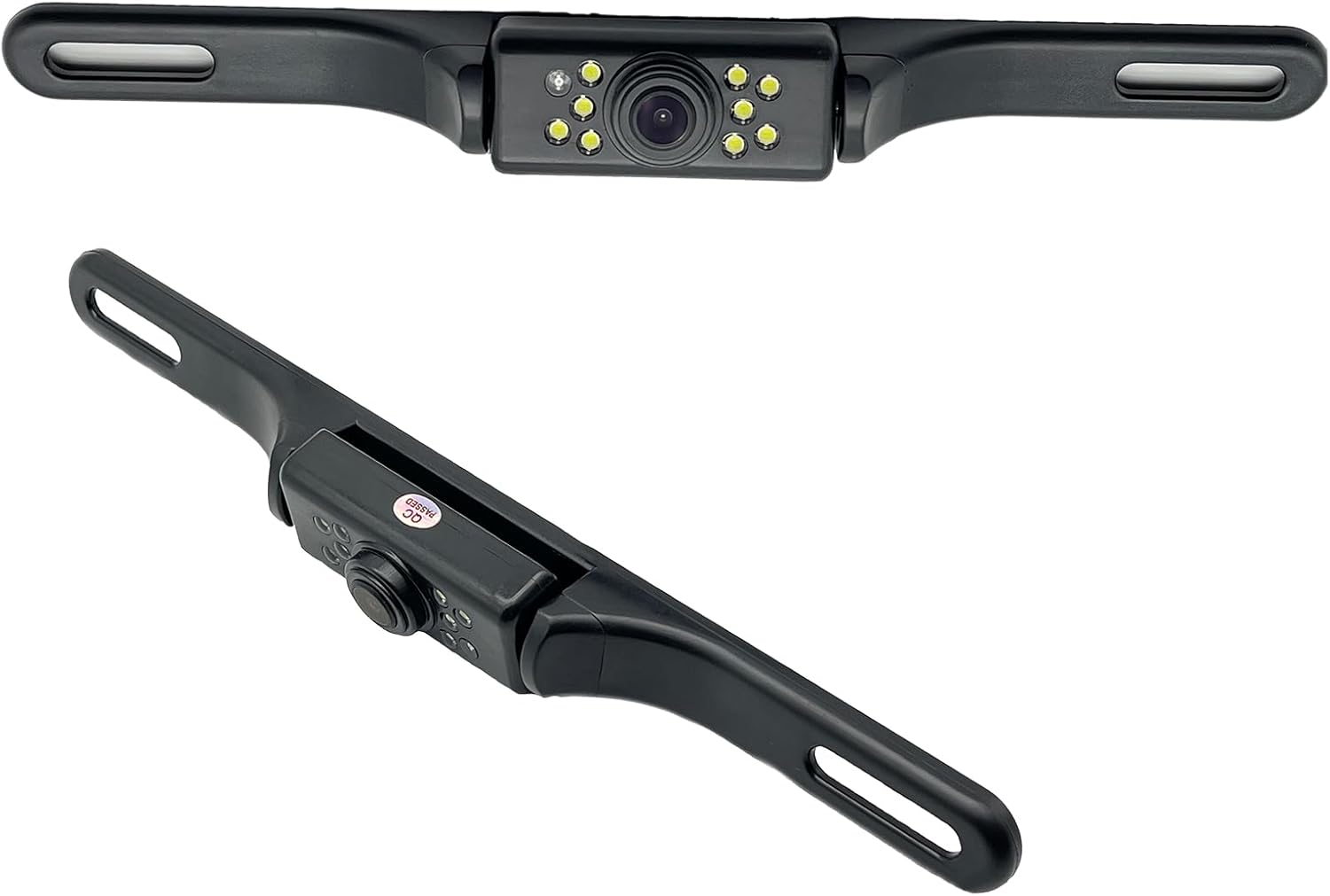
This YIMU license plate backup camera helps improve rear visibility with a wide 150° viewing angle, clear HD imaging, and full-color night vision powered by 7 LED lights. It supports CVBS and AHD switching for compatible screens, includes a long RCA video cable for flexible installation, and is built for reliable use in a variety of vehicles with waterproof and shockproof protection.

AUTO-VOX Solar Wireless Backup Camera makes reversing easier with a clear 1080P display, wireless digital signal, and a solar-assisted battery system that reduces maintenance. Designed for fast DIY setup, it mounts cleanly on a license plate and delivers dependable visibility for parking, towing, and blind-spot monitoring in a wide range of vehicles.

This Camecho vehicle backup camera helps improve rear, side, or front visibility with a wide 170° viewing angle and bright LED night vision for safer parking and reversing. Its waterproof, weather-resistant design and adjustable mounting make it a practical choice for many vehicles, while the included cable length supports straightforward installation.
Why Land Cruiser Backup Camera Guidelines Differ by Model Year
Land Cruiser camera features changed over time. Earlier J200 rear-view systems can be much simpler than later Toyota Parking Assist Monitor, Panoramic View Monitor, or Multi-terrain Monitor systems. For example, U.S.-market 2010 and 2011 navigation documentation describes the rear-view image appearing when Reverse is selected without describing the steering-responsive parking-assist line modes documented in later systems. By the 2013 U.S. navigation system, Toyota documented estimated-course and parking-assist guide lines.
That history is why “my lines do not move” is not enough to diagnose a failure. Start with the exact year, market, trim, and multimedia/camera package. A feature available on one Land Cruiser may be absent from another vehicle that looks almost identical from the outside.
Quick Troubleshooting: No Image, Missing Guide Lines, or Dirty Lens
Match the symptom before replacing parts. The first check for a display that never enters camera mode is different from the first check for a screen that switches to the camera but stays black.
| Symptom | Check First | Next Step |
|---|---|---|
| Display never switches in Reverse | Confirm R is selected, system is powered, and no aftermarket interface is interfering | Use exact-year fuse and wiring information |
| Screen switches but image is black | Check camera connection and accessible harness for damage | Professional signal/power diagnosis if persistent |
| Image is blurry | Clean lens and check for water, mud, snow, scratches, or internal moisture | Inspect camera if cleaning does not restore clarity |
| Image works but lines are missing | Confirm system supports lines, close back door, and check display mode | Service diagnosis if applicable lines still do not appear |
| Guide lines are badly misaligned | Check load, slope, tire condition, and signs camera was bumped | Have camera position/system inspected if error remains |
If the image is blurry: Start with the lens. Rinse loose grit away with water and wipe the lens gently with a soft, damp cloth. Do not immediately blame wiring because mud, snow, road salt, or water droplets can make an otherwise working camera look defective.
If guide lines are missing: Confirm that your Land Cruiser actually supports the line type you expect. Then close the back door completely and check the available guide-line display mode. Do not perform a generic steering-angle or ECU reset simply because another Toyota model uses one.
If the lines look wrong: Park on a flat surface with normal tire pressures and no unusual load before judging alignment. Passenger or cargo load, road slope, tire changes, low tire pressure, and a shifted camera position can all change how the displayed guide relates to the real path. If the error remains large on level ground, have the system inspected.
If there is no image: Use the fuse chart and wiring information for your exact vehicle. Avoid randomly applying power to camera wiring or assuming the camera uses normal vehicle battery voltage. If an aftermarket head unit, CarPlay module, camera adapter, rear bumper, spare-tire carrier, or other wiring modification was installed before the failure began, include that change in the diagnosis.
[Products Worth Considering]
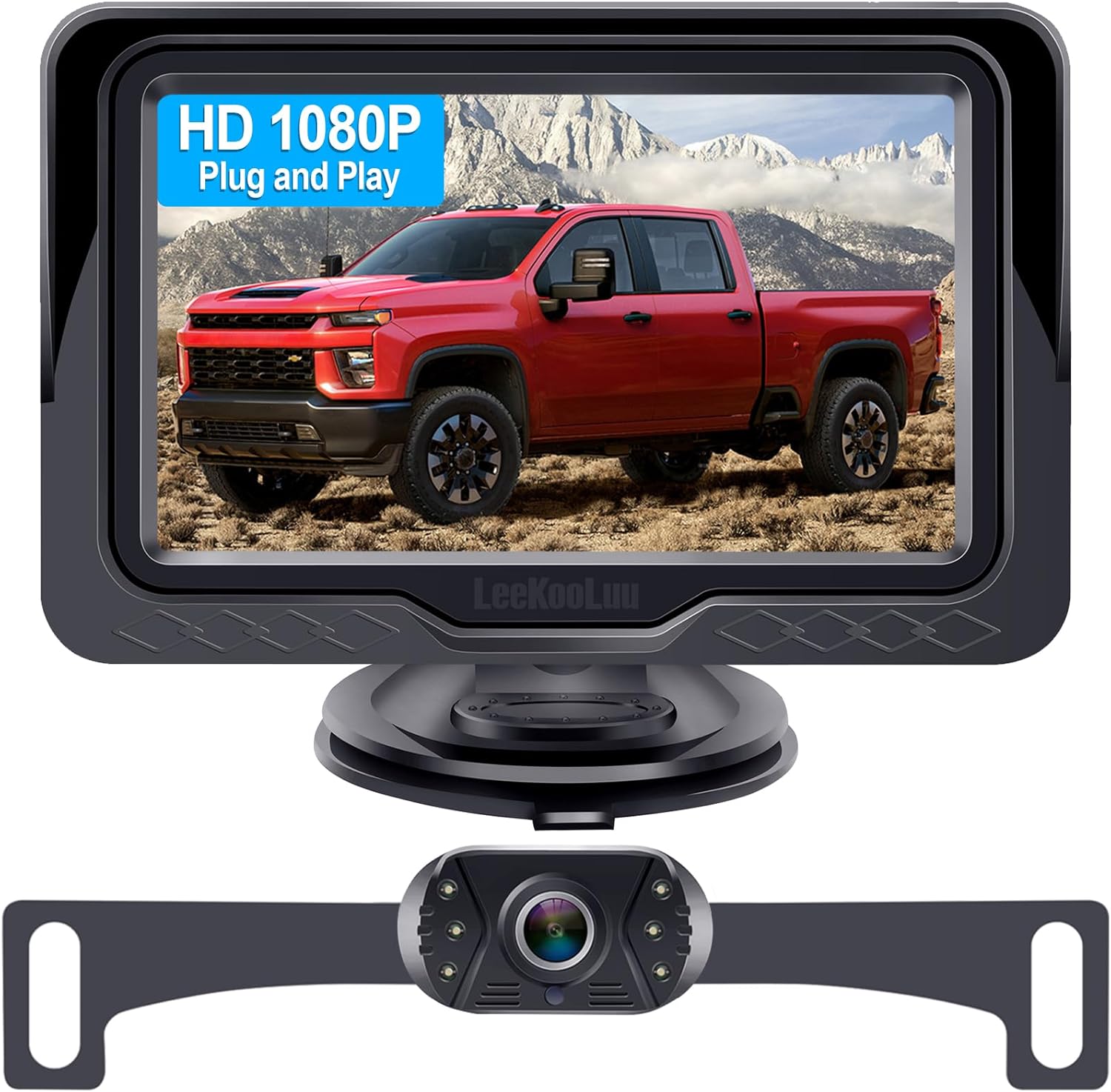
This plug-and-play backup camera system is designed for quick installation and dependable rear visibility on a wide range of vehicles. It delivers HD 1080P color images with stable signal transmission, clear night vision, and an adjustable 4.3-inch monitor for safer reversing in day or night conditions. With a waterproof all-weather design, customizable parking grid lines, and wide-angle viewing, it helps reduce blind spots and makes parking and maneuvering easier.

This versatile sanding and polishing kit provides a complete progression of grits for smoothing, refinishing, and restoring a wide range of surfaces. Designed for wet or dry use, it includes sanding discs, backing pads, and buffing accessories that make it easy to move from aggressive sanding to fine polishing. The quick hook-and-loop attachment and reusable components help deliver efficient results on cars, wood, metal, glass, resin, and more.

HD Camera Sensor Precision Lens——This car rear camera adopts superb 1/2.7 inch large sensor chip.The Vehicle Backup Cameras 170 degree wide view angle fisheye lens,1.4mm aperture.Plus the Back Up Parking Camera noise reduction and powerful image processing capability,all this ensure excellent images in various light environment.
Using the Camera in Reverse: Practical Tips and Common Scenarios

Shift fully into Reverse, keep your foot on the brake, and confirm that the displayed image matches the area behind the vehicle before moving. Scan both mirrors and look directly around the Land Cruiser, then use the camera to supplement those checks.
If your system has projected course lines, turn the steering wheel while stationary or moving only as directed by the owner’s manual and observe whether the projected path changes appropriately. Treat the lines as an estimate. They are based on a road-surface reference and cannot tell you whether a raised object, trailer component, cargo carrier, or protruding bumper will clear the vehicle.
If your Land Cruiser has only fixed lines, use them primarily for vehicle-width and distance reference. Increase your clearance margin rather than trying to imitate the steering-responsive behavior of a newer system.
Use extra caution in these situations:
- Sloped driveway: displayed distance can differ from actual clearance.
- Heavy cargo or passengers: vehicle attitude can change how the guides correspond to the road.
- Changed tires or suspension: recheck whether the on-screen path still agrees with the vehicle’s real position.
- Rear camera or bumper impact: a shifted camera can make otherwise normal lines appear wrong.
- Hitch racks or rear accessories: they can block the camera view or occupy the path shown on the screen.
[Products Worth Considering]

Car Rear View Backup Camera Suitable for Toyota 4 Runner/Land Cruiser 150-Series Prado/Fortuner/SW4

HD Camera Sensor Precision Lens——This car rear camera adopts superb 1/2.7 inch large sensor chip.The Vehicle Backup Cameras 170 degree wide view angle fisheye lens,1.4mm aperture.Plus the Back Up Parking Camera noise reduction and powerful image processing capability,all this ensure excellent images in various light environment.

Car Rear View Camera Waterproof HD Night Vison Reverse Parking CCD Chip Backup Cameras For Toyota Land Cruiser Prado 100 200 J120 2005-2014
Cleaning and Maintaining the Lens and Rear Washer System
Clean the backup camera whenever road dirt, mud, snow, salt, or water droplets reduce image quality. First rinse away loose grit. Then wipe the lens gently with a soft cloth dampened with water. Avoid forceful rubbing because scratching the camera cover can permanently reduce image clarity.
Do not apply organic solvents, car wax, oil-film remover, glass coating, or harsh cleaners to the camera. Avoid pointing a high-pressure washer directly at the lens or camera housing, and do not pour hot water onto a very cold camera.
If your Land Cruiser is equipped with a dedicated camera-cleaning washer, use the control described in its owner’s or multimedia manual. Availability and operation vary by model and market. If washer fluid is present but the camera washer does not spray, check the model-specific instructions before trying to clear a nozzle or dismantle the system.
| Task | Frequency |
|---|---|
| Lens cleaning | Whenever the image is obscured or after dirty/off-road driving |
| Washer fluid check | When an equipped washer will not spray or before dirty-weather use |
When to Call a Technician: Electrical, Calibration, and ECU Issues
Professional diagnosis is appropriate when the camera remains black after basic checks, the display does not respond to Reverse, guide lines remain severely misaligned on level ground, moisture is trapped inside the camera, the camera or rear body has been hit, or an electrical fault appeared after aftermarket wiring work.
Do not replace the camera solely because guide lines are absent. First determine whether your exact system is supposed to display fixed lines, projected lines, or no steering-responsive lines at all.
Electrical Fault Diagnosis
Electrical diagnosis should follow the wiring diagram for the exact model year and equipment. A technician can determine whether the display is receiving the Reverse request, whether the camera has the specified power and ground, whether the video or data path is intact, and whether an aftermarket interface is interrupting the signal.
A useful distinction is what the display does when you select Reverse. If the screen never changes, the problem can be upstream of the camera itself. If the display switches into camera mode but shows a black or unstable image, the camera, connector, harness, signal path, or related electronics deserve closer inspection.
| Symptom | Possible Area | Technician Action |
|---|---|---|
| No switch to camera view | Reverse request/display/network | Scan system and verify inputs |
| Camera mode but black image | Camera, power, connector, signal path | Test circuit using exact wiring data |
| Missing applicable lines | Door state, display mode, system fault | Confirm configuration and diagnose |
| Severely misaligned lines | Camera position/system calibration | Inspect mounting and perform model-specific service procedure |
ECU And Calibration
Do not use a universal “ECU recalibration” procedure for every Land Cruiser. The required service depends on the year and camera system. Before considering calibration, eliminate simpler causes: an open back door, an unsupported guide-line mode, uneven ground, unusual load, low tire pressure, changed tires, or a camera that has moved after an impact.
If steering-responsive course lines remain obviously wrong on level ground, or fixed lines are far out of alignment, use Toyota’s service information for that exact vehicle or have a qualified technician inspect it. Do not apply external voltage to camera wiring unless the correct wiring diagram and test procedure specify the circuit voltage and test point.
Frequently Asked Questions
How to Use Reverse Camera Guidelines?
Use Land Cruiser reverse-camera guide lines as a reference while continuing to check your mirrors and surroundings directly. Fixed lines can help estimate vehicle width or distance. On systems with projected course lines, the displayed path changes with steering input. Never assume the line marks an exact collision boundary, especially on slopes or around raised objects.
Why Are My Land Cruiser Backup Camera Guidelines Not Showing?
First confirm that your exact Land Cruiser year and camera package supports the guide lines you expect. Close the back door completely and check the available guide-line display mode. If an applicable line mode still does not appear, use the model-specific service procedure or have the system inspected.
Do All Land Cruisers Have Moving Backup Camera Guidelines?
No. Land Cruiser camera systems vary by generation, market, trim, and equipment. Earlier systems may provide a simpler rear-view image, while later parking-assist, panoramic-view, or multi-camera systems can provide fixed lines, projected steering-responsive lines, or several display modes.
Why Is My Land Cruiser Backup Camera Blurry?
Start by checking for water, mud, snow, road salt, or other dirt on the lens. Rinse loose contamination away and wipe the lens gently with a soft, damp cloth. If the image stays cloudy after the outside surface is clean, inspect for scratches, camera damage, or moisture inside the housing.
How Do I Use the Land Cruiser Camera Washer?
Only some Land Cruisers have a camera-cleaning washer, and operation varies by model and market. Follow the owner’s manual for your exact vehicle. On equipped current U.S. models, operating the rear-window washer can also clean the applicable rear-view or Multi-terrain Monitor camera.
Can I Calibrate Land Cruiser Backup Camera Guidelines Myself?
Do not assume a generic calibration procedure applies. First rule out an open back door, wrong display mode, sloped ground, unusual load, tire issues, or a shifted camera. If the lines remain badly misaligned, use Toyota service information for the exact model or have a qualified technician inspect and calibrate the system as required.
Conclusion
Land Cruiser backup camera guidelines are useful only when you know which camera system your vehicle has. Confirm the rear image in Reverse, keep the lens clean, close the back door fully, and treat fixed or projected lines as estimates rather than exact boundaries. If the picture stays black, applicable guide lines remain missing, or the displayed path is badly misaligned after the basic checks, use the service information for your exact model year or arrange professional diagnosis instead of applying a generic camera or ECU reset.