When your Sonata radio turns on but is silent, the head unit is receiving power while the audio signal is blocked between the screen, the external amplifier, or the speakers. Before pulling the dashboard apart, check independent volume settings, press the recessed pinhole reset button, and inspect the cabin AMP and MULTIMEDIA fuses. Follow the step-by-step checks below to pinpoint whether you are dealing with a frozen software module, a blown fuse, or a failed trunk amplifier.
Quick Answer: Why the Sonata Radio Turns On But Is Silent

A Hyundai Sonata radio that lights up and responds to touch but produces no sound is usually caused by a frozen infotainment processor, an off-center balance/fader setting, a blown 25A or 30A AMP fuse in the driver-side dash panel, or a failed external amplifier (Infinity, Dimension, JBL, or Bose). Start by holding the dashboard pinhole reset button for 5 to 10 seconds, then perform a 15-minute battery disconnect and inspect the interior fuses before testing the amplifier and speakers.
Matching your exact symptom to the audio signal path saves hours of guesswork:
- Screen works, volume bar moves, zero sound on all sources: A hung digital signal processor (DSP), a blown cabin
AMPfuse, or a dead external amplifier. - Screen works, but the volume number stays locked at 0 or won’t adjust: A CAN-bus communication glitch between the head unit and external amplifier, or a stuck steering wheel mute switch.
- FM/AM radio plays, but Bluetooth or CarPlay is silent: Phone media volume turned down, a muted Navigation/Phone audio channel, or a corrupted Bluetooth pairing profile.
- Sound cuts out in one or two doors only: Off-center balance/fader settings, a broken wire in the rubber door boot, or a blown door speaker voice coil.
Quick Checks: Mute, Balance, and Easy Resets to Try Now
Start with the two-minute cabin checks you can run from the driver’s seat without tools. Confirming independent volume sliders, centering your speaker routing, and running a quick soft or hard reset resolves most sudden audio dropouts on 2011–2026 Hyundai Sonata models.
Check Mute & Volume
Confirm that the system isn’t muted and that the active audio source has its own volume turned up. Hyundai Sonata infotainment systems store separate volume levels for Media/Radio, Navigation Prompts, Phone Calls, and Android Auto or Apple CarPlay, so turning the knob during a navigation prompt only adjusts voice guidance, not music.
- Toggle the steering wheel and dash mute controls: Press the volume knob inward (or press the steering wheel Mute button) and turn the volume dial up while watching the screen for a crossed-out speaker icon.
- Center the Balance and Fader: Open Setup > Sound > Position (or Balance/Fader) on the touchscreen and tap Center. If the fader was pushed to a pair of blown rear speakers, centering it immediately brings sound back to the working front doors.
- Reset soft audio settings: Inside the Sound menu, scroll to the bottom and select Reset (or Default) to clear stuck Speed-Dependent Volume Control (SDVC) or Quiet Mode limits without wiping your whole system.
Reset Radio Hardware
If mute, volume, and balance settings look normal, reboot the radio hardware to clear frozen software logic. Hyundai Sonata head units stay in a low-power standby state when you turn off the ignition, so simply shutting the car off for a minute will not restart a hung audio processor.
- Method 1: Pinhole Soft Reset (Takes 10 Seconds): Turn the ignition to ACC or ON. Locate the tiny recessed pinhole button on the dashboard bezel—usually right next to the volume knob, below the tune knob, or adjacent to the SD card slot. Press and hold it gently with a straightened paperclip or ballpoint pen tip for 5 to 10 seconds until the Hyundai logo restarts. This reboots the head unit without erasing your saved radio presets or paired phones.
- Method 2: 15-Minute Battery Hard Reset: On non-Hybrid Hyundai Sonatas equipped with factory navigation (especially 2011–2016 models), a known software lockup cuts audio across all speakers while the screen continues working normally. Perform a 15-minute negative battery terminal hard reset by disconnecting the negative (-) cable with a 10mm wrench, waiting a full 15 minutes for the amplifier and head unit capacitors to discharge, and reconnecting the terminal.
- Method 3: AM Tuner Wake-Up Trick: If Bluetooth works but FM radio is dead silent, switch to the AM band and press Scan/Seek. Forcing the tuner module to sweep AM frequencies often unlocks a frozen FM/HD Radio tuner chip.
Troubleshooting Flow: Step-by-Step to Isolate the Problem
When a soft pinhole reset and a 15-minute battery disconnect do not bring the sound back, follow a structured diagnostic order. Testing internal audio sources first, inspecting the cabin fuses second, and probing speaker resistance third tells you whether the failure sits in the dash unit, the fuse panel, or the speakers.
Check Basic Settings
Test multiple audio pathways to determine whether the head unit’s internal pre-amp is working or if the signal stops downstream at an external amplifier. Checking which sounds survive narrows the fault in under a minute.
- Enable touchscreen beep tones: Go to Setup > Sound > Beep and toggle the screen touch beep on.
- Switch between independent inputs: Test FM radio, a USB flash drive or Bluetooth music stream, and a hands-free phone call.
- Listen to instrument cluster chimes: Open the driver’s door with the key in the ignition or unbuckle your seatbelt while moving slowly. On most Sonata trims, seatbelt and door chimes play through a dedicated cluster piezo buzzer rather than the door speakers, confirming the car’s body control module is awake.
Pro Tip: If the touchscreen beep tone and every audio source (FM, AM, USB, Bluetooth, and Navigation voice) are all completely silent at the same time, stop troubleshooting your phone or tuner settings—the fault is almost certainly a blown AMP fuse or a dead external amplifier.
Inspect Power And Fuses
Open the interior fuse panel on the lower left side of the dashboard (behind the plastic snap-off cover near the hood release) and inspect the audio and amplifier fuses. Because the head unit and the external amplifier run on separate circuits, a blown AMP fuse leaves the radio screen fully lit while silencing every speaker in the car.
Use the fuse puller clipped inside the engine bay fuse box to pull and inspect the exact fuses for your Sonata’s generation:
| Sonata Generation | Head Unit Fuse | Amplifier Fuse | Control / Wake-Up Fuse |
|---|---|---|---|
| 2011–2014 (YF) | AUDIO (15A) |
AMP (30A) |
CLOCK (10A) |
| 2015–2019 (LF) | MULTI MEDIA (15A) |
AMP (25A) |
MODULE 2 (10A) & MEMORY 1 (10A) |
| 2020–2026 (DN8) | MULTIMEDIA (15A) |
AMP (25A) |
MODULE 4 (10A) & MODULE 8 (10A) |
- Check the exact diagram for your model year: Compare your panel cover against the 2011–2014 Hyundai Sonata (YF) fuse diagram, the 2015–2019 Hyundai Sonata (LF) fuse layout, or the 2020–2026 Hyundai Sonata (DN8) fuse panel.
- Inspect the yellow storage fuse holder (Power Connector): Many Sonata dash fuse panels have a large yellow plastic carrier (or an ON/OFF dark-current switch) holding the
AUDIO/MULTIMEDIAand interior lamp fuses. Push it firmly inward to verify both fuses are seated all the way into their terminals, and confirm the radio retains station memory after cycling the key. - Pull the fuse for 60 seconds as a targeted reset: Even if the metal filament inside the 15A
MULTIMEDIAand 25A/30AAMPfuses tests unbroken with a multimeter, leaving both fuses out for one full minute with the car off forces the head unit and amplifier modules to reboot cleanly.
Test Controls And Speakers
Test the speaker circuits and physical controls with a digital multimeter to determine whether an open voice coil or shorted speaker wire is tripping the head unit’s internal protection circuit. A single shorted door speaker wire can cause the amplifier IC to mute all four channels to prevent overheating.
- Measure speaker impedance (Ohms): With the radio unplugged (or at the amplifier output connector), set your multimeter to Resistance ($\Omega$) and probe each speaker pair (+ and -). Base 6-speaker Sonata systems use 4-ohm speakers (reading roughly 3.2 to 4.0 ohms DC resistance), whereas factory amplified Dimension, Infinity, JBL, and Bose systems often use 2-ohm door speakers (reading 1.6 to 2.2 ohms). An open reading (`OL`) means a broken wire or blown voice coil; a reading near `0.0` ohms indicates a dead short to ground.
- Pop-test individual speaker leads: Briefly touch the terminals of a 1.5V AA or AAA battery to each disconnected speaker pair at the harness. A healthy speaker cone will make a quiet, audible “pop” or scratch sound.
- Verify AC audio signal output: Set the multimeter to AC Volts (V~), play a steady 60 Hz or 1 kHz test tone at medium volume, and probe the speaker output pins. A fluctuating AC voltage (typically 0.5V to 5.0V AC) proves the amp is sending signal and the fault lies in the door wiring or speaker.
Electrical Causes: Fuses, Battery, Grounds, and Wiring
When cabin fuses are intact but the audio system stays mute, electrical voltage drops, corroded chassis grounds, or damaged harness pins are the primary suspects. Modern Hyundai amplifiers and head units monitor system voltage continuously and will shut down their output stage if supply voltage drops below roughly 10.5V or if the ground path develops high resistance.
Warning: Always disconnect the negative (-) battery terminal and wait at least 3 minutes before removing dashboard trim panels near airbag harnesses or probing steering column connectors. Never probe yellow airbag connectors with a standard test light.
- Verify constant 12V (B+) and switched 12V (ACC) at the harness: Pull the head unit out of the dash and back-probe the main power connector with a multimeter set to DC Volts. You should measure 12.2V to 12.6V DC on the constant memory wire (`B+`) with the key off, and 12.0V to 14.4V DC on the accessory (`ACC`) wire with the ignition on.
- Load-test the 12V car battery: A weak or sulfated battery that sags below 10V during engine cranking can cause the external amplifier’s microcontroller to brown out and fail its wake-up handshake with the head unit.
- Measure ground resistance to the chassis: Set your multimeter to Ohms and measure resistance between the radio harness ground pin (black wire) and bare unpainted metal on the dashboard support bracket. Resistance must read under 0.5 ohms; clean any loose or oxidized ground bolts behind the center console or trunk trim.
Controls & Hardware Faults: Steering Controls, Potentiometer, Amp, Speakers
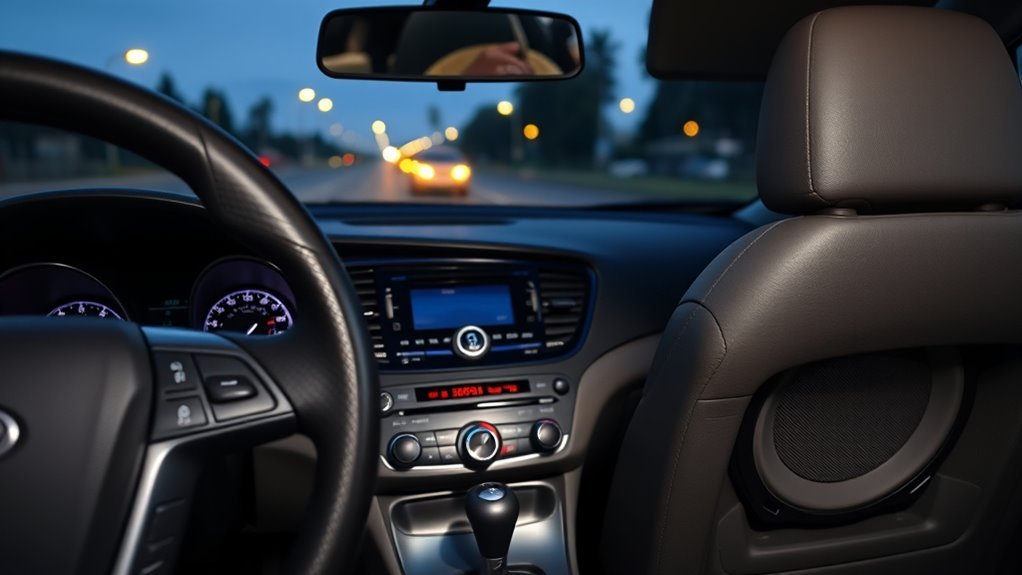
Once fuses, battery voltage, and grounds check out, inspect the four hardware components that control and amplify the audio signal in a Hyundai Sonata: the external factory amplifier, the steering wheel clock spring, the volume rotary encoder, and the rubber door wiring boots.
- External Factory Amplifier Failure (Dimension, Infinity, JBL, or Bose): On Sonata trims with premium audio, the dash head unit only acts as a controller and sends a digital SPDIF audio signal and a CAN-bus wake-up command to an external amplifier. On 2011–2014 (YF) and 2020–2026 (DN8) Sonatas, the factory amplifier is mounted behind the right-side (passenger-side) trunk liner; on select 2015–2019 trims, check behind the right trunk trim or under the front passenger seat. Water leaks around the trunk weatherstripping or internal PCB solder failure frequently kill the amp, leaving the dashboard screen working with zero sound.
- Steering Wheel Controls & Clock Spring Faults: The steering wheel volume and mute buttons route through a ribbon cable inside the steering column called the clock spring. If a worn clock spring shorts the resistance ladder for the Mute or Volume Down switch, the radio stays forced into mute. Test if the steering wheel buttons only respond when turning the wheel, and watch for an illuminated airbag warning light.
- Worn Volume Knob Potentiometer / Rotary Encoder: If turning the dashboard volume knob causes the volume display to jump erratically or stay stuck at zero while steering wheel volume buttons work fine, the rotary encoder inside the head unit faceplate is worn or oxidized.
- Broken Wires in the Front Door Accordion Boots: Constant opening and closing fatigues the speaker wires inside the rubber accordion boot between the A-pillar and the front doors. Peel back the rubber boot to inspect for snapped or pinched wires that short out when the door moves.
- Outdated Infotainment Firmware: Software bugs in Display Audio Gen1, Gen2V, and navigation head units can drop amplifier communication. Download the latest model-specific patch from the Official Hyundai Navigation and Display Audio Update portal onto a FAT32-formatted USB drive and install it with the engine idling so the battery stays charged.
Fixes and Costs: DIY Steps, Repairs, Salvage Radios, and When to Call a Pro
Fixing a silent Hyundai Sonata radio costs anywhere from under $10 for a DIY fuse replacement to over $900 for a brand-new OEM amplifier or head unit at a dealership. Most owners save 60% to 80% by sourcing a matching salvage OEM amplifier or radio and installing it at home.
| Repair or Replacement Option | Typical DIY Parts Cost | Professional Parts + Labor | When to Choose This Fix |
|---|---|---|---|
| Fuse Replacement or Hard Reset | $0 – $10 | $50 – $120 (diagnostic fee) | Blown 15A/25A/30A fuse or frozen software after a battery dip |
| Door Boot Wiring or Single Speaker Swap | $15 – $90 | $120 – $280 | Broken wire in door jamb or blown 2-ohm/4-ohm door speaker |
| Used / Salvage OEM External Amplifier | $120 – $260 | $250 – $450 (or $700+ new OEM) | Power and ground reach trunk amp, but zero audio comes out |
| Salvage OEM or Aftermarket Head Unit | $150 – $400 | $350 – $1,200+ | Dead internal pre-amp on base 6-speaker radio or bad volume encoder |
- Match exact OEM part numbers on salvage units: When buying a used factory amplifier or head unit from an auto recycler, pull your original unit first and match the exact Hyundai part number (for example, starting with
96370-for amplifiers or96160-/96560-for head units) printed on its sticker. Mixing non-amplified and SPDIF-amplified parts will result in no sound. - Use an SPDIF interface for aftermarket stereos: If you replace the factory radio with an aftermarket head unit on a Sonata with Dimension, Infinity, or Bose audio, a standard wiring harness will not wake up the digital trunk amplifier. You must use an active digital amplifier turn-on interface (such as the Metra AX-HYKIA-SPDIF or Axxess AXDIS-HK2).
- Check factory warranty coverage first: Hyundai’s New Vehicle Limited Warranty covers audio and navigation components for 5 years or 60,000 miles on newer vehicles, and clock spring repairs are covered under extended warranty campaigns on several older Sonata model years. Check your VIN on the MyHyundai Manuals and Warranties resource page before paying out of pocket.
Frequently Asked Questions
Can a Phone Bluetooth Issue Cause No Sound Even if Radio Plays?
Yes, your phone’s Bluetooth settings can mute streamed music and calls even when FM and AM radio play normally. Turn up your phone’s media volume while connected, disable “Do Not Disturb” or separate Bluetooth audio routing on your phone, and delete and re-pair the vehicle profile if the Bluetooth codec locks up.
Will a Software Update Erase Presets or Settings?
No, routine Hyundai Display Audio and navigation USB updates usually keep your radio presets and paired devices intact, though major platform upgrades can occasionally reset custom sound equalizers. Write down your favorite station frequencies and audio balance settings before inserting the USB drive so you can restore them quickly if needed.
Can Water Damage Silence Only One Speaker?
Yes, water leaking past an aging window weatherstrip can corrode the terminals or rust the voice coil of a single door speaker. However, if moisture shorts the positive and negative speaker terminals together, the radio or amplifier protection circuit may temporarily mute all speakers until the shorted door speaker is unplugged.
Is Dealer Reprogramming Required After Battery Disconnect?
No, disconnecting the 12V battery on a Hyundai Sonata does not lock the radio or require dealer reprogramming. Unlike older vehicles that required a four-digit anti-theft radio code, Sonata infotainment units automatically reconnect to the vehicle’s body control module as soon as battery power is restored.
Do Aftermarket Speakers Require Wiring Adapter or Resistor?
Yes, you should use plug-and-play Hyundai speaker wiring adapters to avoid cutting factory door harnesses, and you must match your factory speaker impedance. Premium Sonata sound systems (Dimension, Infinity, or Bose) typically use 2-ohm door speakers; installing 4-ohm aftermarket speakers reduces volume, while installing lower-impedance speakers can overheat a base 4-ohm radio.
Where Is the External Amplifier Located in a Hyundai Sonata?
In most Hyundai Sonata trims equipped with Dimension, Infinity, JBL, or Bose premium audio (including 2011–2014 and 2020–2026 models), the external amplifier is bolted behind the carpeted trim panel on the right (passenger) side of the trunk. On select trims, it is mounted underneath the front passenger seat.
How Do I Reset My Hyundai Sonata Radio When There Is No Sound?
With the ignition turned on, use a paperclip to press and hold the tiny recessed pinhole button near the volume or tune knob for 5 to 10 seconds until the display restarts. If sound does not return, disconnect the negative battery terminal under the hood for 15 minutes to hard-reset the external amplifier.
Conclusion
Most cases where a Sonata radio turns on but is silent come down to a hung audio processor or a tripped amplifier circuit rather than a ruined head unit. Start right now by pressing the dashboard pinhole reset button for 10 seconds, checking the 15A MULTIMEDIA and 25A or 30A AMP fuses in the driver-side dash panel, and running a 15-minute negative battery disconnect. If power and ground reach the harness but every speaker stays mute, test your trunk amplifier or match its OEM part number for a plug-and-play salvage replacement.
Sources
- RepairPal – Hyundai Sonata No Sound from Speakers: Documents the software lockup on non-Hybrid navigation models and the 15-minute negative battery terminal hard-reset procedure.
- Fuse Box Info – Hyundai Sonata (YF; 2010–2014): Verifies the 15A AUDIO, 30A AMP, and 10A CLOCK fuse locations and ratings in the instrument panel junction box.
- Fuse Box Info – Hyundai Sonata (LF; 2014–2019): Verifies the 15A MULTI MEDIA, 25A AMP, 10A MODULE 2, and 10A MEMORY 1 interior fuse circuits.
- Fuse Box Info – Hyundai Sonata (DN8; 2020–2026): Verifies the 15A MULTIMEDIA, 25A AMP, and 10A MODULE 4 and MODULE 8 fuse ratings.
- Official Hyundai Motors Navigation Update Website: Confirms FAT32 USB formatting requirements and Display Audio software installation steps.
- MyHyundai – Manuals & Warranties: Official Hyundai portal for checking owner’s manuals, wiring specifications, and factory warranty coverage by VIN.