Toyota Safety Sense in the Camry is a group of driver-assistance features designed to help you spot hazards sooner, stay aware of lane position, keep a steadier following distance, and improve nighttime visibility. On current U.S. Camry models, the suite is Toyota Safety Sense 3.0, but exact features and settings can vary by model year, trim, market, and software version.
Quick Answer
Toyota Safety Sense in the Camry uses cameras, radar, alerts, braking support, steering assistance, adaptive cruise control, road sign recognition, and automatic high beams to help reduce risk during everyday driving. It is helpful safety technology, but it does not make the Camry self-driving.
Key Takeaways
- Toyota Safety Sense 3.0 in newer Camry models includes features such as Pre-Collision System, Lane Departure Alert, Lane Tracing Assist, Dynamic Radar Cruise Control, Road Sign Assist, Automatic High Beams, and Proactive Driving Assist.
- The system can warn, assist with braking, help with lane support, and adjust cruising speed, but it has limits in bad weather, poor lane markings, glare, sensor blockage, and unusual traffic situations.
- You can adjust some alerts and driver-assistance settings through the vehicle display, but the correct menu path depends on your model year and software version.
- Blind Spot Monitor, Rear Cross-Traffic Alert, Traffic Jam Assist, and Front Cross-Traffic Alert may work alongside TSS, but they are separate features and may depend on trim or package.
At a Glance
| Time Required | 2–5 minutes to review or adjust basic settings |
| Difficulty | Easy |
| Tools Needed | Steering-wheel controls, vehicle display, and your Camry Owner’s Manual |
| Cost | No added cost to use standard Toyota Safety Sense features |
Warning: Toyota Safety Sense is driver assistance, not autonomous driving. Toyota’s manual states that the driver remains responsible for paying attention to the vehicle’s surroundings and driving safely, even when these systems are active.
What Is Toyota Safety Sense in the Camry?
Toyota Safety Sense, often shortened to TSS, is Toyota’s suite of active safety and advanced driver-assistance systems. In newer Camry models, Toyota Safety Sense 3.0 is designed to help with common driving risks such as forward collisions, lane drifting, changing traffic speeds, missed road signs, low nighttime visibility, and following-distance awareness.
For the current Camry generation, Toyota lists Toyota Safety Sense 3.0 as standard equipment and includes these core systems:
- Pre-Collision System with Pedestrian Detection (PCS w/PD): Helps detect vehicles, pedestrians, bicyclists, and motorcyclists under certain conditions, then can warn the driver and provide automatic emergency braking if needed.
- Full-Speed Range Dynamic Radar Cruise Control (DRCC): Helps maintain a preset following distance from the vehicle ahead when cruise control is active.
- Lane Departure Alert with Steering Assist (LDA w/SA): Warns if the Camry appears to drift from its lane and may provide gentle steering assistance.
- Lane Tracing Assist (LTA): Works with Dynamic Radar Cruise Control to help keep the vehicle centered in its lane when lane markings or a preceding vehicle are detected.
- Road Sign Assist (RSA): Uses the forward camera to help identify certain signs and show them on the Multi-Information Display.
- Automatic High Beams (AHB): Automatically switches between high and low beams in certain nighttime conditions.
- Proactive Driving Assist (PDA): Can provide gentle braking or steering support in certain situations, such as when approaching a vehicle, pedestrian, bicyclist, or curve.
Some Camry models also include or offer other helpful driver-assistance features, such as Blind Spot Monitor, Rear Cross-Traffic Alert, Front Cross-Traffic Alert, Lane Change Assist, Panoramic View Monitor, and Traffic Jam Assist. These can add convenience and awareness, but they should not be confused with the core TSS features available on every trim.
How Does the Pre-Collision System Work?
The Pre-Collision System is one of the most important parts of Toyota Safety Sense. It uses the Camry’s forward-facing camera and radar to monitor the area ahead of the car. When the system detects a possible frontal collision, it can warn you with visual and audible alerts. If you do not react in time, it may provide braking assistance or automatic emergency braking.
In Toyota Safety Sense 3.0, PCS is designed to help detect several kinds of road users under certain conditions:
- Vehicles ahead
- Pedestrians
- Bicyclists
- Motorcyclists
- Some oncoming vehicles or crossing vehicles in certain intersection situations
This makes PCS useful in city traffic, suburban roads, and highway driving, but it is not perfect. The system may have trouble in heavy rain, snow, fog, direct sun glare, low contrast, sharp curves, dirty sensors, or unusual traffic situations.
Note: Pre-Collision System is designed to help reduce crash risk or impact severity. It cannot detect every object, person, vehicle, or situation, and it should never be tested intentionally.
Lane Departure Alert: How Does It Keep You on Track?
Lane Departure Alert helps when the Camry begins to drift from its lane without an obvious steering correction. In Toyota Safety Sense 3.0, Lane Departure Alert with Steering Assist is designed to work when white or yellow lane markings, or certain road-edge boundary lines, are detected at speeds above about 30 mph.
If the system detects an unintended lane departure, it can warn you. If you do not correct the drift, Steering Assist may provide gentle steering input to help keep the vehicle in its lane.
| Feature | What It Does |
|---|---|
| Lane Departure Alert | Warns when the vehicle may be unintentionally leaving its lane. |
| Steering Assist | May provide gentle steering support if the driver does not respond. |
| Road-edge detection | Can recognize some road-edge boundaries, not only painted lane lines. |
| Custom alerts | Depending on model and settings, alerts may be adjusted through the vehicle display. |
LDA works best on clearly marked roads. It may be less helpful when lane lines are faded, covered by snow, blocked by glare, missing in construction zones, or confusing at merges and exits.
Understanding Dynamic Radar Cruise Control in Toyota Safety Sense

Dynamic Radar Cruise Control helps make highway driving less tiring by keeping a selected following distance from the vehicle ahead. Toyota describes Full-Speed Range DRCC as an adaptive cruise control system intended for highway use and designed to be set at speeds above 20 mph.
When traffic ahead slows, DRCC can reduce the Camry’s speed to help maintain the selected gap. When traffic clears, it can help return the vehicle toward your set speed. On equipped models, Lane Tracing Assist can work with DRCC to help keep the Camry centered in its lane.
Key DRCC Features
- Preset speed: You choose the cruising speed, just like normal cruise control.
- Following-distance control: The system uses radar and camera information to help maintain a selected gap.
- Speed adjustment: The Camry can slow or accelerate within system limits when traffic changes.
- Highway focus: DRCC is intended mainly for open-road and highway driving, not tight city traffic or complex intersections.
- Lane Tracing Assist support: When conditions are right, LTA may assist with lane centering while DRCC is active.
Pro Tip: Increase the following-distance setting in rain, snow, heavy traffic, or when other drivers are merging often. Driver-assistance systems work best when you give them more time and space.
Automatic High Beams, Road Sign Assist, and Proactive Driving Assist
Toyota Safety Sense is not only about collision alerts and cruise control. It also includes awareness features that help during everyday driving.
[Products Worth Considering]

These paddle shifter extension trims are designed to improve driving feel and add a sporty look to compatible Toyota models. Made from premium aluminum alloy, they offer a precise fit, stronger grip, and easy adhesive installation without damaging the original paddle shifters. The set includes left and right covers with tape for a secure upgrade.

This frameless convex blind spot mirror helps expand your field of view for safer lane changes, passing, and merging. The HD glass design offers a clear, wide-angle rear view, while the swivel mount supports flexible positioning for cars, SUVs, trucks, vans, and RVs. Easy to install and built for all-weather use, it is a practical upgrade for everyday driving confidence.

These round blind spot mirrors add a wider viewing angle to help improve lane changes, passing, and everyday driving safety. The frameless convex HD glass design offers a slim, clear rear view while the adjustable swivel mount makes positioning quick and easy. Compatible with cars, SUVs, vans, and trucks, this two-pack is a simple upgrade for reducing blind spots.
Automatic High Beams
Automatic High Beams are designed to improve nighttime visibility. At speeds above about 21 mph, the system can detect headlights from oncoming vehicles and taillights from vehicles ahead, then switch between high and low beams when appropriate.
Road Sign Assist
Road Sign Assist uses the forward-facing camera to recognize certain signs and display them on the Multi-Information Display. Depending on the vehicle and conditions, this may include speed limit signs, stop signs, Do Not Enter signs, yield signs, and some warning signs.
Proactive Driving Assist
Proactive Driving Assist can provide gentle braking or steering support when system conditions are met. It may help with distance control around vehicles, pedestrians, or bicyclists, and it can also provide gentle braking into some curves. It is meant to support smooth driving, not replace your attention or judgment.
The safest way to use Toyota Safety Sense is to treat it as backup support: helpful, always limited, and never a replacement for watching the road.
Customizing Your Toyota Safety Features for Optimal Use
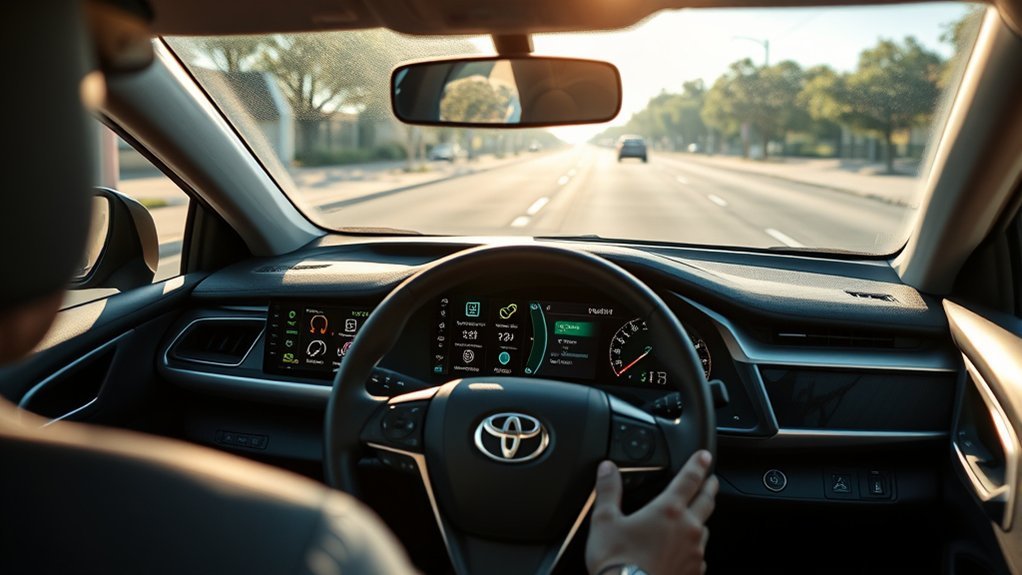
You can adjust several Toyota Safety Sense settings to match how you drive. The exact options depend on your Camry’s model year, trim, display, and software version, so use the Owner’s Manual for the final word. Still, most adjustments happen through the steering-wheel controls and the vehicle’s Multi-Information Display.
[Products Worth Considering]

These SYJIIP halogen headlight bulbs are designed for Toyota RAV4 models from 2013 to 2015, offering a plug-and-play replacement with stock-size fitment for easier installation. They deliver brighter warm white light for improved night visibility while maintaining a safe beam pattern with reduced flicker and fewer CANBUS issues. The four-pack makes it convenient to refresh multiple bulbs or keep spares on hand for reliable driving performance.

Add a bold custom touch to your front grille with this tri-color badge emblem designed to enhance the look of compatible Toyota trucks and SUVs. Made from durable, waterproof ABS material, it is built to handle outdoor conditions while staying vibrant and secure. Installation is quick and simple, making it an easy style upgrade for vehicles with grille inserts.

This steering clock spring is designed to restore reliable steering wheel controls across a wide range of Toyota models. It supports audio, cruise control, and other multifunction commands while matching OEM part numbers for confident replacement fitment. Built for dependable signal transfer and straightforward installation, it is an effective solution for repairing steering column control issues.
Common Settings You Can Adjust
| Feature | Common Customization Options |
|---|---|
| Pre-Collision System | Warning timing or system on/off, depending on model. |
| Lane Departure Alert | Alert type, alert sensitivity, and steering assistance settings. |
| Dynamic Radar Cruise Control | Following-distance setting from the vehicle ahead. |
| Road Sign Assist | Sign display and alert preferences, if supported. |
| Automatic High Beams | System on/off through lighting controls or vehicle settings, depending on model. |
How to Adjust Settings Safely
- Park the Camry in a safe place before changing driver-assistance settings.
- Use the steering-wheel controls to open the settings area on the Multi-Information Display.
- Look for the driver-assistance or Toyota Safety Sense menu.
- Select the feature you want to review, such as PCS, LDA, RSA, or DRCC distance.
- Choose the alert timing, sensitivity, or on/off setting you prefer.
- Test the setting only through normal driving. Do not intentionally create a dangerous situation to see if a system works.
If your Camry has received a Toyota Safety Sense software update, confirm that you are reading the correct digital manual for your vehicle’s software version. Toyota’s 2026 Camry driving-support manual notes that operating methods may change after a TSS software update.
When to Turn Off or Avoid Using Toyota Safety Sense Features
Most drivers should leave Toyota Safety Sense active during normal driving, but there are situations where certain features may need to be turned off or avoided. Toyota’s manual lists conditions where systems may not work properly, and it tells drivers not to rely on the system to drive safely.
Be extra cautious when:
- The windshield camera area is dirty, fogged, iced over, or blocked by stickers or accessories.
- The radar sensor or sensor cover is dirty, damaged, covered by snow, or blocked.
- Lane markings are faded, missing, covered, or confusing.
- You are driving in heavy rain, snow, fog, direct sun glare, or very dark conditions.
- The road has sharp curves, construction zones, potholes, uneven shoulders, or unusual lane patterns.
- The vehicle is being towed, transported, raised on a lift, tested on a dynamometer, or going through certain automatic car washes.
- You are driving off-road or in a sporty manner where the system could misread the situation.
Note: If a warning message appears, follow the message on the vehicle display. If the message does not clear after cleaning sensors or restarting the vehicle, schedule service with a Toyota dealer.
Troubleshooting Common Toyota Safety Sense Messages
If Toyota Safety Sense seems unavailable or less responsive than usual, the issue is often temporary. Start with simple checks before assuming something is broken.
[Products Worth Considering]

This Yangday steering wheel cover is designed for a custom fit on select Toyota models, helping improve grip, comfort, and control during everyday driving. Its breathable leather construction and non-slip inner lining offer a secure feel, while the sport-inspired design adds a stylish upgrade to the car interior. The cover is easy to install and helps protect the original steering wheel from heat, wear, and seasonal discomfort.
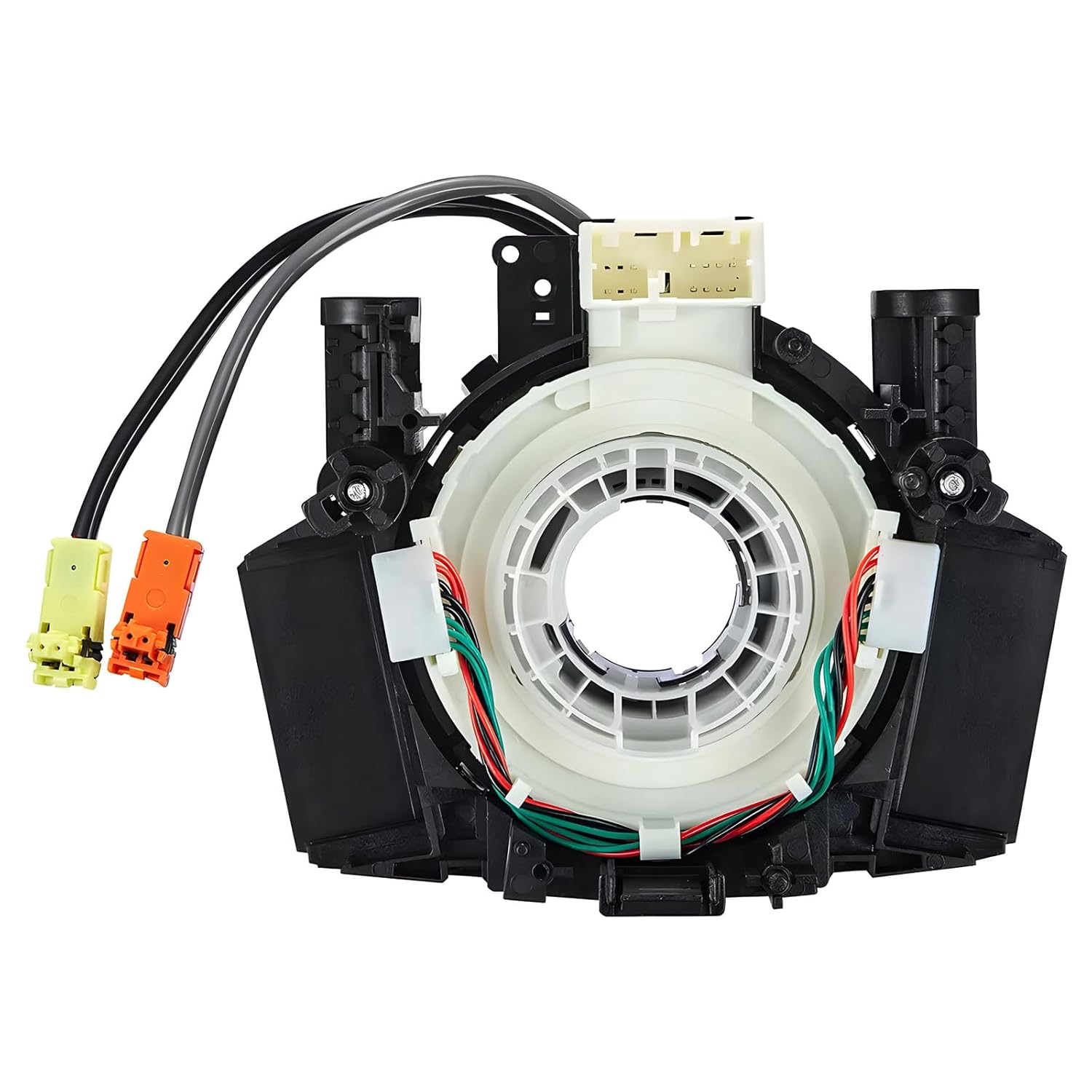
This steering clock spring assembly is an OEM-style replacement designed to restore steering wheel controls and related electronic functions in compatible Nissan vehicles. It supports audio, cruise control, and multi-function button operation while matching multiple factory part numbers for a reliable fit. Built for direct installation with vehicle-specific connectors, it helps return steering column electronics to proper working order.

This dash clock spring replacement is designed for a wide range of Toyota vehicles and helps restore reliable steering wheel control functions. It supports audio controls, cruise control, and other multi-function commands while using vehicle-specific connectors for easier installation. Built with durable materials and OEM-referenced part compatibility, it is a practical solution for repairing steering wheel signal issues.
“TSS Unavailable” or Sensor Blocked Message
Clean the windshield in front of the camera, the front grille or emblem area, and any radar sensor covers. Snow, ice, bugs, dirt, water spots, or accessories can block sensor vision.
Lane Assist Not Working
Lane Departure Alert and Lane Tracing Assist need visible lane markings, road-edge boundaries, or a detectable preceding vehicle. The system may not activate on roads with poor markings, sharp curves, construction zones, or low-speed driving.
Cruise Control Not Holding Distance Smoothly
Dynamic Radar Cruise Control can react differently when vehicles cut in, curves block the radar view, traffic is stop-and-go, or weather reduces sensor accuracy. Adjust the distance setting, slow down, or drive manually when conditions are complex.
Automatic High Beams Not Switching
Automatic High Beams may not switch as expected if the windshield camera view is blocked, street lighting is bright, vehicles are around curves, or reflective signs confuse the system. Use manual headlight control whenever needed.
Key Features of Toyota Safety Sense in the Camry
Here is the clearest way to understand Toyota Safety Sense in the Camry: each feature covers a different part of the driving task, and together they create a stronger safety net.
| Toyota Safety Sense Feature | Main Benefit | Best Used For |
|---|---|---|
| Pre-Collision System | Forward-collision warning and braking support | Traffic, intersections, unexpected stops |
| Lane Departure Alert | Lane-drift warning and steering support | Highways and clearly marked roads |
| Lane Tracing Assist | Lane-centering support with cruise active | Long highway drives |
| Dynamic Radar Cruise Control | Maintains selected speed and following distance | Open roads and highway traffic |
| Road Sign Assist | Shows certain recognized signs | Speed awareness and sign reminders |
| Automatic High Beams | Switches high beams on and off when appropriate | Night driving |
| Proactive Driving Assist | Gentle braking or steering support | Smoother response around curves, vehicles, and vulnerable road users |
The best setup is the one you understand. Spend a few minutes reviewing the safety menu, the steering-wheel buttons, and your Owner’s Manual before relying on the features during a long trip.
Frequently Asked Questions
Do you have to pay for Toyota Safety Sense in the Camry?
No. Toyota Safety Sense features are included as standard equipment on many newer Toyota models, including current Camry models. However, some extra driver-assistance features, connected services, or package-based features may require a higher trim, optional package, trial, or subscription.
How does Toyota Safety Sense work?
Toyota Safety Sense uses a forward-facing camera, radar, sensors, software, warning alerts, braking support, steering assistance, and cruise-control logic to support the driver. It can help detect certain vehicles, pedestrians, bicyclists, motorcyclists, lane markings, road edges, signs, and lighting conditions, depending on the feature.
At what speed does the Toyota Pre-Collision System work?
Operating speeds vary by model year, software version, target type, and conditions. Rather than relying on a single speed number, check your Camry Owner’s Manual for the exact PCS operating range that applies to your vehicle. Even within its operating range, PCS may not detect every hazard.
Is Toyota Safety Sense the same as self-driving?
No. Toyota Safety Sense is a driver-assistance system. It can warn, assist, brake, steer gently, and adjust speed in certain conditions, but the driver must stay alert, keep hands available, watch the road, and take control whenever needed.
Can I turn Toyota Safety Sense off?
Some Toyota Safety Sense features can be adjusted or turned off through vehicle settings, while others may reset the next time you start the car. Toyota generally recommends leaving safety systems on during normal driving unless the Owner’s Manual says a specific situation requires disabling them.
Is Blind Spot Monitor part of Toyota Safety Sense?
Blind Spot Monitor is a Toyota driver-assistance feature, but it is usually listed separately from the core Toyota Safety Sense suite. In the Camry, Blind Spot Monitor and Rear Cross-Traffic Alert can work alongside TSS to improve awareness around the sides and rear of the vehicle.
Conclusion
Toyota Safety Sense in the Camry is like a careful co-pilot that helps watch for hazards, lane drift, changing traffic speeds, signs, and nighttime visibility. The Pre-Collision System, Lane Departure Alert, Lane Tracing Assist, Dynamic Radar Cruise Control, Road Sign Assist, Automatic High Beams, and Proactive Driving Assist can make daily driving feel more confident and less tiring. Still, the smartest way to use TSS is to understand its limits, keep the sensors clean, adjust settings before you drive, and stay fully engaged behind the wheel.
Sources
- Toyota Safety Sense Hub — official overview of Toyota Safety Sense features, including PCS, DRCC, LDA, LTA, RSA, AHB, and PDA.
- 2026 Toyota Camry Driving Support Systems Owner’s Manual Excerpt — official Camry safety-system warnings, limitations, software update notes, and feature references.
- Toyota USA Newsroom: Next-Generation Camry — official Camry driver-assistance and Toyota Safety Sense 3.0 feature details.
- Toyota 2026 Camry Official Model Page — current Camry model information and specifications for U.S. vehicles.
- NHTSA Driver Assistance Technologies — federal guidance explaining that driver-assistance features support the driver but do not replace driver responsibility.