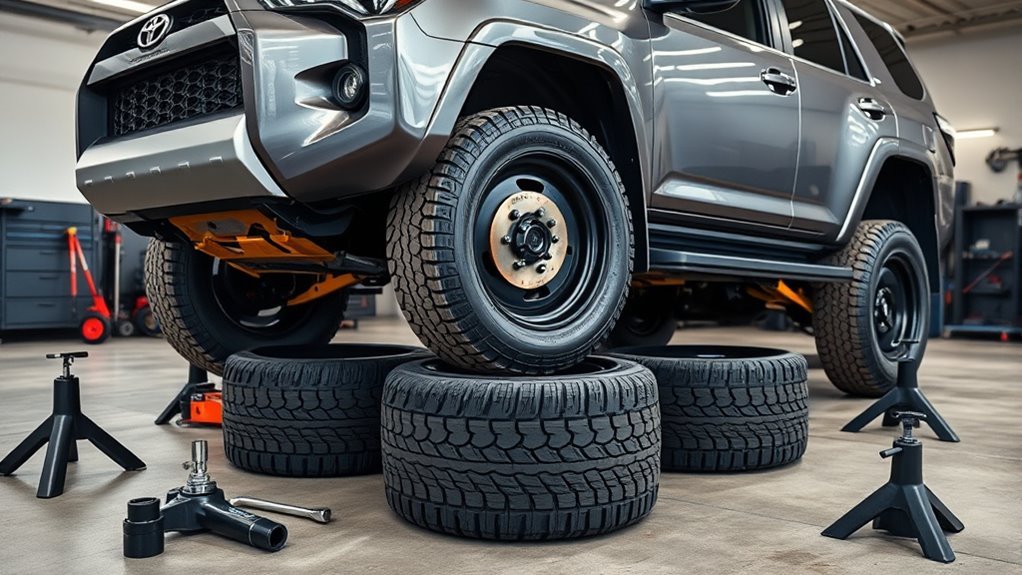
You’ll use A-TRAC when slow, high-traction control matters: it applies targeted brake taps in 4LO to mimic a locker and redistribute torque to biting wheels, unlike MTS which modulates throttle and engine mapping for sustained progress in varied terrain. A-TRAC keeps VSC active, needs slight wheel slip to engage, and can heat brakes under continuous use—monitor temps and transmission load. Use MTS for smoother climbs and switch to A-TRAC for aggressive, low-speed obstacles; more operational detail follows.
A‑TRAC vs MTS : Quick Decision Guide

When deciding between A‑TRAC and MTS, match the system to the task: use MTS in 4HI for general off‑roading and light climbs where controlled throttle modulation and reduced brake/transmission stress are priorities, and switch to A‑TRAC in 4LO for aggressive traction demands like rock crawling or steep, technical sections where immediate brake‑based torque redistribution is required. You’ll choose MTS when you want sustained progress with adjustable terrain settings that limit slip and protect driveline components; recognize MTS limitations in severe, low‑speed traction events where measured slip won’t suffice. Opt for A TRAC advantages once you need instant torque reallocation to stuck wheels, accepting greater brake usage and potential overheating for short, decisive interventions. Tactically, start in MTS for liberation-oriented exploration, shifting to A‑TRAC when obstacles exceed throttle control. Monitor brake temperature and transmission load, and revert to MTS for extended runs to preserve components while maintaining momentum and autonomy.
What A‑Trac Does and How It Differs From TRAC, VSC, and MTS
You’ve learned when to favor MTS or A‑TRAC; now let’s examine what A‑TRAC actually does and how it contrasts with TRAC, VSC, and MTS. You’ll see A‑TRAC uses targeted brake intervention to emulate a limited‑slip differential in challenging, low‑speed off‑road situations (primarily 4LO). That focused function yields clear A TRAC advantages for rock crawling and steep climbs, but it also creates A TRAC challenges when traction management beyond braking is required.
- You gain ruthless traction redistribution under load.
- You sacrifice the broader engine‑control measures TRAC provides.
- You retain vehicle stability systems (VSC) for cornering, independent of A‑TRAC’s role.
- You can invoke MTS to modulate throttle and engage A‑TRAC automatically.
Technically, TRAC modulates engine torque across drive modes; VSC preserves yaw/stability; MTS orchestrates inputs and calls A‑TRAC. You’ll choose tools for liberation: precise braking torque transfer or broader, less aggressive control.
How A‑TRAC Works (Simple Brake‑Based Torque Transfer in 4LO)
When you engage A‑TRAC in 4LO, the system uses targeted wheel braking to mimic a locker by pulsing brakes on spinning tires and forcing torque to the wheels with traction. This brake‑based torque redistribution operates independently at each corner and can control all four wheels, which is critical for off‑camber or three‑wheel scenarios. Use 4LO/A‑TRAC when you need controlled low‑speed traction—rock crawling, steep slick grades, or deep mud—while remembering it requires some slip to activate and can interrupt momentum if overused.
Brake-Based Wheel Braking
Brake-based wheel braking in A‑TRAC uses targeted brake application in 4LO to move torque away from a spinning wheel and toward those with traction, effectively simulating a limited‑slip/differential lock. You’ll rely on measured brake performance and intentional pulse control for traction enhancement when a wheel loses grip. The system requires slight wheel slip to engage and can control all four wheels, so it’s effective on uneven, off‑camber terrain.
- You feel empowered when A‑TRAC arrests a spin and restores forward motion.
- You trust pulse braking to replace a mechanical locker without manual intervention.
- You accept brief momentum loss as the trade‑off for regained control.
- You gain freedom to traverse mud, snow, rocks, and steep climbs confidently.
Torque Redistribution Mechanism
Although it relies on the ABS hardware and stability sensors, A‑TRAC actively applies braking torque to individual spinning wheels in 4LO to reallocate engine torque to tires with traction, so you regain propulsion without a mechanical locker. You’ll see that the system senses slip and selectively brakes high‑speed wheels, shifting torque via the drivetrain to lower‑speed, gripped tires. That brake‑based transfer alters torque dynamics predictably: braking one wheel raises torque available to its opposite wheel or axle, improving traction efficiency across all four tires. You can exploit this control in uneven terrain and off‑camber positions where conventional lockers would be intrusive. Note it needs detectable slip to operate, so temporary loss of momentum can precede regained forward motion.
When To Engage
In 4LO you’ll want A‑TRAC engaged whenever sustained wheel slip threatens forward momentum or control—steep climbs, deep mud, loose gravel, and technical rock sections are prime examples where its brake‑based torque redistribution prevents a single spinning wheel from robbing propulsion. You should activate it when terrain or load creates repeated slip events; A‑TRAC senses spin and reallocates torque to gripping wheels, restoring drive and stability. For liberation on trail, rely on A‑TRAC to keep you moving without manual finesse, informed by user experiences that favor engagement in moderate to difficult conditions.
- Steep inclines — preserve ascent
- Deep mud — avoid stall and drift
- Loose gravel — maintain direction
- Rock crawling — protect momentum
Follow best practices: engage 4LO, monitor feedback, disengage on high‑traction pavement.
When to Use A‑TRAC, MTS, or Crawl Control (Practical Scenarios)

When you’re choosing between A‑TRAC, MTS, and Crawl Control, match the system to the task: use A‑TRAC for aggressive, immediate traction needs like being stuck from a stop or tight rock crawling, deploy MTS for general off‑road use and light-to-moderate hill work where you want finer throttle response and adjustable settings, and reserve Crawl Control for the most technical, driver‑free low‑speed maneuvers where the system controls throttle and brakes to navigate obstacles. You’ll apply traction strategies deliberately: A TRAC scenarios demand brake-based intervention in 4LO for wheel slip; MTS applications give adjustable modulation in 4HI/4LO for sustained traverses; Crawl Control handles extreme terrain challenges autonomously.
| Scenario | Recommended System | Rationale |
|---|---|---|
| Stuck from stop/rock crawl | A‑TRAC | Immediate brake locking on spinning wheels |
| Long, varied trail | MTS | Tunable response, better driver control |
| Technical boulder field | Crawl Control | Automated low-speed obstacle negotiation |
| Moderate hills | MTS/A‑TRAC | Use MTS for control, A‑TRAC for aggressive grip |
Follow off road tips to reclaim freedom on rough ground.
How to Activate A‑TRAC, TRAC, VSC, and Auto LSD Safely
Before selecting any traction mode, you should verify terrain, speed, and drivetrain (2WD, H4, or L4) to choose the safe mode for the situation. Follow a strict activation sequence: place vehicle speed in the recommended range, shift into the appropriate drive range (engage L4 for automatic A‑TRAC), then press or hold the VSC OFF switch as required to enable AUTO LSD or fully disable TRAC/VSC. While operating, continuously monitor wheel-slip indicators, engine torque response, and temperatures to prevent drivetrain stress and disengage systems if abnormal behavior appears.
Safe Mode Selection
Because selecting the correct traction mode affects vehicle behavior and component engagement, you should choose modes deliberately and confirm drivetrain state before moving off. Use safe mode logic tied to terrain selection: match 2WD, H4, or L4 to surface and desired control. You’ll engage systems via the VSC OFF switch and transfer case; short presses toggle AUTO LSD or disable TRAC in 2WD, long presses (3s) fully disable TRAC/VSC for open differentials, and L4 enables A-TRAC’s simulated locking through brake intervention.
- Assess surface and desired slip control — pick terrain selection accordingly.
- Select drivetrain (2WD/H4/L4) to align system behavior.
- Apply short/long VSC OFF presses as required.
- Verify dashboard indicators before proceeding.
Activation Step Sequence
If you need maximum traction for technical off‑road passages, follow a strict activation sequence so systems engage predictably and you maintain vehicle control. Begin by selecting 4WD Low Range (L4); the activation process automatically enables A‑TRAC, delivering locker‑like torque distribution for immediate traction enhancement. If you remain in 2WD and need limited slip behavior, use a short press of the VSC OFF switch to engage Auto LSD without engine intervention. To open differentials deliberately for specific maneuvers, perform a long press (about 3 seconds) on the VSC OFF switch to disable TRAC and VSC. A‑TRAC stays active while in L4 unless you manually switch it off. Learn and rehearse these steps so you can reliably command traction and preserve control in varied terrain.
Monitoring And Protection
Having rehearsed the activation sequence, you’ll now focus on monitoring system status and applying safeguards so A‑TRAC, TRAC, VSC, and Auto LSD engage only when desired and won’t compromise control. You’ll monitor system reliability and performance monitoring indicators: A‑TRAC auto‑engages in 4HI/4LO on slip, remains active in Low Range, and mimics lockers for superior off‑road traction. Use the VSC OFF switch deliberately: short press enables Auto LSD in 2WD; long (3s) press disables TRAC/VSC for open diffs. Verify mode indicators and road feel before committing to inputs. If wheel slip persists, reassess speed and steering to avoid brake overuse. Maintain situational awareness to liberate capability without sacrificing safety.
- Confirm indicators.
- Use short press for Auto LSD.
- Long press to disable TRAC/VSC.
- Reassess if slip continues.
Limits, Overheating Risks, Recovery Tips, and Upgrade Options
While A-TRAC boosts traction by modulating brakes and engine torque, it has clear operational limits you need to understand before relying on it in severe conditions. You must account for overheating risks: continuous modulation under extreme slip can heat brake components and electronics, triggering a protective shutdown. That shutdown preserves hardware but leaves you without torque management mid-obstacle.
You’ll also confront functional limits: A-TRAC requires wheel slip to engage, which can stall momentum and underperform compared with mechanical lockers in deep mud or snow. In those cases, temporarily disabling traction control can improve wheel rotation and maneuverability, reducing entrapment risk.
Adopt targeted recovery strategies: use a rear locking differential when available, carry recovery gear, and plan anchor points. For liberation from extreme terrain, upgrade differentials and fit robust aftermarket components—stronger gears, lockers, and recovery-rated hardware—to extend capability where A-TRAC alone may struggle.
Frequently Asked Questions
What Is the a Trac System on a 4runner?
A-TRAC is an automatic traction control that brakes slipping wheels to simulate limited-slip behavior; you’ll gain A TRAC benefits like improved off-road grip, but you’ll face A TRAC limitations such as required slip and occasional momentum loss.
Should Advancetrac Be on or Off?
Think of A-TRAC as your co-pilot: you should keep traction control on for ideal off road performance and climbs, but switch it off in 2WD, deep snow, or when controlled wheel slip helps you free the vehicle.
Conclusion
You now know A‑TRAC’s role: a brake‑based, low‑range torque manager that complements TRAC, VSC, MTS and Crawl Control. Use A‑TRAC in low‑speed, equal‑traction off‑camber or rutting situations; switch to MTS or Crawl Control when wheel lift or steep, uneven terrain demands active axle locking or automatic modulation. Imagine a 4Runner stuck in a muddy ruts; engaging 4LO with A‑TRAC lets you brake a spinning rear wheel and transfer torque to a gripping tire, easing a controlled exit without driveline shock.