A Tesla Model 3 OBD2 adapter gives you a practical connection point for compatible diagnostic tools, but fitment matters. Tesla connector locations and harness designs have changed across vehicle generations, so the safest choice is one matched to your car’s connector and installation point.
The OHP OBD2 Cable for Tesla (Standard Harness) is the verified pick in this guide. It installs inline at the rear center-console connector on the vehicle generations documented by OHP and creates an OBD2 connection for a separate compatible scanner.
We checked the exact ASIN, OHP’s current fitment and installation guidance, Tesla diagnostic documentation, safety information, and real-world discussions. This source article contains only one product, so there is no separate value or premium pick.
Tesla Model 3 OBD2 Adapter Comparison
| Product | Best for | Fitment | Purpose |
|---|---|---|---|
|
Budget
|
Best overall | Rear-console Model 3/Y applications documented by OHP | Creates an OBD2 connection for CAN bus diagnostics |
Tesla Model 3 OBD2 Adapter: Our Top Pick
1. OHP OBD2 Cable for Tesla (Standard Harness)

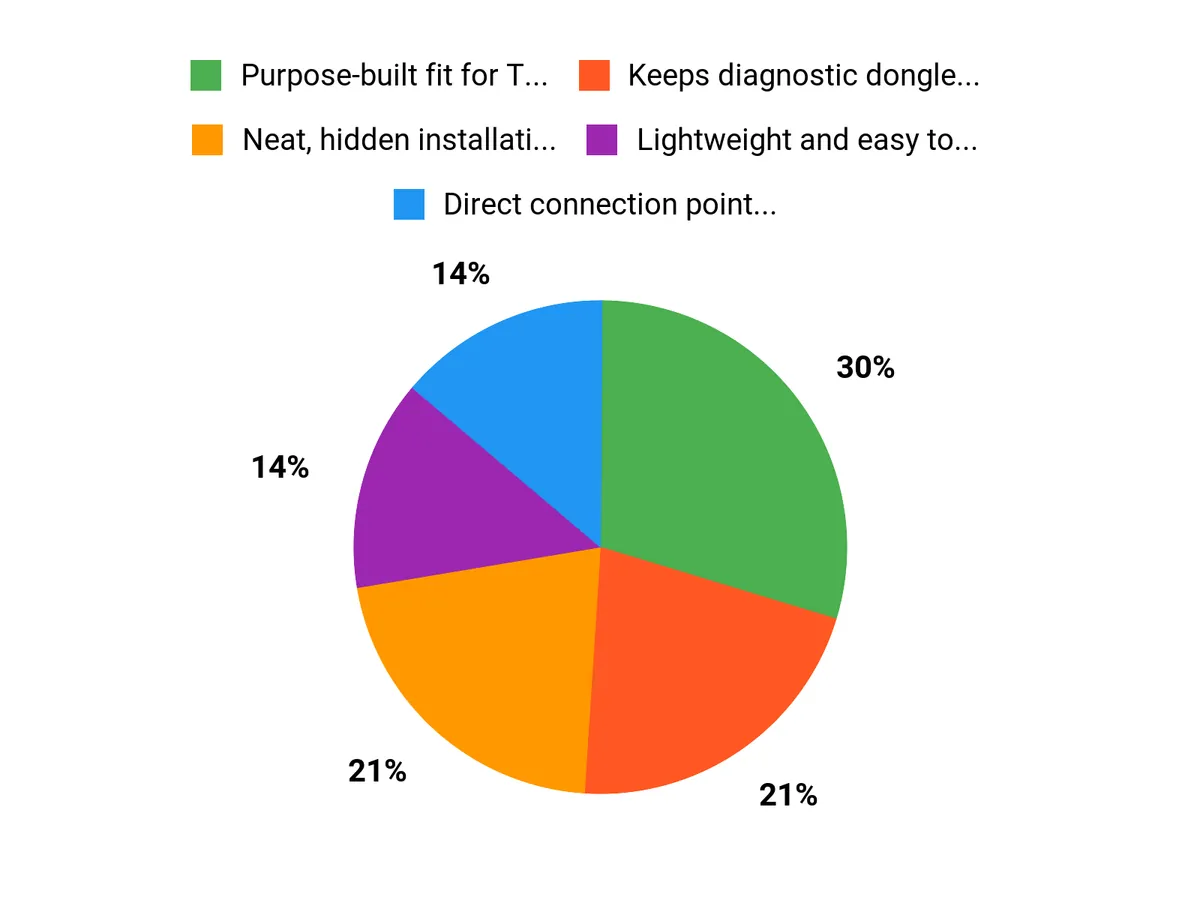
Bottom line: The OHP OBD2 Cable for Tesla (Standard Harness) is a simple way to create an OBD2 connection behind the rear center console on compatible cars. Buy it if your connector matches OHP’s documented installation; skip it if your Tesla uses a newer front-installation harness.
- Vehicle fit: Model 3/Y rear-console applications documented by OHP, check build first
- Install location: Rear center-console connector, keeps the lead close to trim
- Connection: Standard OBD2 socket, accepts a separate compatible scan tool
- Scanner requirement: Scanner and software sold separately, cable alone cannot diagnose
The harness connects inline between the factory console connectors rather than replacing your diagnostic scanner. Once installed, you can connect a suitable USB, Wi-Fi, or Bluetooth OBD2 interface and use software that supports the Tesla CAN bus data you need.
OHP’s current manufacturer guidance documents the standard rear-console harness for Model 3 and Model Y 2019-2020 builds and the 2021 refresh. OHP also warns that some early January or February 2019 Model 3 cars may use a different connector, so check the vehicle before ordering.
The current Amazon listing advertises broader year coverage than OHP’s own product documentation. Because connector layouts have changed across Tesla generations, the physical connector and installation location are more useful fitment checks than relying on a model name alone.
- Creates a standard OBD2 connection from the Tesla console harness
- Inline installation avoids cutting the factory connector
- Works with separate compatible CAN bus scan tools and software
- Rear-console installation can keep the connection neatly routed
- It is only a harness; you still need a scanner and compatible software
- Some early 2019 vehicles may require a different connector
- Newer Tesla generations can use a different installation point or harness
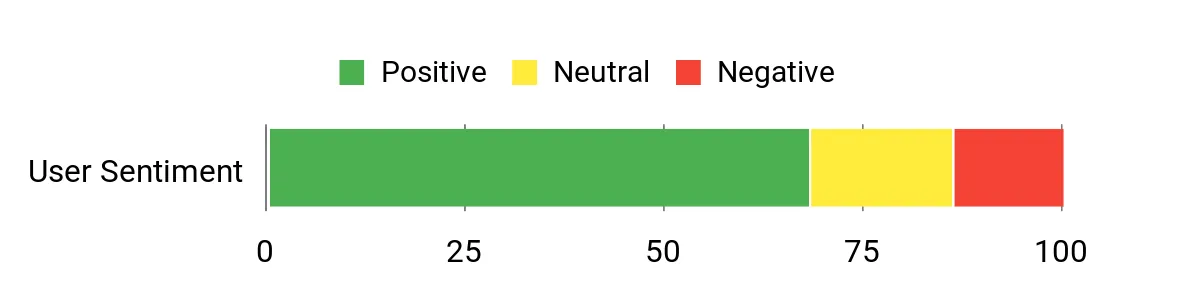
Original Sentiment Graphic
The graphic below is retained from the original article. Its underlying review sample is not independently documented, so it is not used here as a product rating, ranking, or verified owner-feedback claim.
Which Tesla OBD2 Adapter Should You Buy?
- Rear-console diagnostics: get the OHP OBD2 Cable for Tesla (Standard Harness) if your connector matches OHP’s documented fitment.
- You already own a scanner: get the OHP OBD2 Cable for Tesla (Standard Harness) to create the physical OBD2 connection.
- You want CAN bus monitoring: get the OHP OBD2 Cable for Tesla (Standard Harness) and pair it with compatible software.
- You have an early 2019 car: verify the connector before ordering because OHP documents a possible fitment difference.
- You have a Highland or newer front-installation setup: choose the correct generation-specific harness rather than assuming this rear-console version fits.
How We Chose
- Exact product match: We checked ASIN B08DXY5KVX against the live Amazon listing and OHP product information.
- Fitment: Manufacturer documentation was prioritized over broader marketplace compatibility wording.
- Diagnostic function: We checked whether the harness creates an OBD2 connection and what additional scanner hardware is required.
- Installation: OHP’s installation guide was used to confirm the rear-console connection process.
- Safety and ownership: Recall searches, Tesla service information, and independent owner discussions were checked without inventing hands-on testing.
Why This Adapter Makes Sense for DIY Diagnostics
The main benefit is access. The harness creates a familiar OBD2 connection from Tesla’s vehicle-side connector, so you can attach a compatible scan interface without leaving a temporary cable routed through the cabin.
It also separates the harness from the diagnostic hardware. If you already own a suitable scanner, you can use the cable as the vehicle-specific connection while choosing software based on the CAN bus data you want to view.
Tesla Model 3 OBD2 Adapter Buying Guide
Check the Vehicle Generation and Connector First
Tesla has used different diagnostic connections and locations across vehicle generations. OHP’s manufacturer page documents this standard rear-console harness for Model 3 and Model Y 2019-2020 builds and the 2021 refresh, with a warning for some early 2019 cars. Match the connector and location before buying instead of relying only on the model year shown by a marketplace listing.
Know What the Harness Does
An OBD2 harness is not the same thing as a diagnostic scanner. The cable gives your compatible vehicle a standard-shaped OBD2 connection. You still need a separate interface and software capable of understanding the Tesla CAN bus information you want to read.
Choose the Scanner and App Separately
OHP describes using compatible USB, Wi-Fi, or Bluetooth scan tools with its Tesla harness. The scanner determines how your phone, tablet, or computer communicates with the car. The software determines which supported values you can display, log, or interpret.
Think About the Data You Actually Need
OHP lists CAN bus information such as battery pack temperature, motor temperature, and cell voltage as examples of data available through a suitable setup. Do not assume every generic OBD2 app can interpret Tesla-specific information. Check the scanner and app documentation before buying the harness.
Install It Without Altering Factory Wiring
OHP’s documented procedure places the harness inline between matching console connectors. Power the vehicle down first, use suitable trim tools, avoid forcing the plugs, and route the OBD2 lead where it will not be pinched when the trim goes back into place.
Consider Service and Warranty Questions
Third-party accessories are not Tesla components, and damage caused by an aftermarket modification may not be covered by the vehicle warranty. A reversible plug-in installation is preferable to cutting or altering factory wiring. If your car is under warranty and coverage is a concern, confirm your situation with Tesla before installation.
Mistakes to Avoid When Buying a Tesla OBD2 Adapter
- Buying by model name alone: check the connector, vehicle generation, and installation location.
- Expecting a complete scanner: budget for the separate OBD2 interface and software you need.
- Assuming every OBD2 app works: verify Tesla CAN bus support before choosing software.
- Forcing a connector: stop if the plugs do not match rather than modifying the factory harness.
- Ignoring newer harness designs: Highland and later layouts may require a different generation-specific adapter.
FAQs
Is the OHP OBD2 Cable compatible with every Tesla Model 3?
No. OHP’s current manufacturer guidance documents this rear-console harness for Model 3 and Model Y 2019-2020 builds and the 2021 refresh, and it warns that some early January/February 2019 cars may use a different connector. The Amazon listing advertises broader coverage, so match your vehicle’s connector and installation location before ordering.
Does the OHP OBD2 Cable work with Model Y too?
Yes, for the fitment range OHP documents. The manufacturer lists Model Y 2019-2020 builds alongside Model 3 and says the same rear-console harness creates the OBD2 connection. Later Model Y generations may use a different connector or installation point, so do not assume the standard harness fits solely from the model name.
Does the OHP OBD2 Cable include a scanner?
No. The OHP cable is a harness adapter, not a scan tool. You still need a compatible OBD2 scanner or interface and software that can read the Tesla CAN bus data you want. The manufacturer specifically describes using the harness with separate USB, Wi-Fi, or Bluetooth-capable scan tools.
What data can I read through the OHP OBD2 Cable?
The harness provides the physical OBD2 connection needed for compatible tools to access CAN bus data. OHP lists examples such as battery pack temperature, motor temperature, and cell voltage. What you can actually view or change depends on the scanner and software you pair with the harness, not the cable alone.
Will installing an OBD2 harness affect my Tesla warranty?
Installing a third-party harness does not make the harness part of Tesla’s warranty coverage. Damage caused by an aftermarket modification may be excluded from coverage, so avoid cutting or altering factory wiring. If your car is under warranty and you are unsure about service implications, confirm with Tesla before installation.
How do I install the OHP OBD2 Cable safely?
Power the car down before working behind the console. OHP’s installation guide says to remove the rear center-console trim, disconnect the factory console connector, place the harness inline between the matching connectors, route the OBD2 lead, reinstall the trim, and then attach your scanner. Use plastic trim tools and avoid forcing connectors.
Final Verdict
For a compatible rear-console Tesla, the OHP OBD2 Cable for Tesla (Standard Harness) is a straightforward way to add an OBD2 connection for CAN bus diagnostics. Its biggest limitation is fitment: Tesla connector layouts have changed, so verify your vehicle before ordering.